
|
Cursor's recent pivot is just like Codex
Cursor is following Codex and Intent into the world of agent orchestration
| |||||||||||||||


Last week, Cursor dropped their complete redesign. It’s no longer a VS Code clone. It’s centered around agents now. Why? Agents are the future of software development.
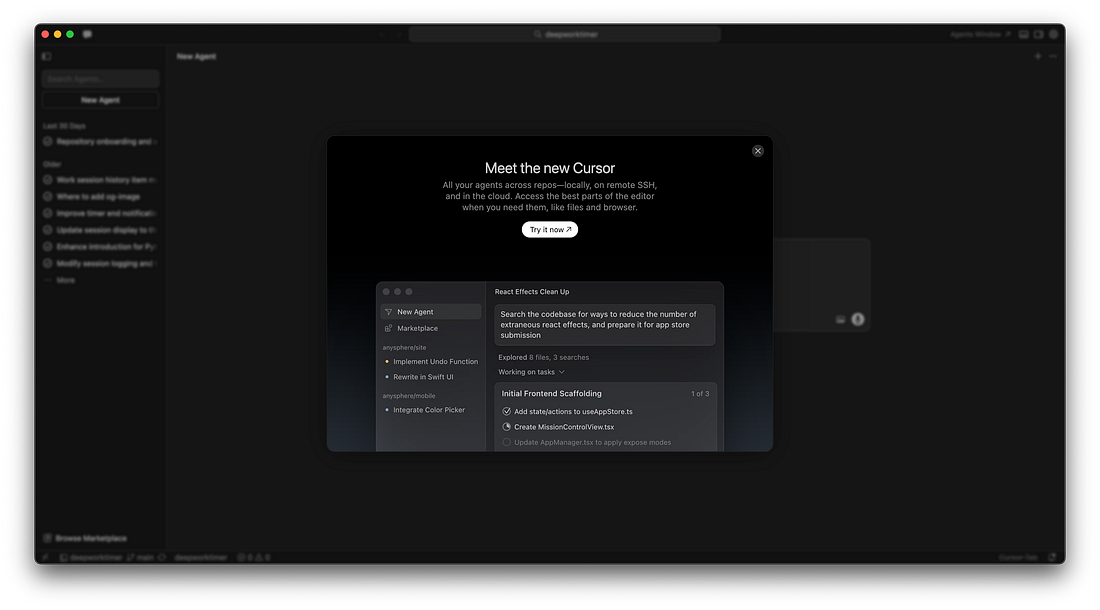 |
Cursor 3 is an Agent Orchestrator interface that allows managing multiple, parallel AI agents, focusing on chat, and reviewing AI-driven code changes. The announcement post sums it up well:
We're introducing Cursor 3, a unified workspace for building software with agents. The new Cursor interface brings clarity to the work agents produce, pulling you up to a higher level of abstraction, with the ability to dig deeper when you want. It's faster, cleaner, and more powerful, with a multi-repo layout, seamless handoff between local and cloud agents, and the option to switch back to the Cursor IDE at any time.

Cursor is Codex now
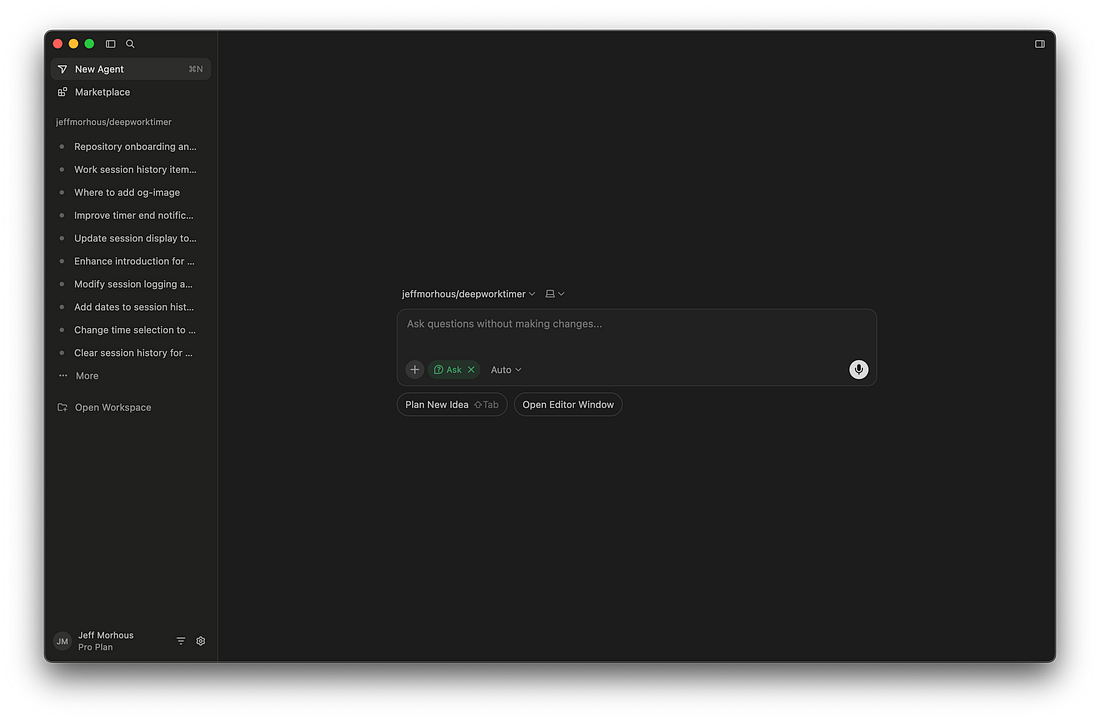
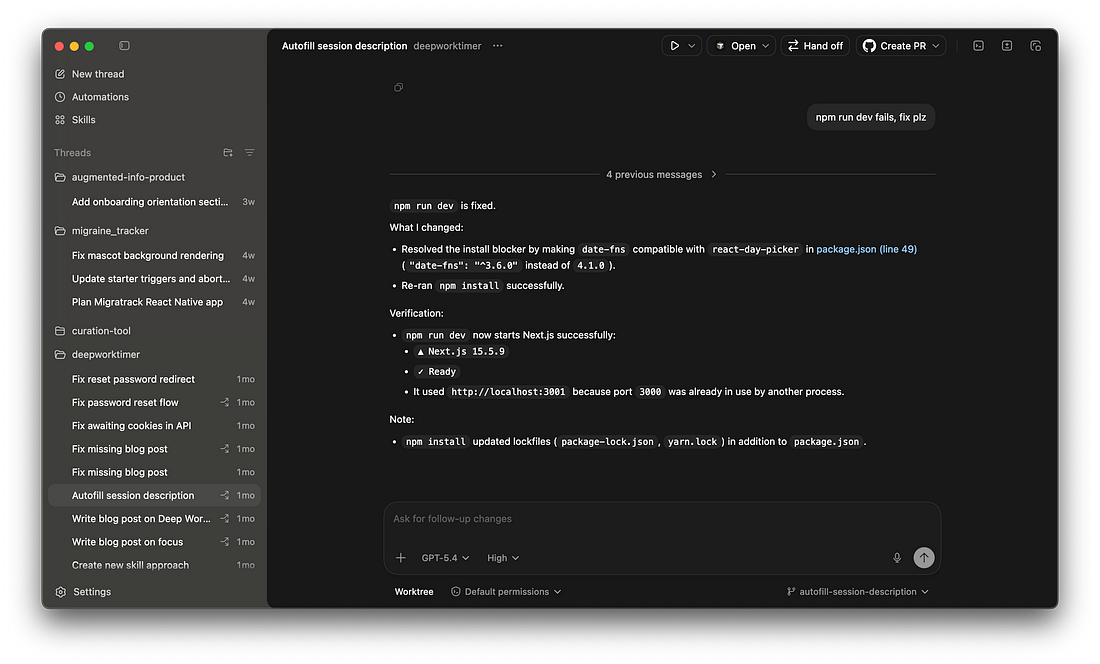
It doesn’t surprise me that Cursor is doing this. If you’ve used some tools we’ve talked about in the last few weeks, you’ll quickly notice Cursor now feels like Codex or even Intent.
Here’s the new Cursor:
 |
Here’s Codex:
 |
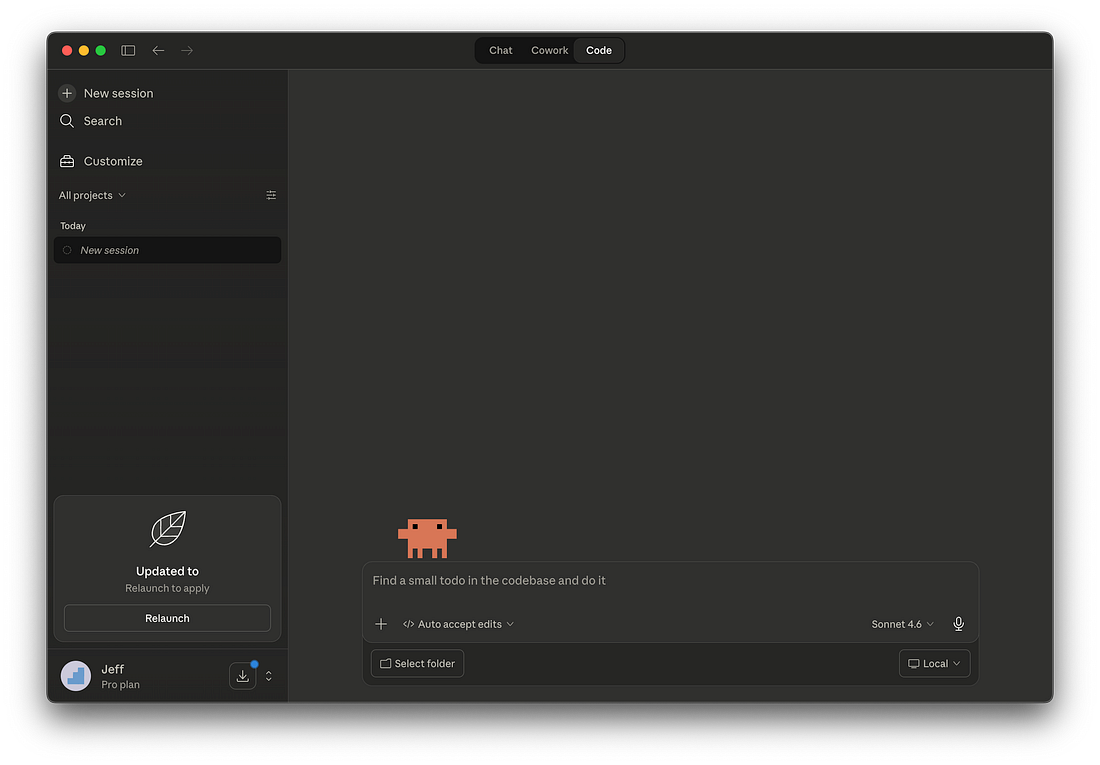
Here’s Claude Code in the Claude app:
 |
And here’s Intent:
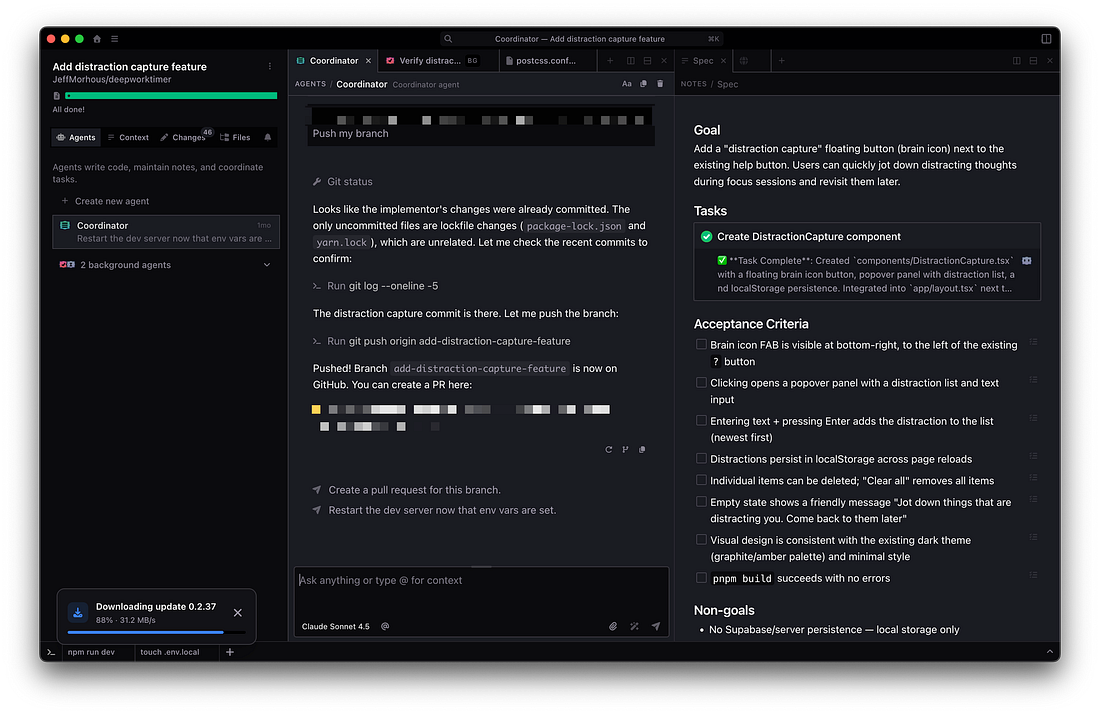 |
It seems pretty obvious at this point that all the best AI tools for software engineers are converging on the same UI. I think TUI (Terminal UIs) will still be around, but I think they’ll be overshadowed by these agent-manager UIs.
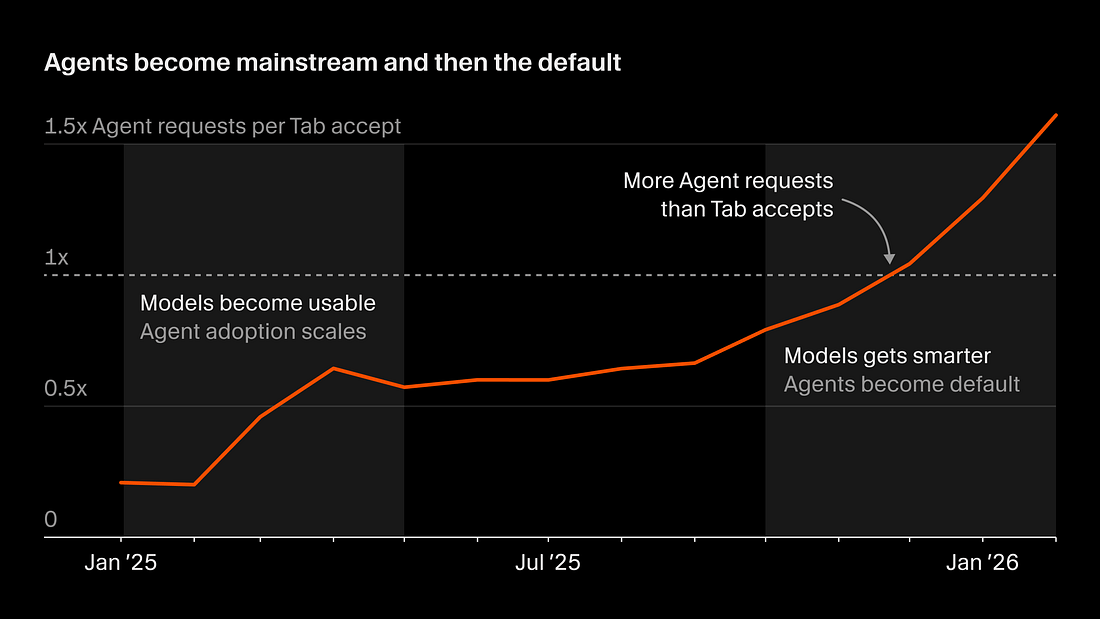
Writing software is mostly managing agents now
 |
In the announcement post, Cursor shared:
How we create software will continue to evolve as we enter the third era of software development, where fleets of agents work autonomously to ship improvements.
We’re building toward this future, but there is a lot of work left to make it happen.
What do they mean, “third era of software development”?
Here’s how they break it down:
First era: Tab-autocomplete AI suggestions in your editor
Second era: Agents writing software (synchronously)
Third era: Lots of agents writing software (asynchronously)
In Cursor’s view, advances in recent models like Opus 4.6, GPT-5.4, or even their own Composer 2 have opened up new possibilities. These models power agents that run for longer, with less oversight, and have better results.
So it’s only natural they’d pivot their product to make this agent orchestration easier.
The AI-Augmented Engineer accelerates software engineering careers with AI tools. Paid members unlock the full Member Vault, which has more guides like this.
How to get the new Cursor agents view
Before we talk about what’s actually new in Cursor 3’s agent view, let me show you how to get to it.
First, update Cursor. If you can’t get it to update, an uninstall and reinstall should do the trick. I had to do this.
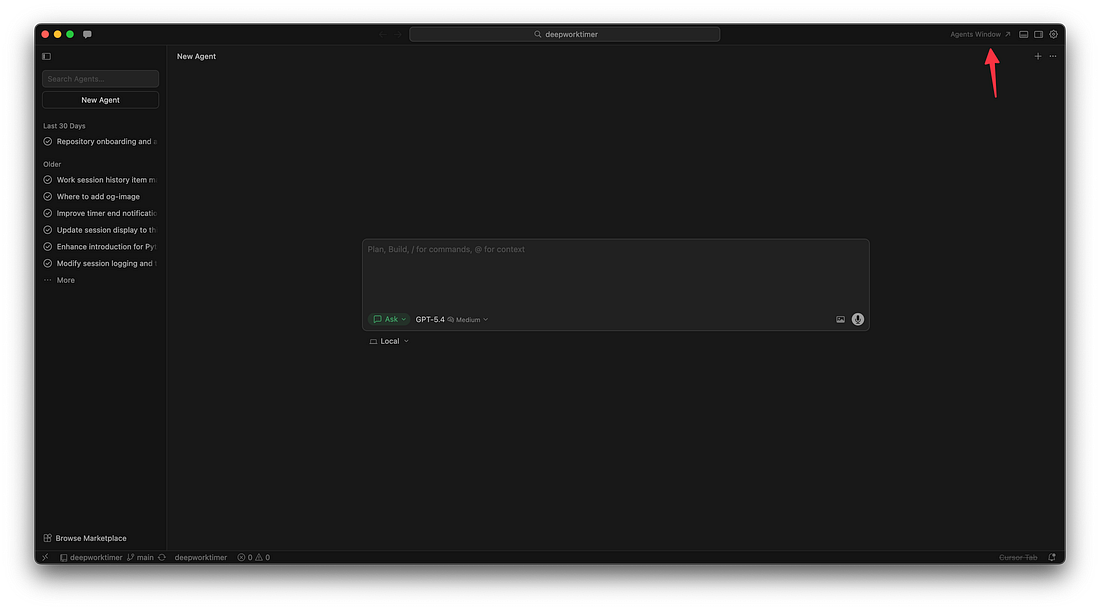
Then, if you don’t immediately get the modal, you can trigger the switch by clicking “Agents Window”.
 |
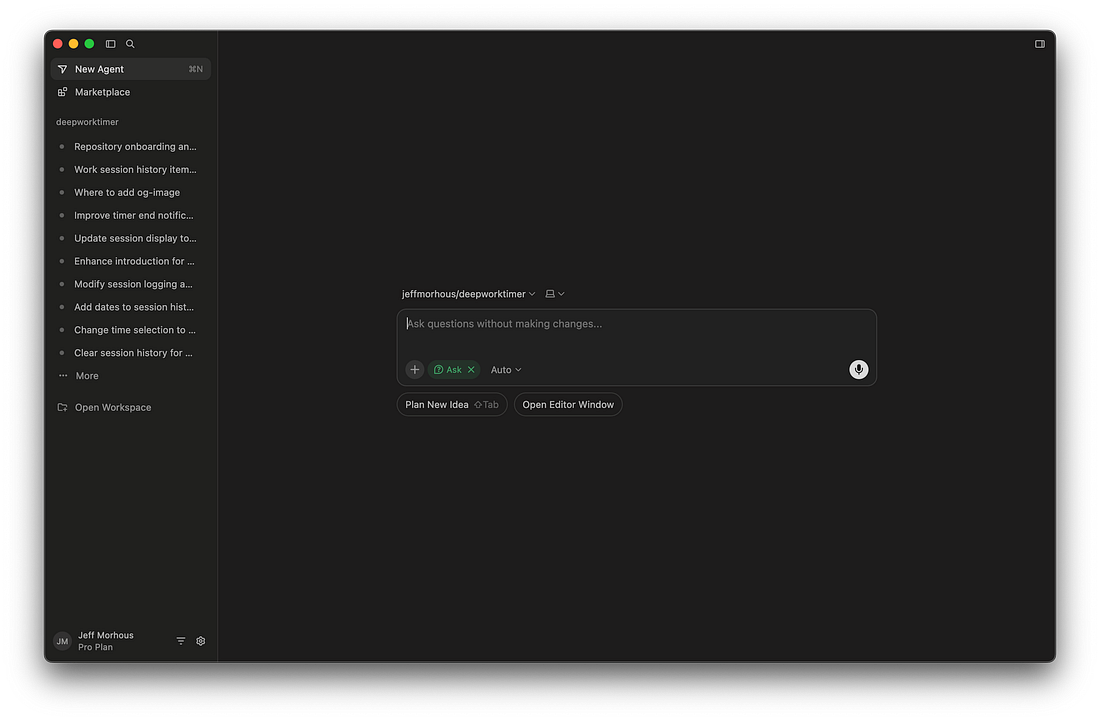
Then, you’ll see this new interface.
 |
If you want a keyboard shortcut, type Cmd+Shift+P -> Agents Window.
So what’s new in Cursor 3?
Cursor 3 is very different. If you’ve already used Codex or Intent, it’ll feel very obvious for you. If not, it may take some getting used to.
Cursor’s new interface emphasizes managing many agents across different projects, better support for parallel agents, better cloud handoff, and even PR management.
Let’s dig in.
Many agents across many chats
The biggest change you’ll notice, aside from the obivious UI stuff, is that Cursor is multi-project now. You can iterate with agents across multiple repositories all in the same window at this point, and each is organized into its own set of chats.
Better support for parallel agents and cloud handoff
You get the biggest productivity boost from agent-driven development when you run agents in parallel. I cover this in a little more detail in this Codex post, but it’s applicable to Cursor too.
 |
|
So Cursor 3 is built around this. Cursor is also making a bet on cloud agents, and this new UI makes it easy to work with local or cloud agents in the same place.
I don’t really see myself using cloud agents that much, but I’m glad they unified the experience.
Manage pull requests in the editor
The last thing that’s new in Cursor 3 is the diff viewer. When it comes time to turn your branch into a pull request, or even to merge that pull request, Cursor wants to be part of that process too.
Thank you for your support as a paid-member of The AI-Augmented Engineer! Your contribution enables me to continue writing quality content like this.
| ||||||||||

