
|
Using the Claude Code desktop app
How I use the Claude Code desktop app to create a sponsorship landing page
| |||||||||||||||


Hey friends - today’s newsletter is a long overdue look at the Claude Code app.
Until now, I’ve had the newsletter’s sponsorship details in a Notion page. It describes some stats on The AI-Augmented Engineer for companies who may be interested in sponsoring the newsletter.
Here’s what I used the Claude Code desktop app to make:
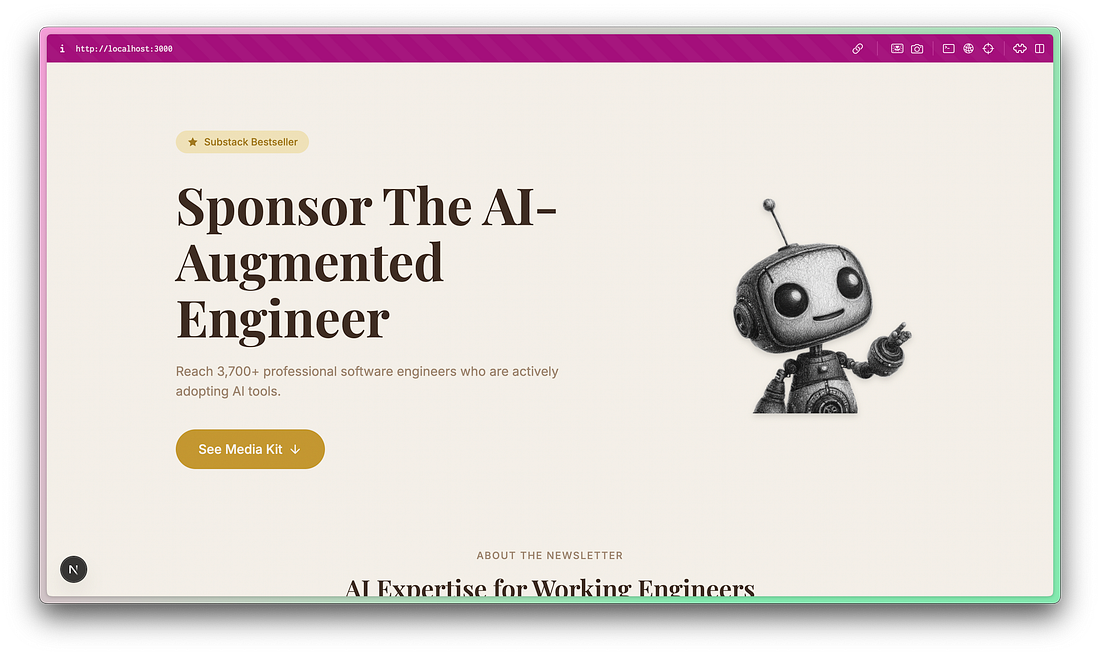 |
Frankly, I’m bad at frontend development, so AI is doing more than making this project go faster. It’s making it possible at all. The reason it’s in a Notion page now is because that was the fastest way for me to get the info publicly accessible.
Before we dig into the Claude desktop app, it’s important to draw a line between vibe coding and AI-augmented engineering.
Separating vibe coding from AI-augmented engineering
It’s really important to draw a distinction in your mind between vibe coding and AI-augmented engineering.
I’ve written at length about this, but it can be summarized as this:
Vibe coding has a focus on shipping, implementation details aren’t checked very thoroughly
AI-augmented engineering has a focus on amplifying the output of incredible software engineers
If you’re employed full-time as a software engineer, you should try to avoid vibe coding at work (for the most part). You likely have a lot of responsibility for what you ship, and a keen eye on the work your agents are doing will go a long way. That doesn’t mean you can’t trust agents, you just need to learn how to set up agents you can trust.
That being said, vibe coding is still useful! This project is pretty low-stakes. It won’t store data, handle auth, handle payments, or have a lot of total visitors. So it’s a safe playground to use AI tools without too much oversight. The consequence of screwing something up is low, and the likelihood of screwing something up is similarly low.
 |
|
A quick note about ads:
My goal is for ads to be genuinely useful to you, the reader. I won’t put something in front of you that I don’t think you’d get genuine value from. I’ve declined sponsorship details with (great, reputable) business whose product just isn’t uniquely interesting to readers of the newsletter.
Ads are always clearly marked, often in a callout block like this one.
Using the Claude Code desktop app
I’ve used Claude Code plenty over the last year, but always in the CLI. But every since I got hooked on the Codex mac app, I’d been meaning to try Anthropic’s take on Claude Code in GUI (as opposed to TUI).
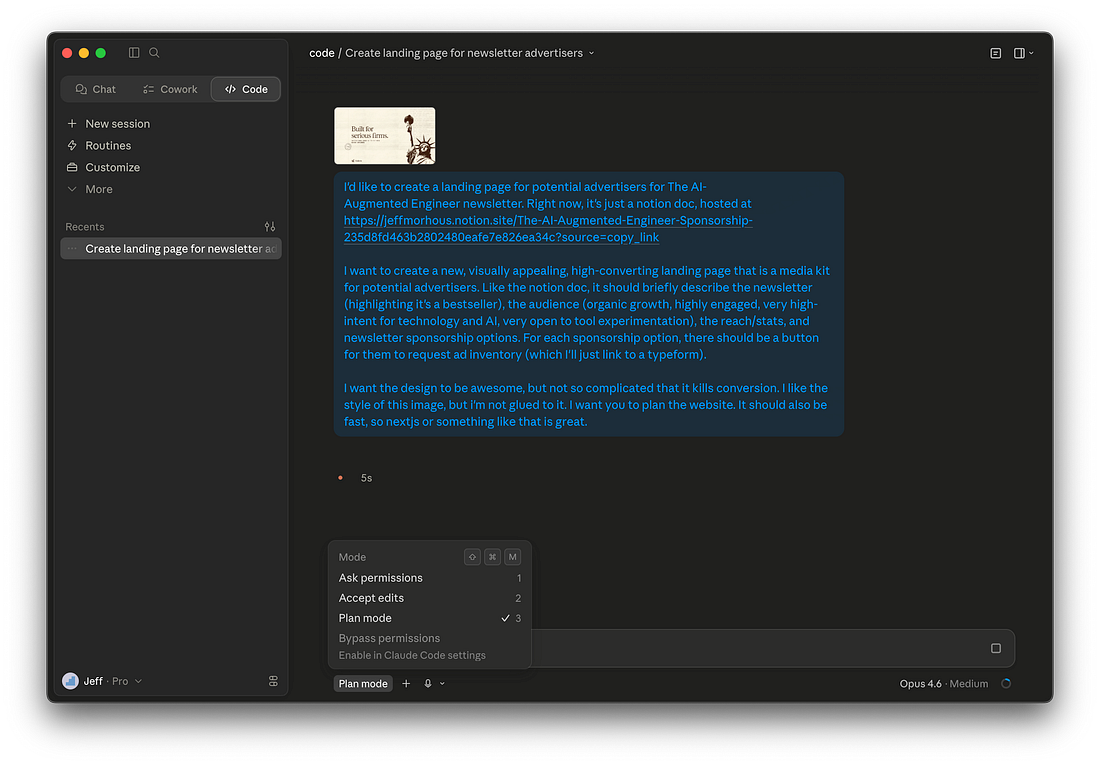 |
I gave my initial prompt and was sure to select plan mode, as well as provide a reference image. Here’s the prompt I used:
I'd like to create a landing page for potential advertisers for The AI-Augmented Engineer newsletter. Right now, it's just a notion doc, hosted at <doc link>
I want to create a new, visually appealing, high-converting landing page that is a media kit for potential advertisers. Like the notion doc, it should briefly describe the newsletter (highlighting it's a bestseller), the audience (organic growth, highly engaged, very high-intent for technology and AI, very open to tool experimentation), the reach/stats, and newsletter sponsorship options. For each sponsorship option, there should be a button for them to request ad inventory (which I'll just link to a typeform).
I want the design to be awesome, but not so complicated that it kills conversion. I like the style of this image, but i'm not glued to it. I want you to plan the website. It should also be fast, so nextjs or something like that is great.
This kicked off a plan mode, which spawned a couple of clarification questions. This is where the difference over the terminal really became obvious. The interface for answer questions is much more pleasant in the app.
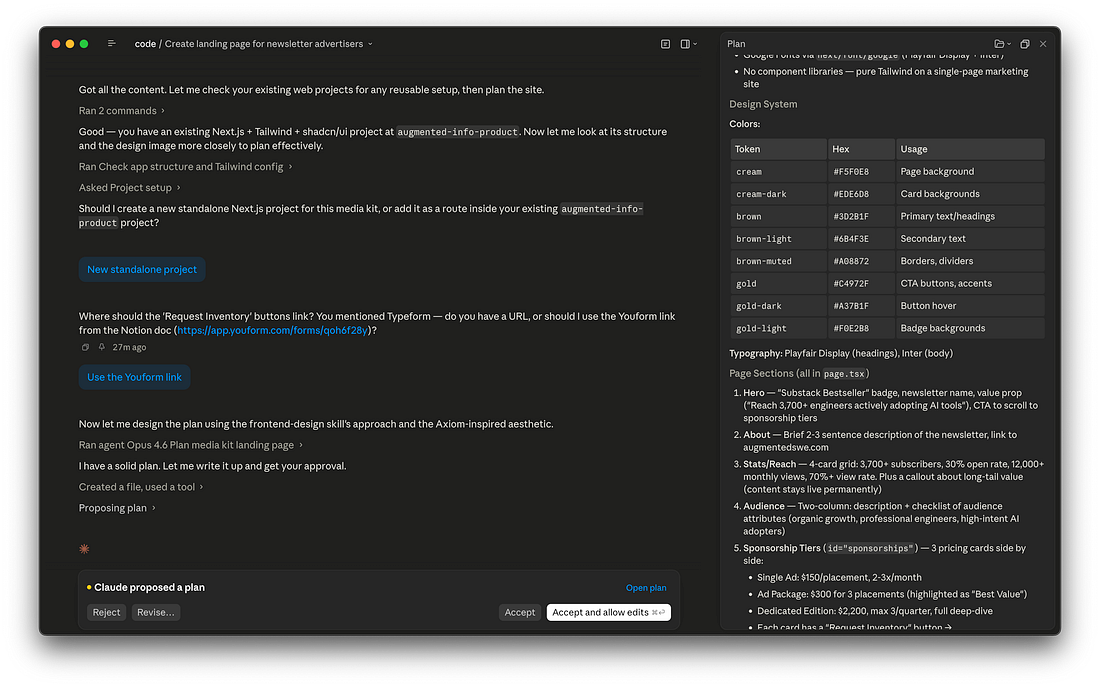 |
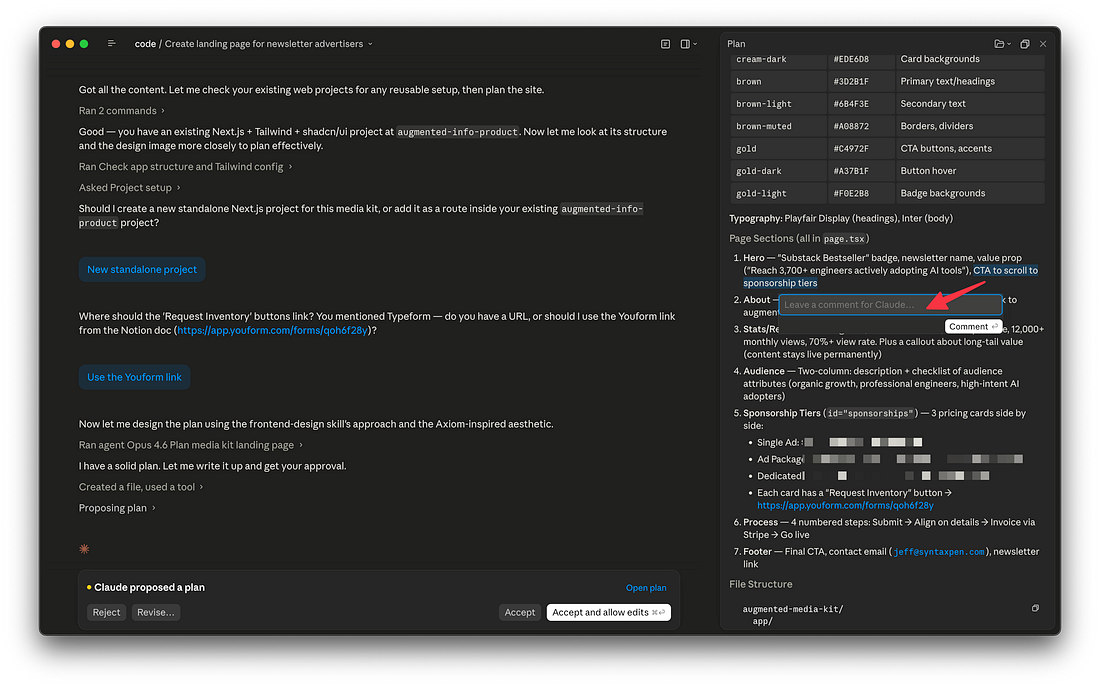
This also shows the proposed plan, which is really easy to give feedback on. I just highlighted a section I wanted to change and a little popout for the feedback showed up.
 |
Implementing Claude’s plan
Once I was happy with Claude’s plan revisions, I clicked “Accept and allow edits” to let it start implementing.
You’ll still have to be aware of permissions prompts like in the CLI, so don’t let it go for too long without checking in.
It’s actually not clear to me how to get this Claude to respect the permissions allowlist I set up in my Claude Code global settings, so I spent too much time clicking “Allow once” for things that I definitely already allowlisted.
Aside from that, Claude had no issue implementing on our plan.
When it was done, it spun up the app in a chrome window and did some basic validation.
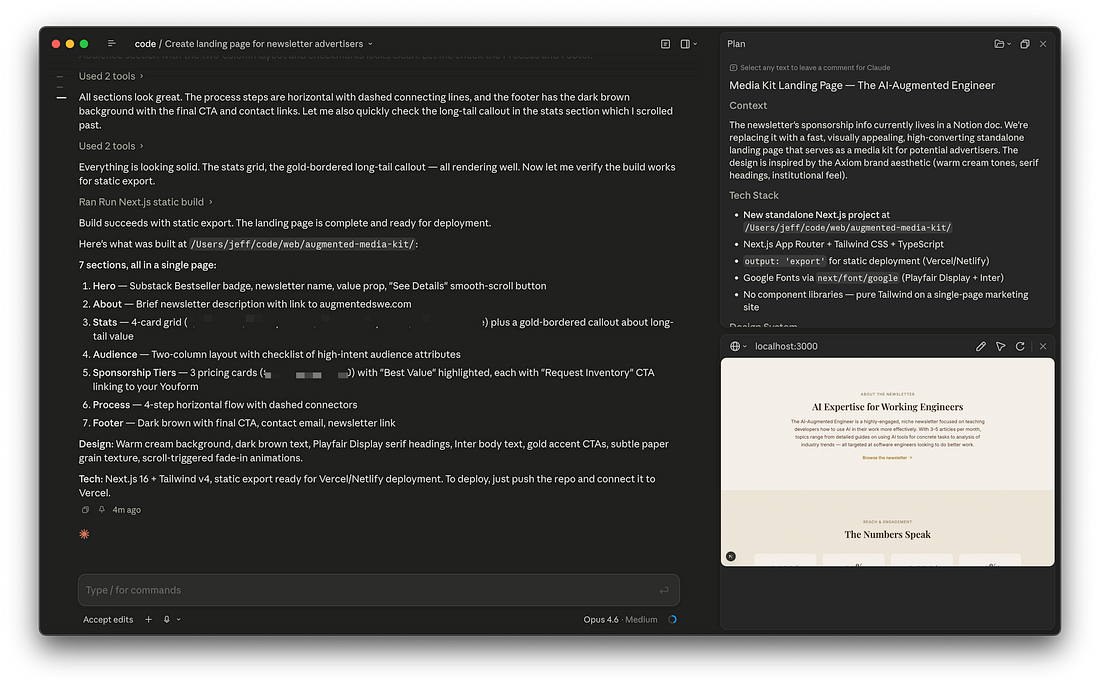 |
This is where I discovered a very useful feature I don’t think you can use in the CLI - > Browser Annotations.
You can click the pencil in the in-app browser and tell Claude exactly where to make changes.
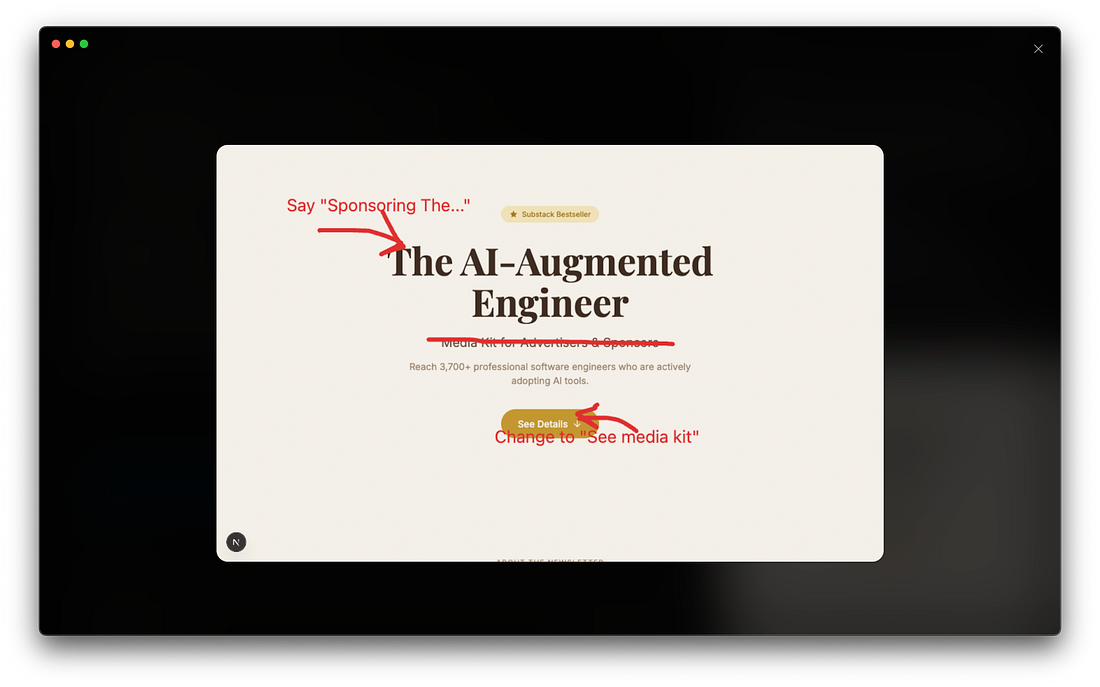 |
What do you think of the final result?
|
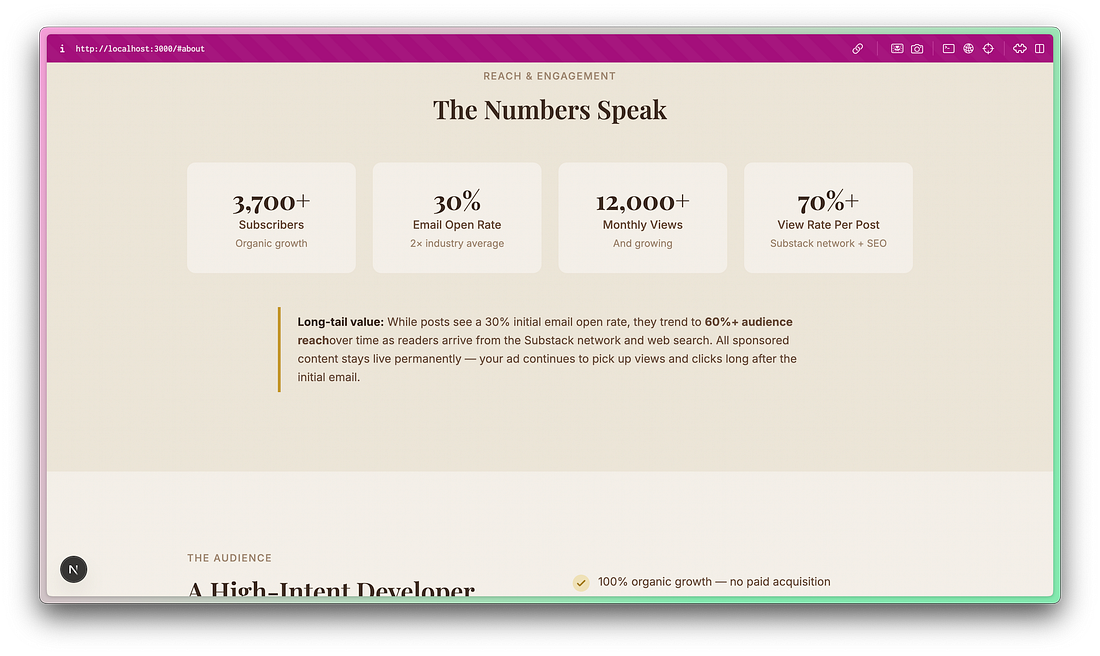 |
I plan to do a more involved project and compare the Claude Code desktop app to the Codex app. Would you be interested in that?
Thank you for your support as a paid-member of The AI-Augmented Engineer! Your contribution enables me to continue writing quality content like this.
| ||||||||||

