New updates and improvements from TypingMind are coming!
Check them out!
🔎 Built-in Web Search tool by model providers
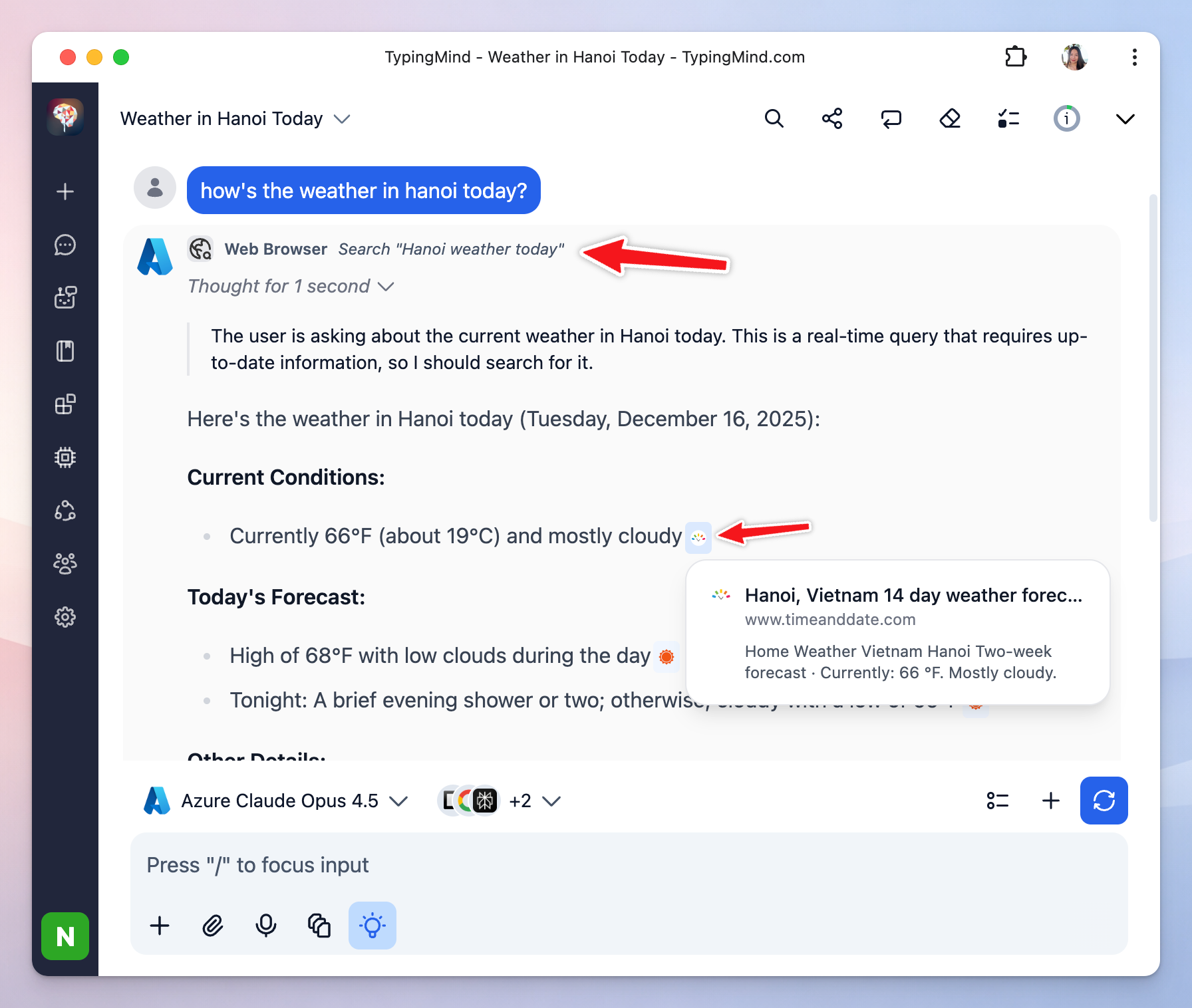
TypingMind can now search the web by default using the built-in tool provided by OpenAI/Anthropic/Gemini.
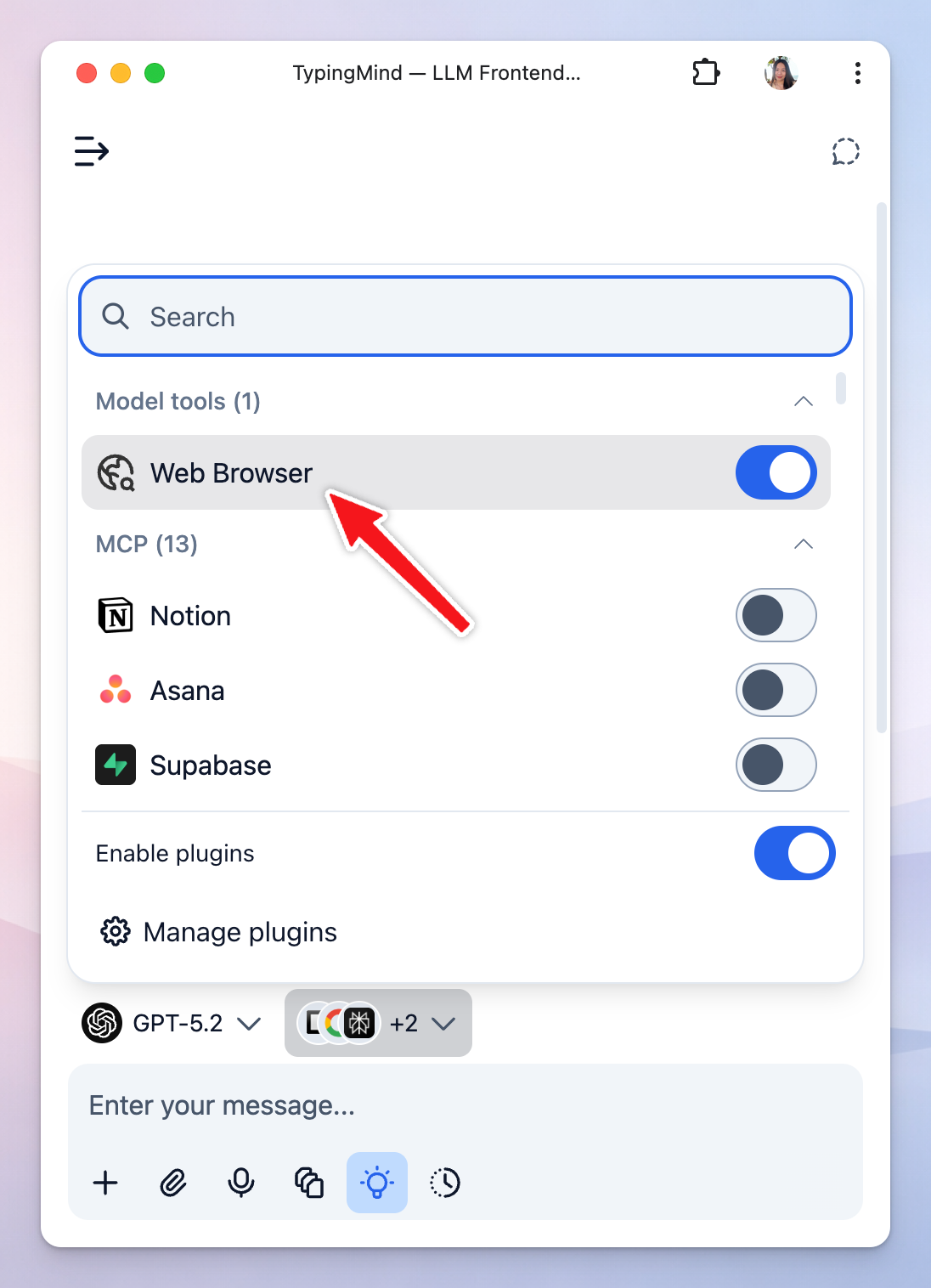
When selecting a model with supported built-in tools, the tools will show up in the plugins list.
Referenced search results appear as inline citations and in the Sources panel.
For team version, admins can enable/disable these tools from the Admin Panel → Plugins.
🎨 Sidebar compact mode
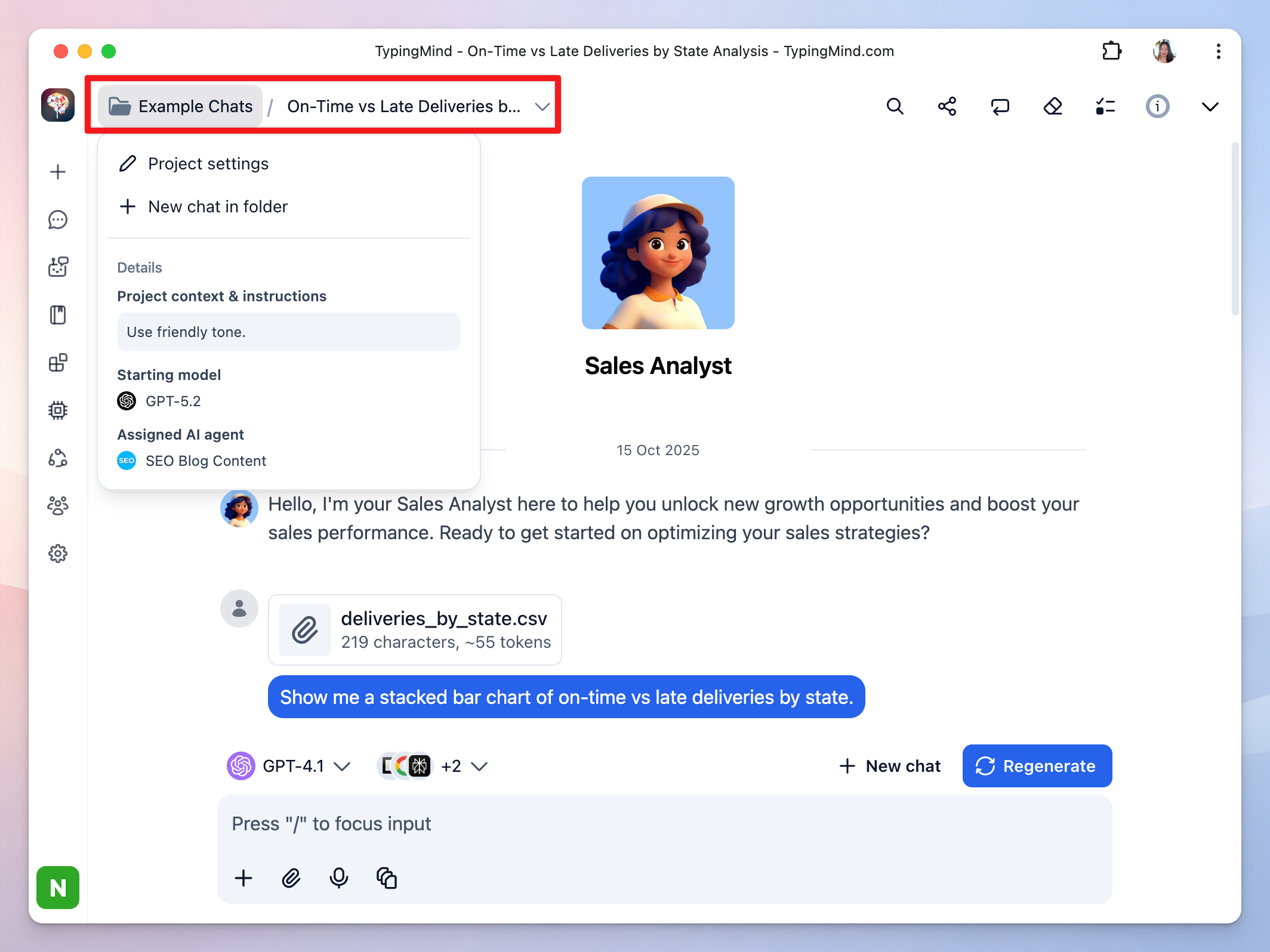
We have just added a compact mode for the sidebar to help you focus more on your conversations!
New navigation area on the top left corner of the chat page allows you to manage projects and chats more quickly.
🤖 Improved model selection interface
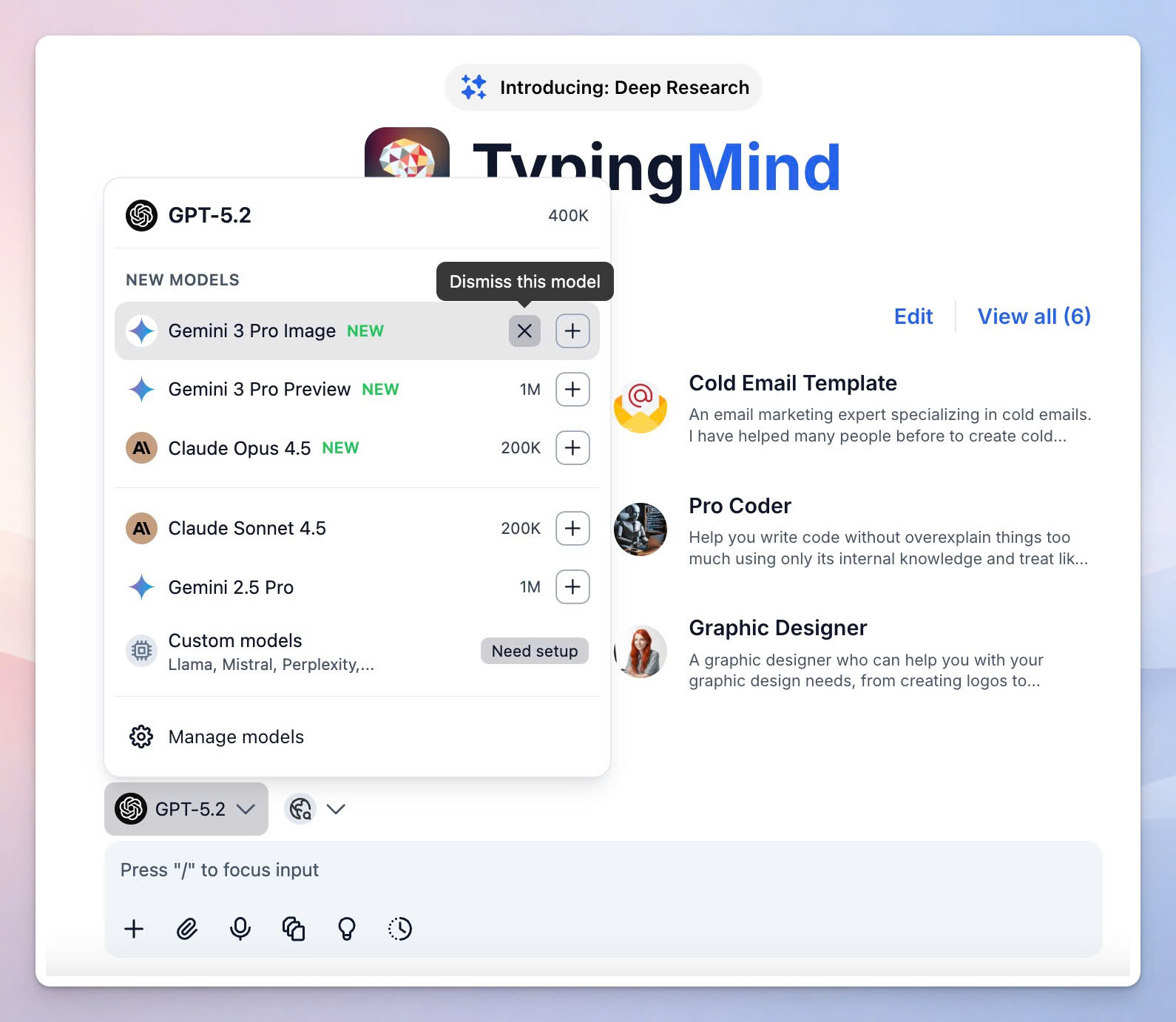
Newly added models now appear in a separate New Models section with a NEW badge:
- Selecting a new model from this section will automatically add the model to your model list. - Click ✕ Dismiss to hide new models you are not interested in.