Hey everyone 👋

New updates and improvements from TypingMind are coming!

Check them out!

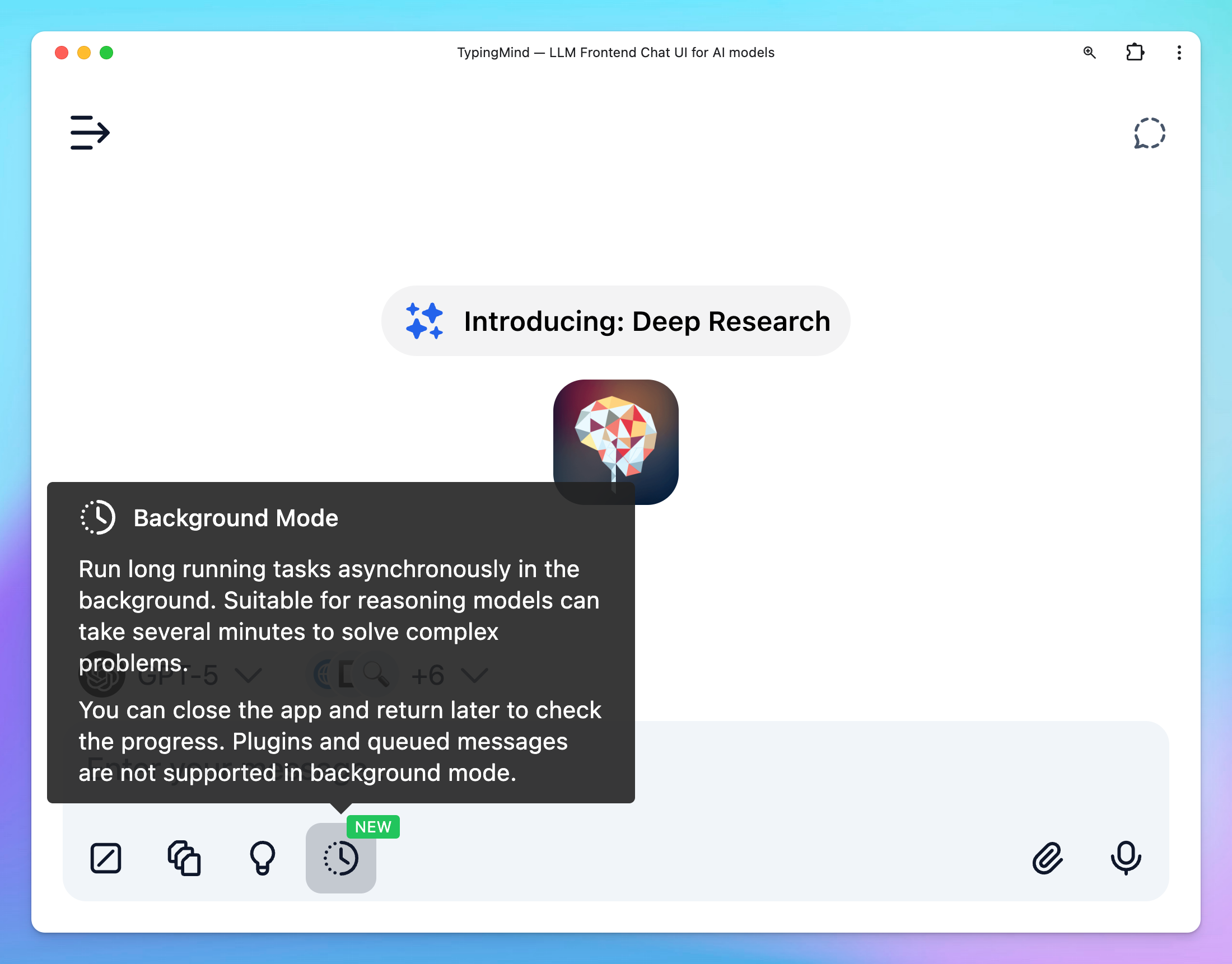
⏰ Background Mode

Instead of requiring you to “stay connected” and wait for AI output, now you can send a message asynchronously in the background with Background Mode:

  • Best for reasoning models can take several minutes to solve complex problems.
  • Work with multi models 
  • You can close the app and return later to check the progress of your request.
bg mode

Activate the background mode: For supported models, the background mode toggle will appear right within the message area, you can toggle the button to enable this mode.

Note: Plugins and queued messages are not supported in background mode

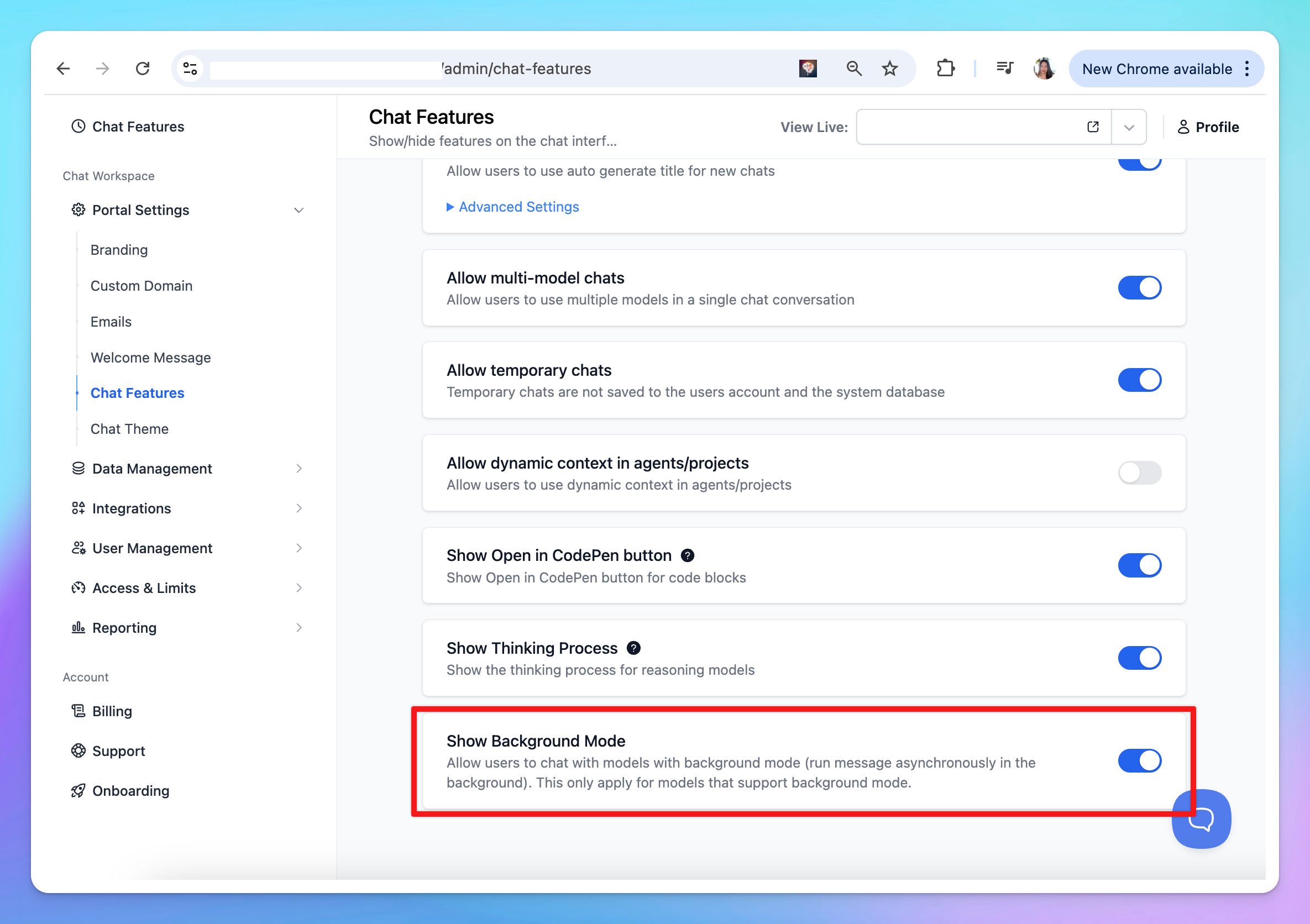
bg mode team

For Team Version: you can enable/disable Background Mode from Admin Panel > Chat Features > Background Mode.

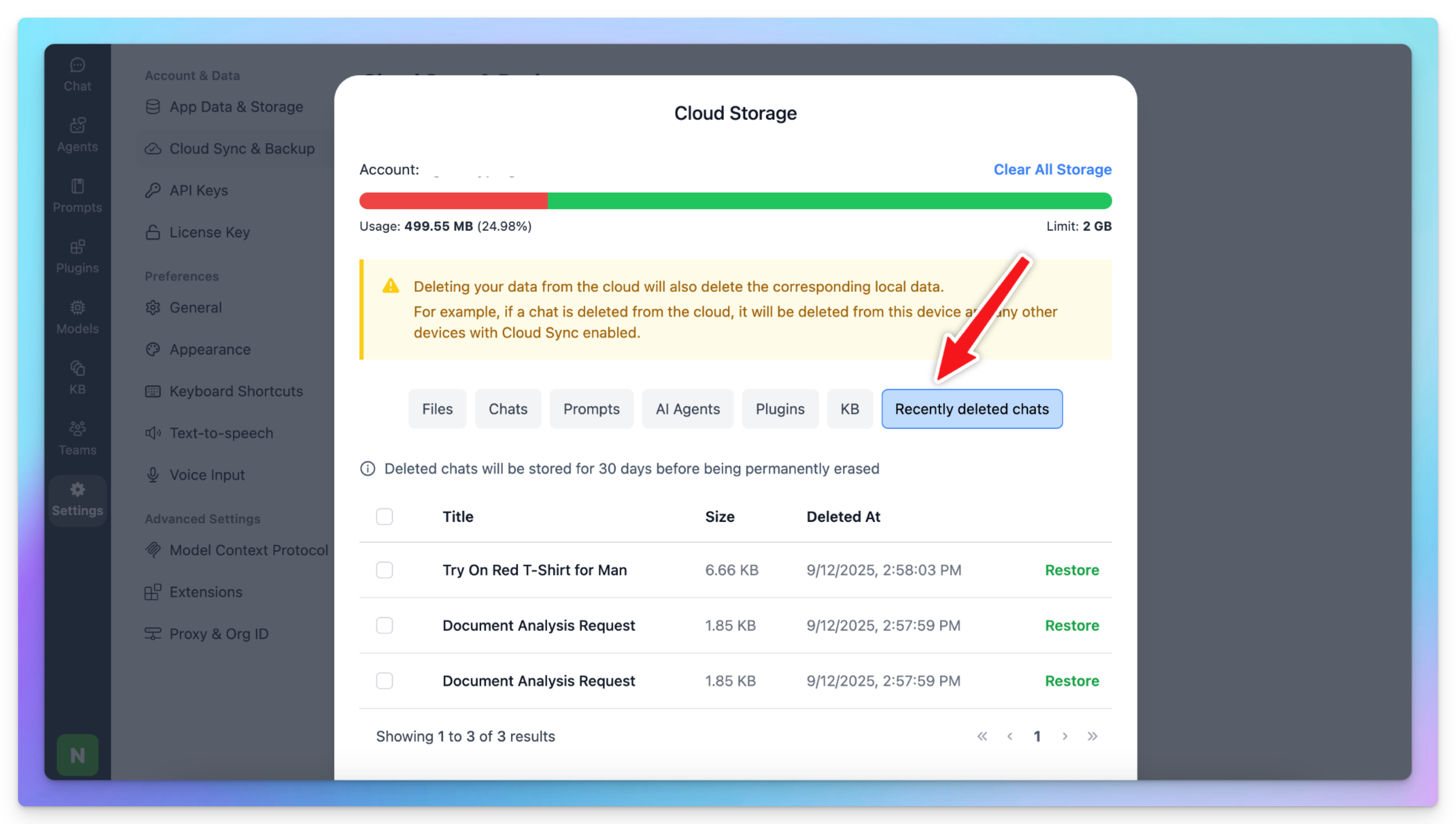
☁️ Restore Recently Deleted Chats

Now, when you delete a chat, it won’t disappear right away. Instead, it will move to a new “Recently Deleted Chats” section in Cloud Storage and stay there for 30 days before being permanently erased.

During that time, you can visit the section to restore any deleted chats.

team version

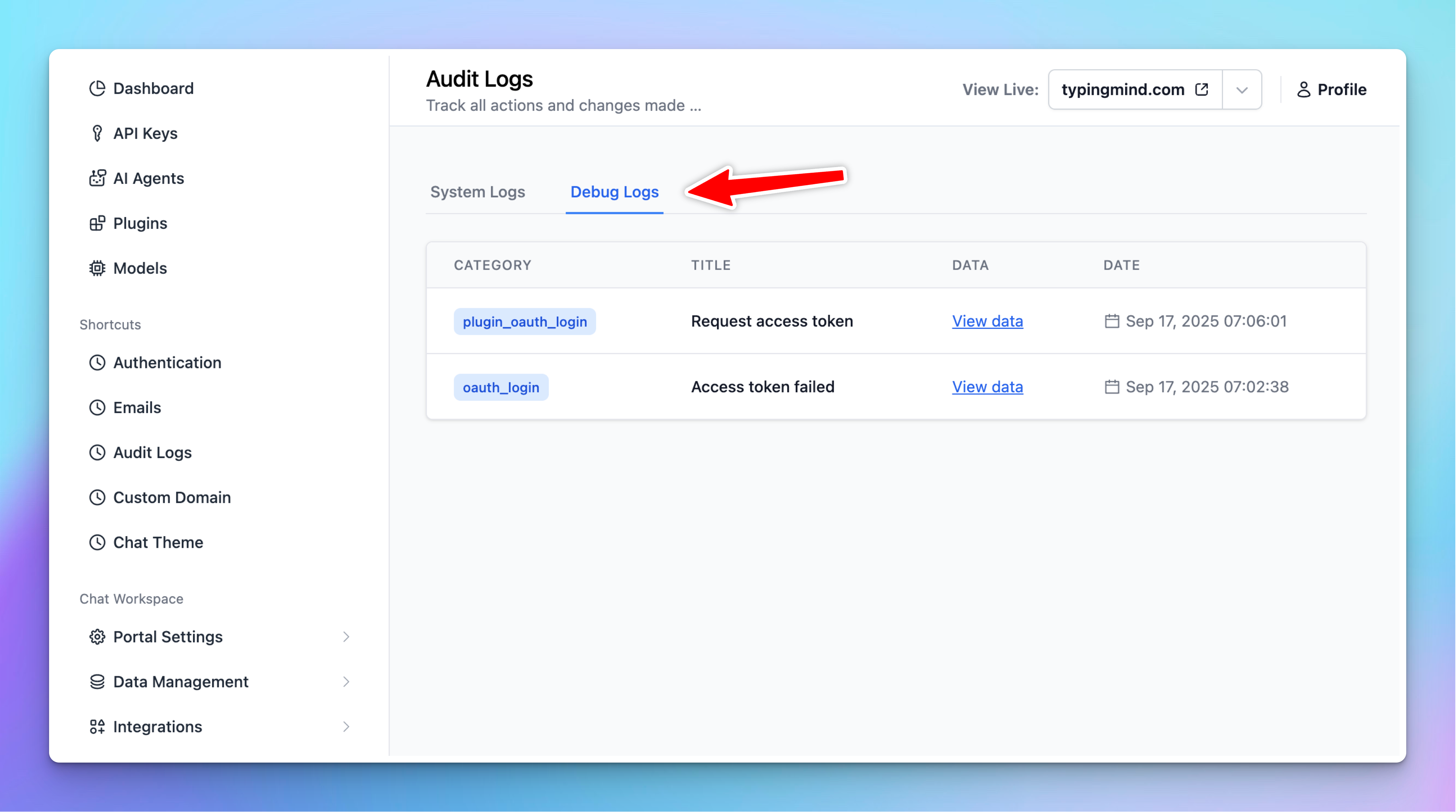
👥 New Debug Logs page in Admin Panel

Added Debug Logs page in Admin Panel > Audit Logs. This is useful for admin users in TypingMind Team (custom.typingmind.com) to debug connection issues in related features:

  • User authentication: OAuth connection issues with OAuth provider
  • Plugin OAuth connection issues
  • Custom email sender failures
debug log

Full changelog and tips

🧪 See our product updates and improvements → feedback.typingmind.com/changelog I RSS Feed

🔍 View product guidelines → docs.typingmind.com

📖 Tips to maximize TypingMind's full potential → blog.typingmind.com

💡 Feature requests and Public roadmap → feedback.typingmind.com

🤖 Build an internal AI workspace for your team → custom.typingmind.com

📚 50+ Advanced ChatGPT Prompts ebook →  typingmind.com/ebook

That's all for now!

Hope you enjoy these updates!

- TypingMind Team

unsubscribe