SEOPress 9.8 is now available. We encourage you to update your site as soon as possible to take advantage of the latest features, improvements and security fixes. |
🎉 New – React-based settings UI |
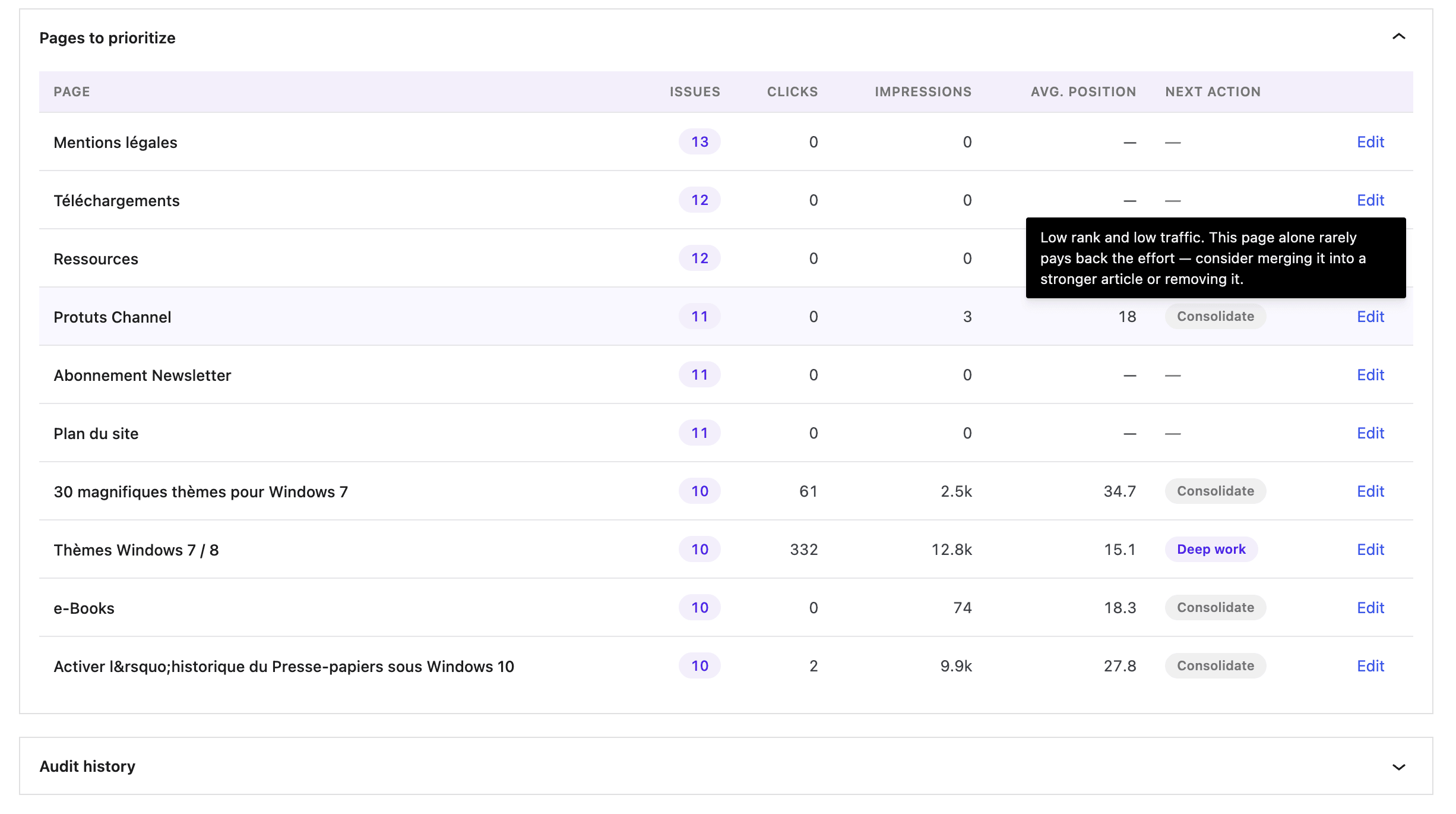
We started the React migration in 9.7 with the settings page. In 9.8, the same modern stack reaches the screens you actually use every day: Site Audit, Redirections, Broken Links and Schemas now run on WordPress DataViews, the same component the block editor uses.
Concretely: |
- Native WordPress look and feel everywhere.
- Sortable, filterable lists with column controls and saved layouts.
- Display preferences are stored per user, so your team mates keep their own setup.
- The settings page is faster on first load (one less REST call).
|
WordPress 6.5+ is now required (6.8 strongly recommended especially for PRO version |
- Actionable overview with recommendations powered by your Google Search Console data.
- Scan history and trend chart, so you can see whether things are actually getting better.
- Live progress, with start and cancel controls.
- Re-scan a single post from an issue row, instead of running a full crawl.
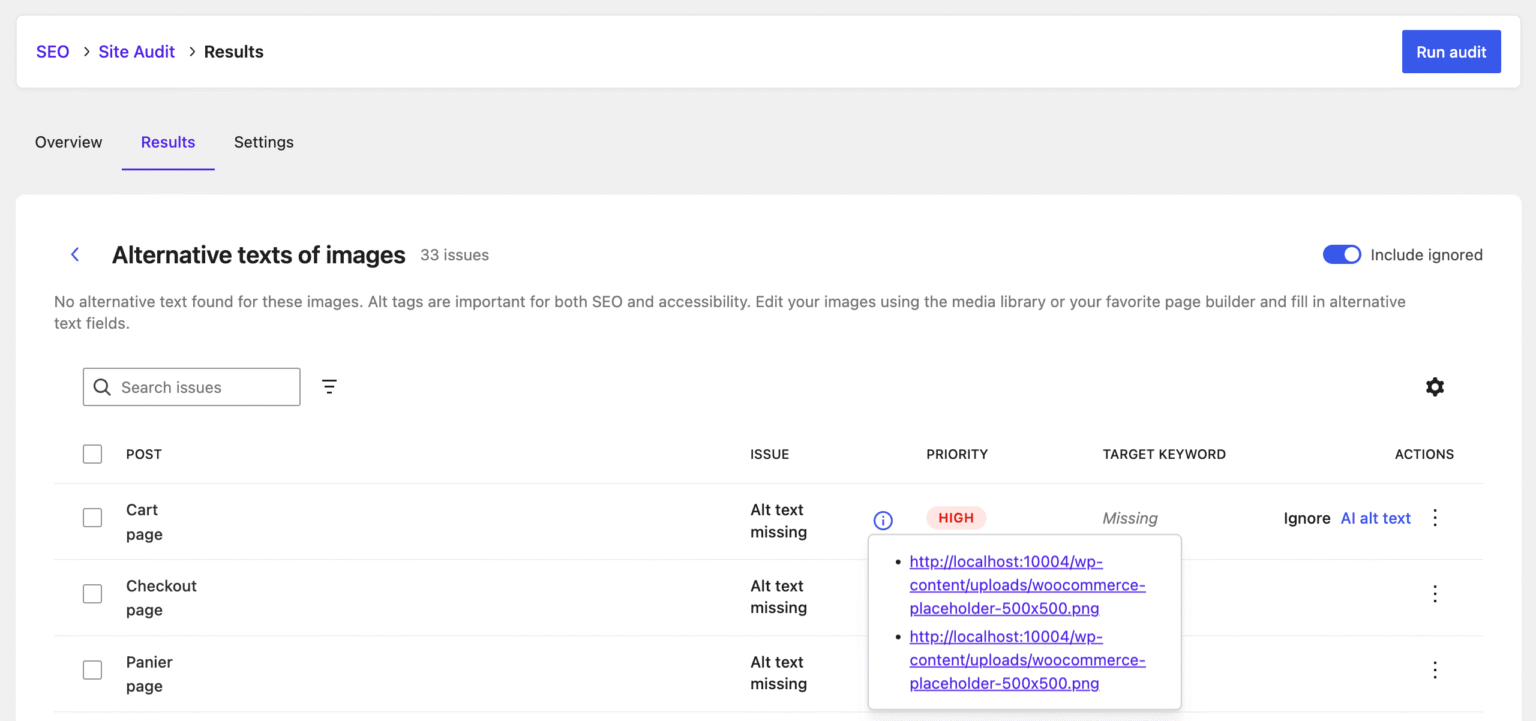
- One-click AI alt texts on image issues.
- Bulk ignore, restore and CSV export from the details view.
- Filter by issue name, with a popover description that explains what each issue means.
|
Under the hood, we added composite database indexes so big sites stay snappy.
|
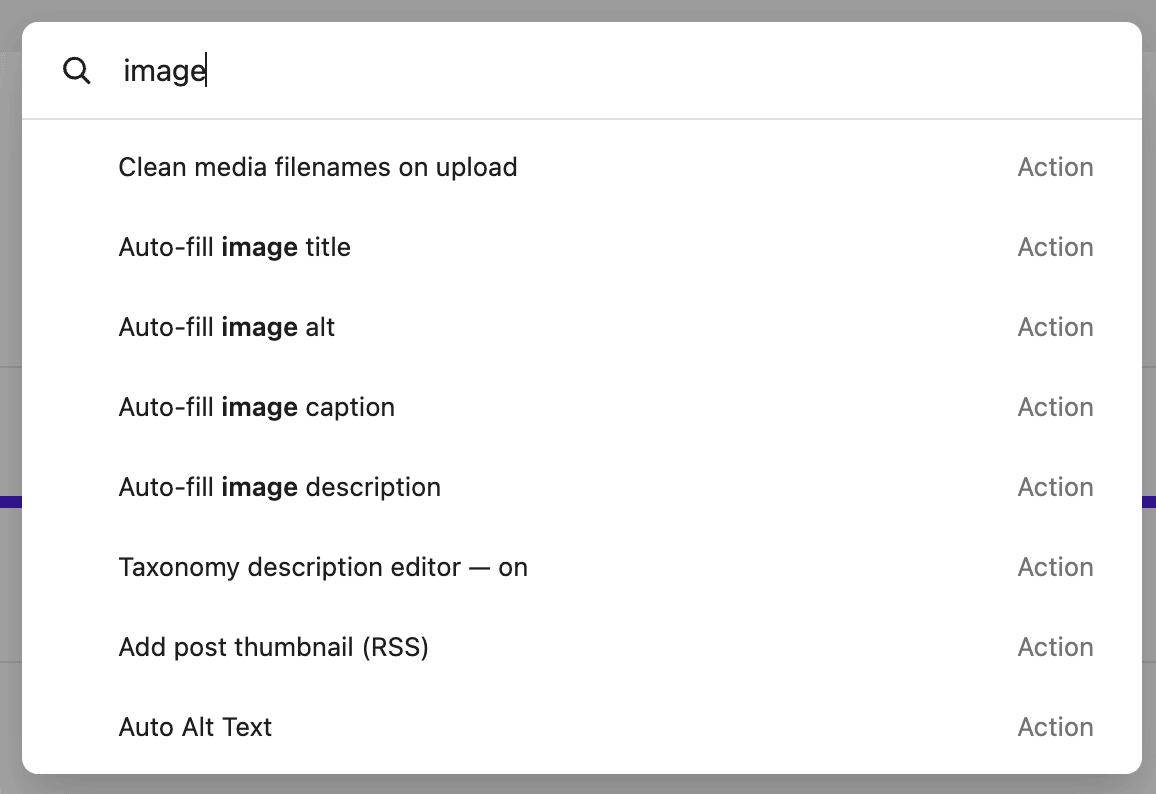
Press Cmd+K on Mac or Ctrl+K on Windows from any WordPress admin screen, type what you are looking for, hit Enter. |
- About 240 indexed entries across the free and PRO plugin.
- Quick actions for things like “Run a site audit” or “Add a redirection”.
- Live preview values, so you can see the current state of a setting before opening it.
- Recent commands history.
- In-page navigation when the target lives on the current page (no full reload).
|
🎉 New – Bye bye classic metaboxes |
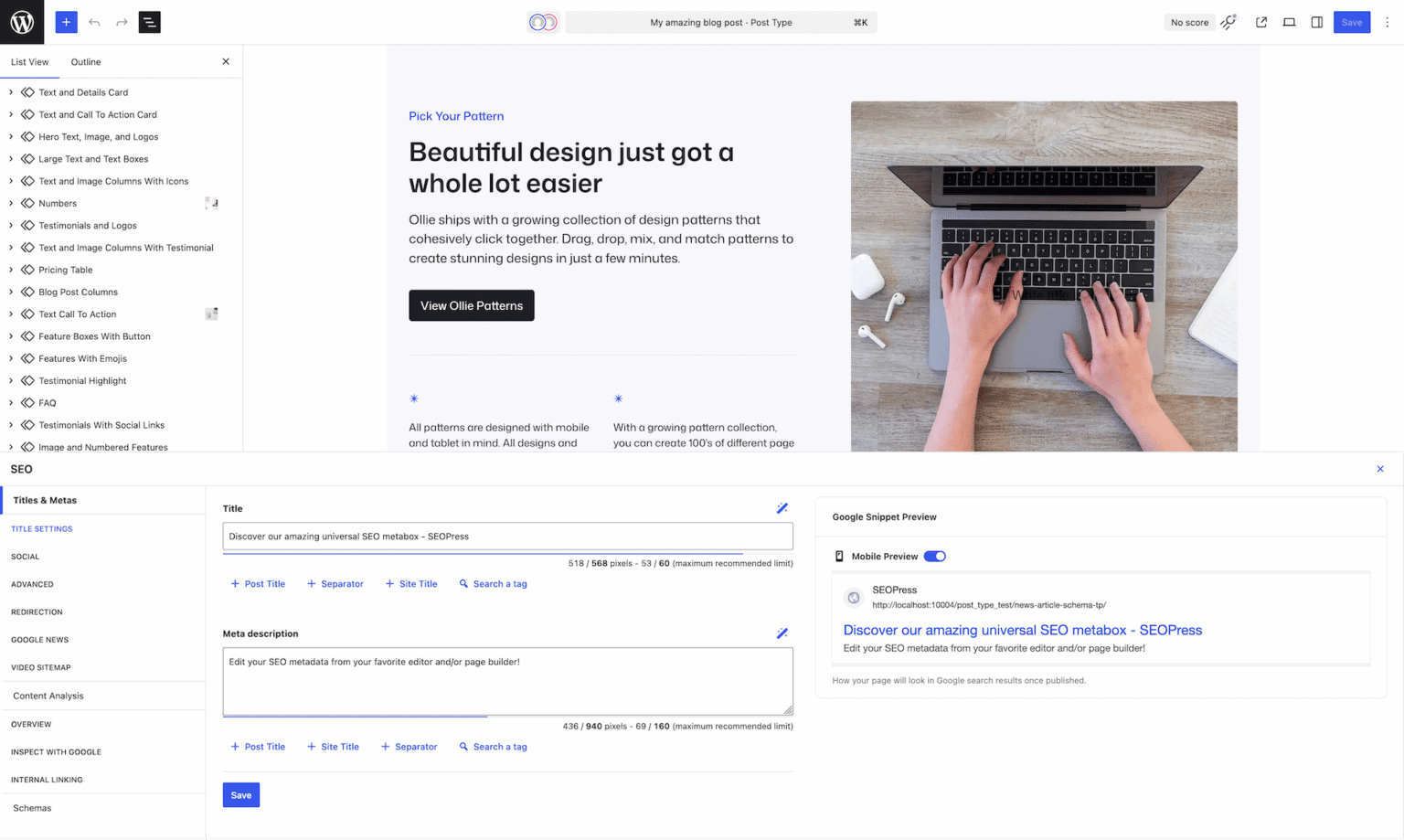
The SEO metabox has been fully rebuilt on the WordPress Design System.
|
- Modern interface that finally matches WordPress.
- Faster: lazy-loaded tabs, code-splitting, and a much lighter JS bundle (we dropped styled-components, lodash and date-fns).
- Pre-hydrated previews: title and description appear instantly, no waiting for a request.
- Cleaner Google preview, refreshed social cards, and a redesigned Content Analysis.
- New “Automatic” sub-tab for Schemas, which attaches the right structured data to your content with zero setup.
|
This is the first iteration, more technical than visual, although many UI and UX elements have been fixed. The second iteration will offer even more seamless integration within the block editor, while still allowing you to edit your SEO from any page builder.
For users still on the classic editor, we added a small “Open SEOPress” metabox that brings up the full experience in one click. |
🎉 New – Redirections, reimagined (PRO) |
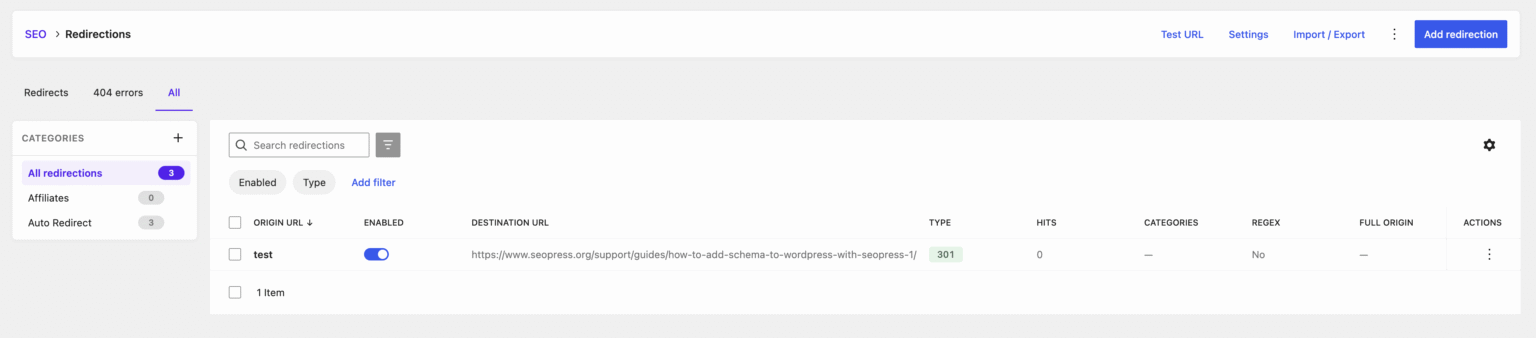
Redirections got the React and DataViews treatment, with new tools on top. |
- URL tester: paste any URL and see exactly which rule will fire.
- Inline regex tester to validate complex patterns before saving.
- Categories sidebar to organize large redirection sets.
- Slug change notices now auto-dismiss when you create the redirect, with a deep link straight to the React editor.
- New global default for the Query Parameters mode. Set it once.
- Real validation on both client and server, with loop detection.
|
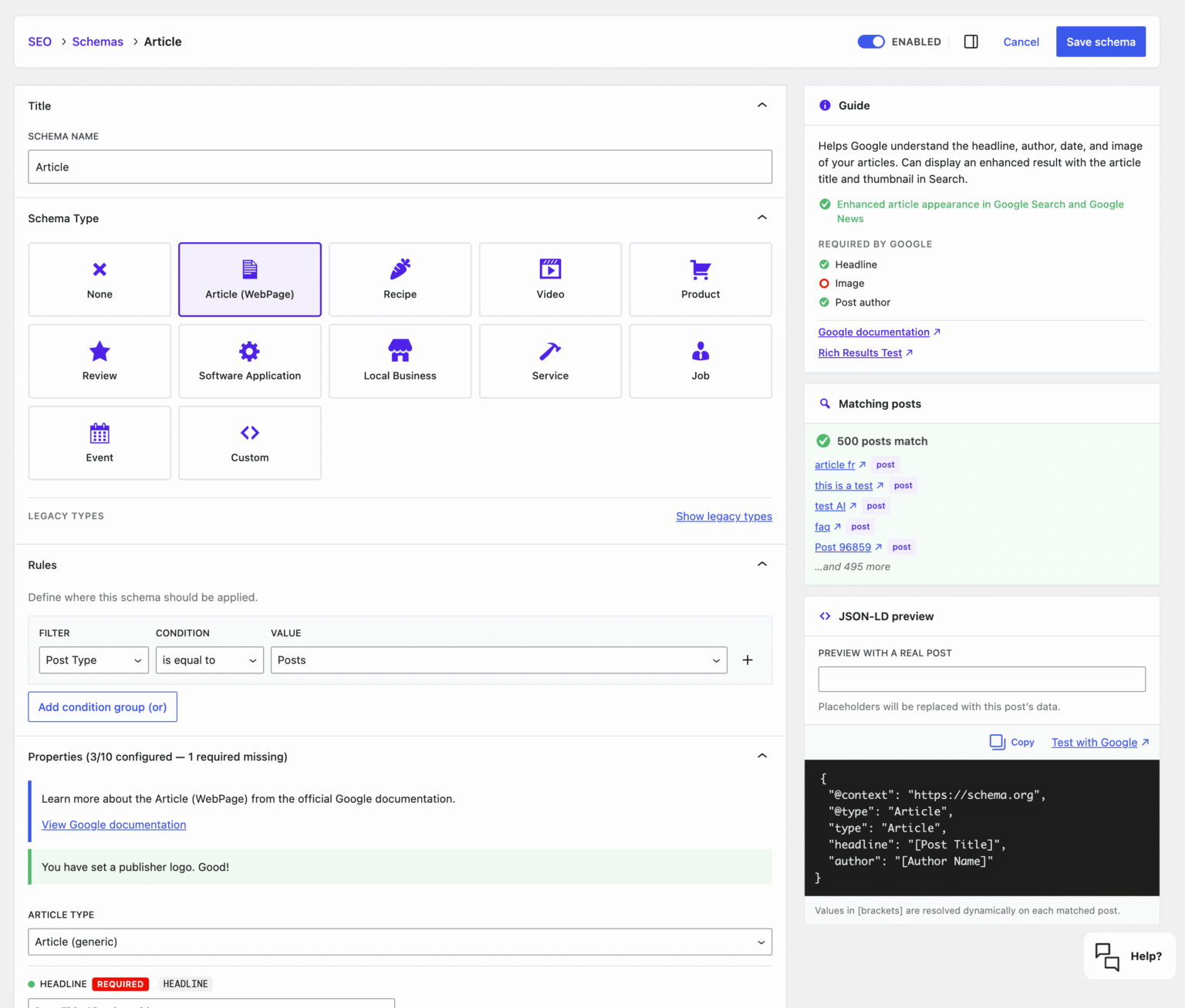
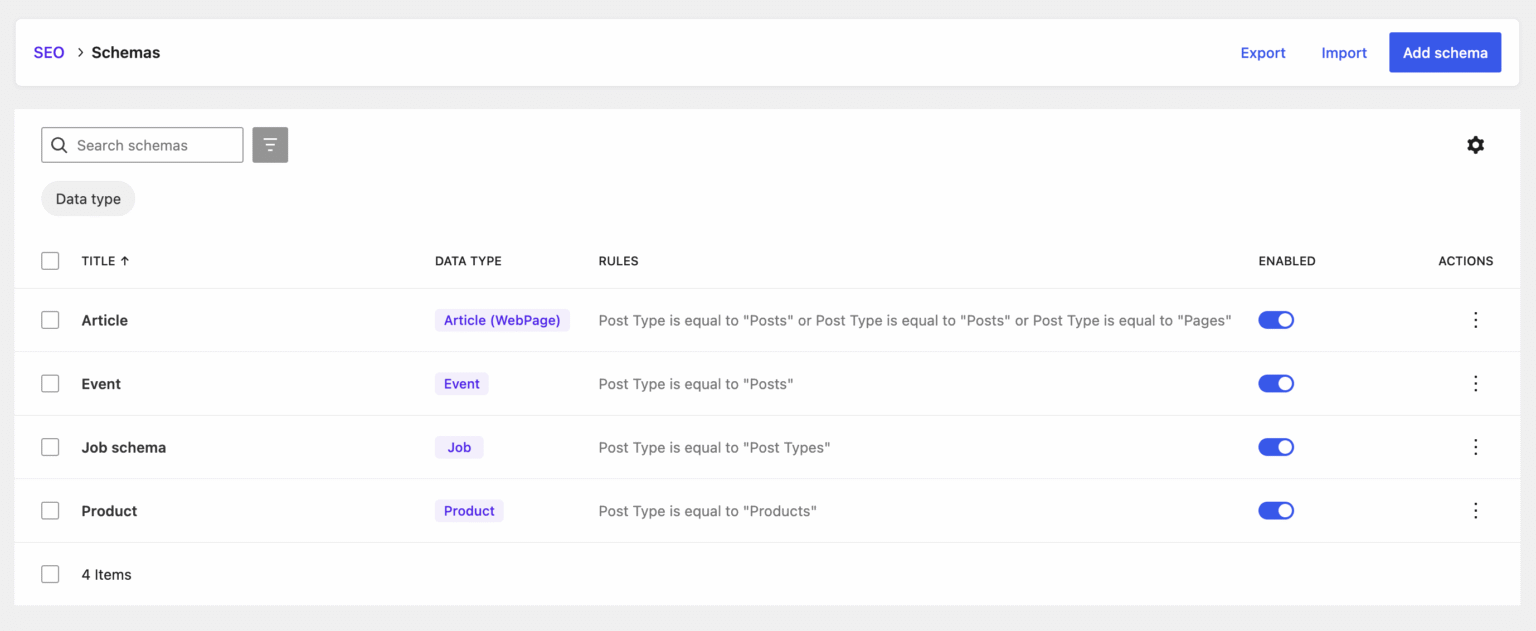
🎉 New – Schema editor, fully rebuilt (PRO) |
The Schemas screen is one of the biggest jumps in 9.8. |
- New React DataViews list.
- Brand new schema editor with SPA routing, so switching screens is instant.
- Persistent right sidebar with a live JSON-LD preview and a count of matching posts, both updated in real time as you edit your rules.
- Schema Guide and contextual help inside the type selector, so you stop guessing which schema fits.
- Real-data preview, validation, opening hours editor, templates, import and export.
- Searchable combobox for custom fields, including hidden ones, lazy-loaded.
- Full backward compatibility with your existing schema rules.
|
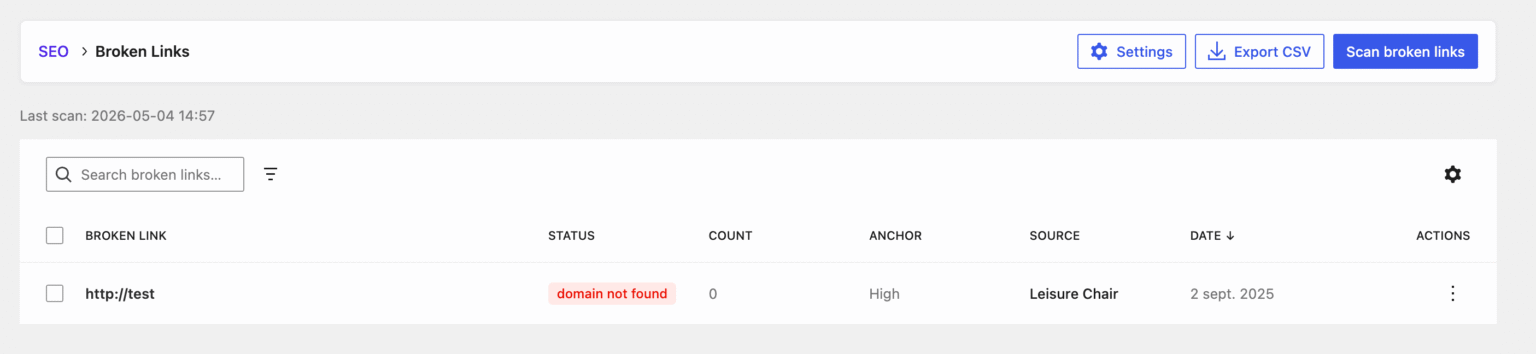
🎉 New – Broken Links, smarter (PRO) |
Broken Links is now a React DataViews screen with a CRON-based batch scan, so big sites no longer time out and the scan runs quietly in the background. |
🎉 New – Agent Readiness (PRO) |
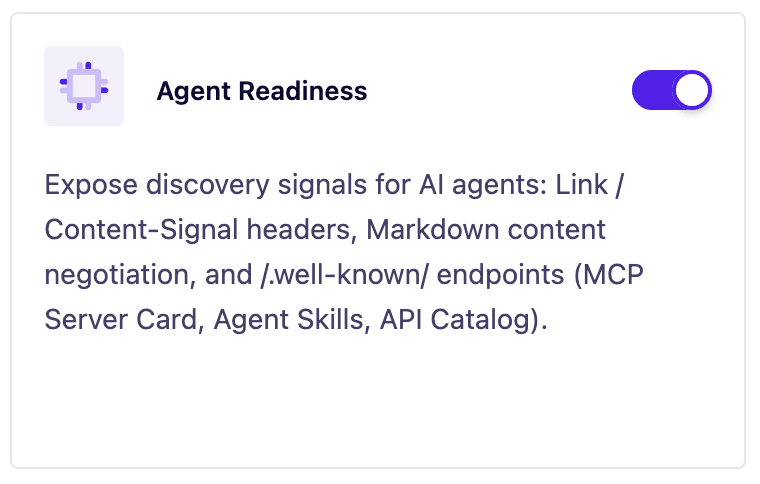
More and more of your traffic now comes from AI tools like ChatGPT, Claude, Perplexity or Google AI Overviews. They visit your site on behalf of a real person who asked them a question. Agent Readiness is a new toggle on the SEOPress dashboard that makes your site easier for them to read, and lets you set the rules. |
|
Turn it on and SEOPress takes care of five things for you.
It tells AI crawlers where your sitemap and your llms.txt file are, so they don’t have to look for them.
It sets your default rules for AI: your content can be shown in search results and used in AI answers, but it cannot be used to train an AI model.
It can serve a plain text version of any page on demand. AI agents that prefer text over HTML get just the title, the content and the links, without menus, popups or theme styling. Your normal visitors still see the regular site.
It adds a few small files that act like a business card for AI agents, describing what your site is and what it can do (search the site, return a page as text, browse the API).
It gives you a ready-made block for your robots.txt, with two lists: the bots that train AI models (blocked by default), and the bots that cite your site in AI answers (allowed by default). Copy, paste, edit if you want, and you are done.
You don’t have to configure anything. Turn the toggle on and it works. Developers who want to go further can adjust every default through filters.
On a related note: |
- llms.txt is now multilingual, with WPML, Polylang and TranslatePress support.
- The placeholders reference is now a proper table you can actually read.
|
🎉 New – New AI models (PRO) |
Two fresh additions to the AI provider list: |
- Gemini 3 Flash, fast and cheap.
- Gemini 3.1 Pro, for the highest quality.
|
Available across every AI feature: alt text, meta descriptions, content suggestions. |
We’ve added social profile fields to WordPress user profiles, allowing this information to be included in structured data for your site. |
- add automatic schemas tab to universal SEO metabox (finally!);
- add a new option to select the default query parameter when creating a new redirect (SEO, PRO, Redirections tab);
- UX / UI enhancements from Titles and metas / XML Sitemaps / Instant Indexing / PRO settings;
- extend Organization Knowledge Graph with address and legal fields;
- remove some older / deprecated / useless options;
- add Cache-Control header to improve XML sitemaps performance;
- security reinforcement;
- an issue with Google Search Console API key;
- fix an issue with the noindex meta robots and comment paginated pages;
- PHP fatal errors/warnings/notices;
- AI model detection;
- fix a very old issue related to our dashboard widgets;
- let users unsubscribe from SEO alerts in one click;fix an issue with Network settings page (WP Multisite);
- and so much more!
|
Developers will be happy to know that our REST API has received new endpoints.
Plus new hooks: |
- seopress_agent_ready_enabled
- seopress_remove_feature_agent_ready
- seopress_agent_ready_sitemap_url
- seopress_agent_ready_llms_url
- seopress_agent_ready_link_headers
- seopress_agent_ready_content_signal
- seopress_agent_ready_markdown_post_types
- seopress_agent_ready_html_to_markdown
- seopress_agent_ready_markdown_body
- seopress_agent_ready_mcp_card
- seopress_agent_ready_api_catalog
- seopress_agent_ready_agent_skills
- seopress_agent_ready_well_known_cors_origin
- seopress_agent_ready_ai_bots_robots_block
|
Best,
Benjamin Denis
CEO SEOPress |
|
|
|
|
|
|