


We’re here to talk about Codex but before we get into it, we need to acknowledge the impending return of Fable 5, Anthropic’s Mythos-grade model that’s slated to be available again today. Every’s head of tech consulting, Mike Taylor, is at the AI Engineer World’s Fair, where Anthropic’s Thariq Shihipar just gave a keynote titled “A Field Guide to Fable.” In the words of staff writer Katie Parrott, “Our long national nightmare is almost over.”
To get ready for restored access, check out our Fable 5 Prompt Library and watch this space: As soon as Fable 5 is back, the Every team will host a live working session on how to get the most out of the model.
Trying to figure out where to start with Fable? Use this discovery prompt to find Fable-worthy work, and send us the results: @every on X. We’ll run some of our favorites during the stream.
Was this newsletter forwarded to you? Sign up to get it in your inbox.
There is no single way to use Codex. The agentic workspace is smart and versatile enough to modify itself based on what you’re looking to do and how you like to work. This flexibility makes Codex powerful, but it can also make for an overwhelming onboarding experience; if you can use Codex for anything, where do you start?
At Every, we find the best answer to that question for any tool or platform comes from looking at how people on our team are using it in concrete, practical terms. That’s why this week’s edition of Context Window is all about use cases for putting Codex to work. First, in the latest episode of AI & I, head of consulting Natalia Quintero breaks down how she’s using the app to do everything from achieve inbox zero to manage her father’s healthcare. CEO Dan Shipper, Katie Parrott, head of growth Austin Tedesco, and Cora general manager Kieran Klaassen also share their Codex setups, plus overarching philosophies for using the app.
‘AI & I’: Codex for nontechnical builders
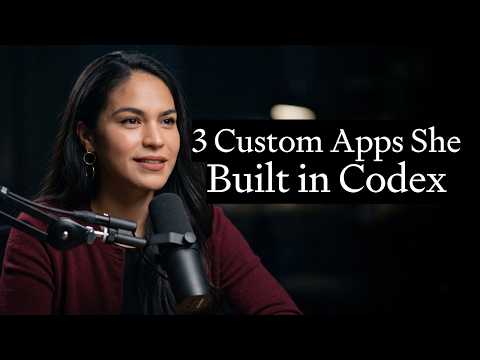
Today, we’re releasing a new episode of AI & I, in which head of consulting Natalia Quintero shows Dan how the app helps her manage work and personal responsibilities. A recent convert to the app, she says “Codex has been life-changing.”
Watch on X or YouTube, or listen on Spotify or Apple Podcasts. You can also read the transcript.
Here are the highlights.
- Codex as a lower-friction Claude Code. Natalia dedicated a lot of time creating folder structures and file systems in Claude Code. She doesn’t need to create similar elaborate setups with Codex, because the app builds them for her as they work together. “I have to focus a little less on architecting things well—which is very much a skill and something our engineers do extremely well. I can just trust it to make good decisions and build solutions for me,” she says. In practice, Natalia opens the Codex project she’s prioritized for the day, and works from there, trusting that Codex will update the project accordingly.
- Codex as a direct report. As with Claude Code—or a human employee—Codex needs the right context to hit it out of the park. A recent example: Natalia was working with Attio, the CRM Every’s consulting team uses to manage inbound leads, client relationships, and the sales pipeline. Her prompt was essentially “set up my CRM to accurately reflect what happened in my emails and conversations with existing and prospective clients.” Because Codex had access to her inbox, meeting transcripts, and the sales-pipeline logic, it could enrich hundreds of client and prospect records while she slept. “I woke up to a CRM that was fully set up—work that would have taken weeks otherwise,” she says. “It’s one of those moments of joy and delight with AI and my quality of life has improved as a result of this loop.”
- Codex as a way to help care for loved ones. Natalia’s father has multiple nurses who support his care, a reality that requires managing medical appointments, follow-up protocols, and the flow of information from healthcare providers and family members. “Codex helped me create an operating system for how, as a family, we could triage my dad’s care,” she says. The app gives her a central place to track everything instead of Natalia spending her time digging through scattered threads. “Codex has made it really easy to digest all of that in a single place and to allow us to support my dad in what we can do best—which is to be present and loving as his family.”
How others at Every use Codex
If you’ve been following our coverage—or Dan’s X account—you know we can’t shut up about how good Codex has gotten. By this point, we turn to it for everything from engineering to writing to operations. And just as none of us have the exact same job, no two people on the team use it the exact same way.
In a two-hour live camp, CEO Dan Shipper, staff writer Katie Parrott, head of growth Austin Tedesco, and Cora general manager Kieran Klaassen broke down their unique setups and use cases. Here’s what each of their Codex workspaces look like, along with sample prompts you can use if you want to adopt one of their approaches to jump start your own.
Dan’s long-running threads
Dan’s approach is organized around a simple principle: Codex is most useful when it has access to everything you would need to get the task done. His setup has two main components.
The first is long-running Codex threads, or chat workspaces with the agent. Because they don’t reset between sessions, they retain the full history of a workflow’s purpose, key players, and relevant events. Dan has dedicated threads for recurring tasks such as processing emails, reviewing Slack and meeting transcripts for updates he may have missed, and hiring.
The second component uses Codex’s in-app browser—a browser inside Codex that lets Dan and the agent use websites together when a job requires live context. Codex can review a web page and click through to get work done on its own without Dan having to translate everything into instructions.
The combination of long-running threads and the in-app browser is powerful. For coding, that means the agent can inspect and interact with the live user interface while building or debugging. For knowledge work, it means Dan and Codex can look at the same browser page, inbox, document, or app without Dan having to paste context back and forth.
To handle inbound requests from other people—which could disrupt his own prioritization flow—Dan uses a router thread, or a designated orchestration thread that categorizes information and delegates tasks to the appropriate sub-thread. He gave Codex its own email address (using a small tool he built called Mailroom) and the router thread checks that inbox every few minutes, reads each new request, and sends it to the long-running Codex thread best suited to handle it. A question about a contract might go to a thread with legal context; a permission request might go to a thread that can handle internal operations.
Here’s a prompt for kicking off Dan’s approach:
Katie’s file system
Before discovering the magic of Codex, Katie was a Claude Code power user, with a well-maintained local setup of nested files and folders. She’s created something similar with Codex, and like Natalia, found the process to be faster and less manual: Instead of setting up the system herself, she had Codex interview her about her role, writing style, and work preferences, so it could build a more agent-friendly system on her behalf.
The result is a local ‘Katie Context’ folder that acts as a command center. It includes:
- An
AGENTS.mdfile, which Codex treats as a table of contents for the rest of the folder - An identity file that explains who Katie is and the type of projects she works on
- Preferences for how Codex should produce and package outputs, including a standing instruction to create a Proof document when something needs to be shareable
- A running list of “don’t do this” instructions, so Codex avoids repeating documented mistakes
- A project map that lists each area of her work—columns, guides, automations, and workflows—along with the relevant files, folders, and instructions Codex should use for each one
- A
Voice.mdfile with guidance on how she writes, the language she prefers, and the tone she wants Codex to use
Once she established her optimized setup, Katie turned to automating how she aggregates, documents, and organizes potential story ideas so they’re ready for her to draft. To do this, she had Codex create an “idea farm” for her biweekly column Working Overtime. Her first prompt was simple: “I want to start an idea farm document in the folder and start monitoring [Slack channels] for and banking content ideas for Working Overtime.” Codex created a tracker that explained what it was for, evaluated ideas against a rubric based on her writing style and coverage areas, scored them, and added editorial notes.
Here’s a prompt for kicking off Katie’s approach:
Austin’s outcomes-based approach
Austin’s setup is intentionally lightweight. He has a few Codex chats he returns to regularly, including one for go-to-market work and one for social media, but he tries to keep the structure minimal. “I’m not naturally a very organized person,” he says, “and I don’t want to spend any time getting organized.”
His strategy is to give Codex an outcome, connect it to relevant sources of information, and let it get to work. To create follow-up content for Every’s live events, he drops in the transcripts, chats, recordings, and a Monologue brain dump about what the follow-up package should include, then asks Codex to search Notion and Slack for additional context, build a GitHub repo with any referenced resources, and draft the follow-up email.
Once Codex produces a first version, Austin reviews it. If the output is bad or overcomplicated, he asks Codex to audit where it went wrong based on all the institutional context it has and improve the setup. For growth work, he keeps the relevant material in a GitHub repository called Every GrowthOS. When something goes sideways, he asks Codex to create a goal to audit the repo, look for old instructions or rules that may be causing problems, and make the setup more concise.
Here’s a prompt for kicking off Austin’s approach:
Kieran’s portable setup
Kieran treats Codex as one tool inside a larger personal AI system. His main source of context is a synced folder that lives across his iCloud, Mac Mini, and all other devices. He can direct Codex, Claude Cowork, Claude Code, or any other agent to the same folder, and the agent can immediately use the context inside it.
This context comes from many places, including meeting transcripts, voice notes from Monologue, journal entries, and recordings from his Limitless pendant, which he always wears around his neck. When new material enters the folder system, an automated workflow Kieran built reviews, classifies, and extracts the key details, and saves that synthesized information in the relevant file.
Memory is what makes the setup useful over time. In addition to storing raw notes, Kieran’s system creates daily, weekly, and monthly summaries of incoming context. Those summaries become reusable memory any agent can read later, which means he doesn’t have to rebuild context each time he starts a new task.
That is where Codex fits in. Kieran reaches for it when he wants fast search and action across tools, especially for operational work with a lot of small, annoying steps. When people requested early access to Cora across X, email, and other channels, for example, he asked Codex to find everyone who had requested access, collect their contact information, ask for missing email addresses, create a spreadsheet, invite people to the Slack channel, and send welcome emails.
Here’s a prompt for kicking off Kieran’s approach:
Try it this week: Pick a Codex style and get started
Codex is intimidating in large part because it’s so versatile. There aren’t established best practices because what works best for you will look different than what works best for someone else on your team. If you want to use or optimize Codex, perhaps the “best” advice is not to overthink it—pick a setup prompt and dive in.
Laura Entis is a staff writer at Every. You can follow her on LinkedIn.
To read more essays like this, subscribe to Every, and follow us on X at @every and on LinkedIn.
We build AI tools for readers like you. Write brilliantly with Spiral. Organize files automatically with Sparkle. Deliver yourself from email with Cora. Dictate effortlessly with Monologue. Collaborate with agents on documents with Proof.
For sponsorship opportunities, reach out to sponsorships@every.to.