
Was this newsletter forwarded to you? Sign up to get it in your inbox.
One thing I’ve learned as an amateur woodworker is that when a job is difficult to do precisely—or tedious to do repeatedly—you make a jig. A jig, by its broadest definition, is a tool that makes it easier to make something else.
If you’re building a bookcase with adjustable shelves, you need to drill two straight, evenly spaced rows of holes. If you’re making a set of drawers, you need to cut the same interlocking joints again and again. Jigs make jobs like these simpler, more accurate, or both. They constrain the position or movement of a tool or workpiece, making consistent results less dependent on a steady hand. A shelf-pin jig guides a drill from hole to hole; a dovetail jig guides a router through every joint. Jigs can be as simple as a block of wood or as elaborate as a custom-built metal guide.
Jigs are also finding their way into AI-assisted interface design. I first saw the term used in this way by Josh Puckett, the cofounder of the design studio Iteration and creator of Interface Craft, a growing library of user interaction tools and knowledge. Puckett is also, perhaps unsurprisingly, a hobbyist woodworker himself, who sees many similarities between building furniture and building software.
“To make more advanced and creative things, you have to make tools to help you make the thing,” he told me. “Sometimes you’re like, ah, God, I need an extra pair of hands. That’s where jigs really come into it.”
Designing and producing Every’s interactive piece about OpenAI’s infrastructure team required several jigs to coax the article’s AI-generated code toward the result we wanted. It would’ve taken too long to prompt my way there—if I was able to at all. Making those tools showed me the potential of AI coding agents for designing unique experiences and gave me a new way of thinking about the designer’s role in the midst of increasing automation. Once I made my own jigs, I started seeing them everywhere in AI design tooling.
Jigs in practice in ‘Before the Deluge’
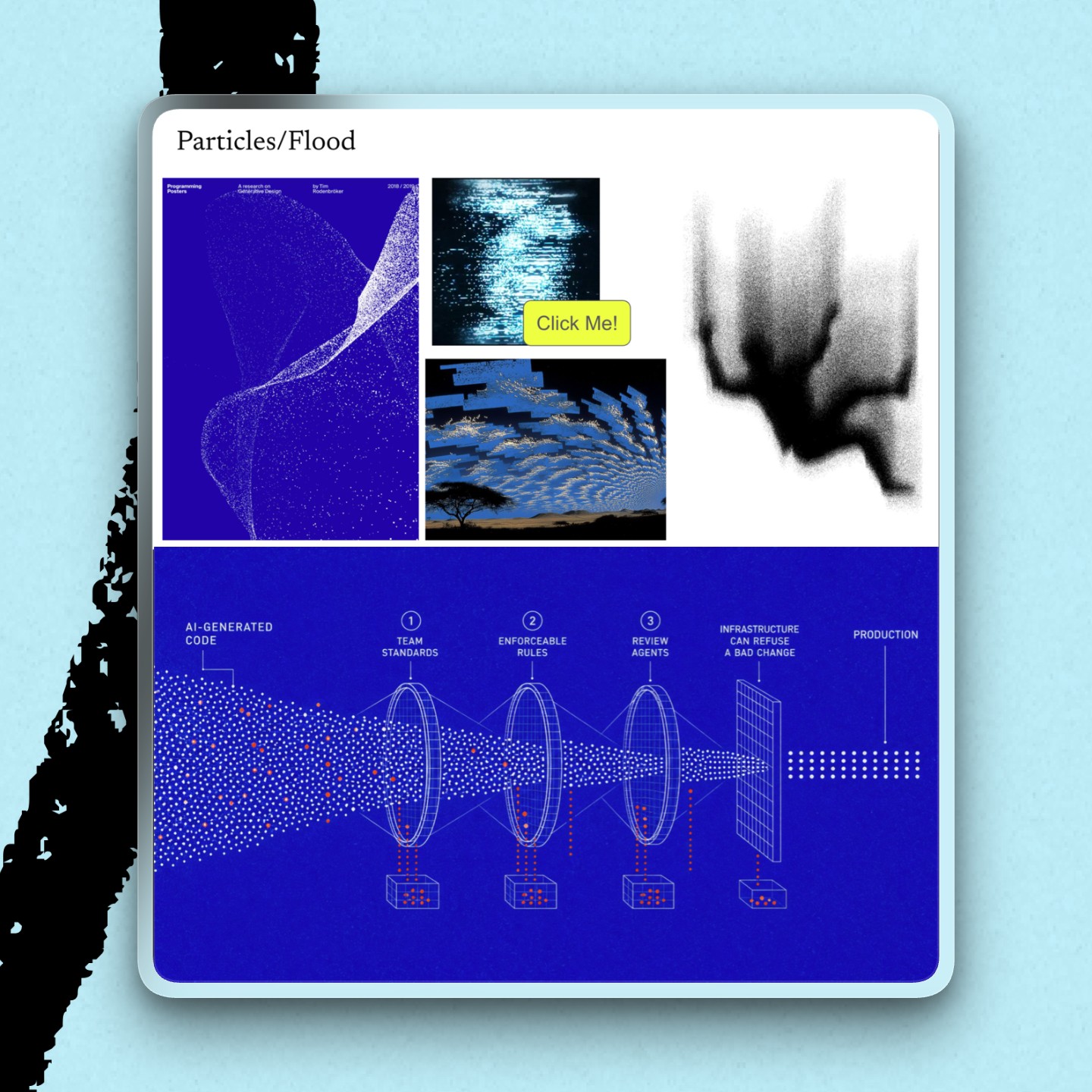
When it came time to turn Laura Entis’s exclusive reporting from inside OpenAI into a published piece, our team settled on the idea of using flows of particles to visually illustrate the article’s flood metaphor.
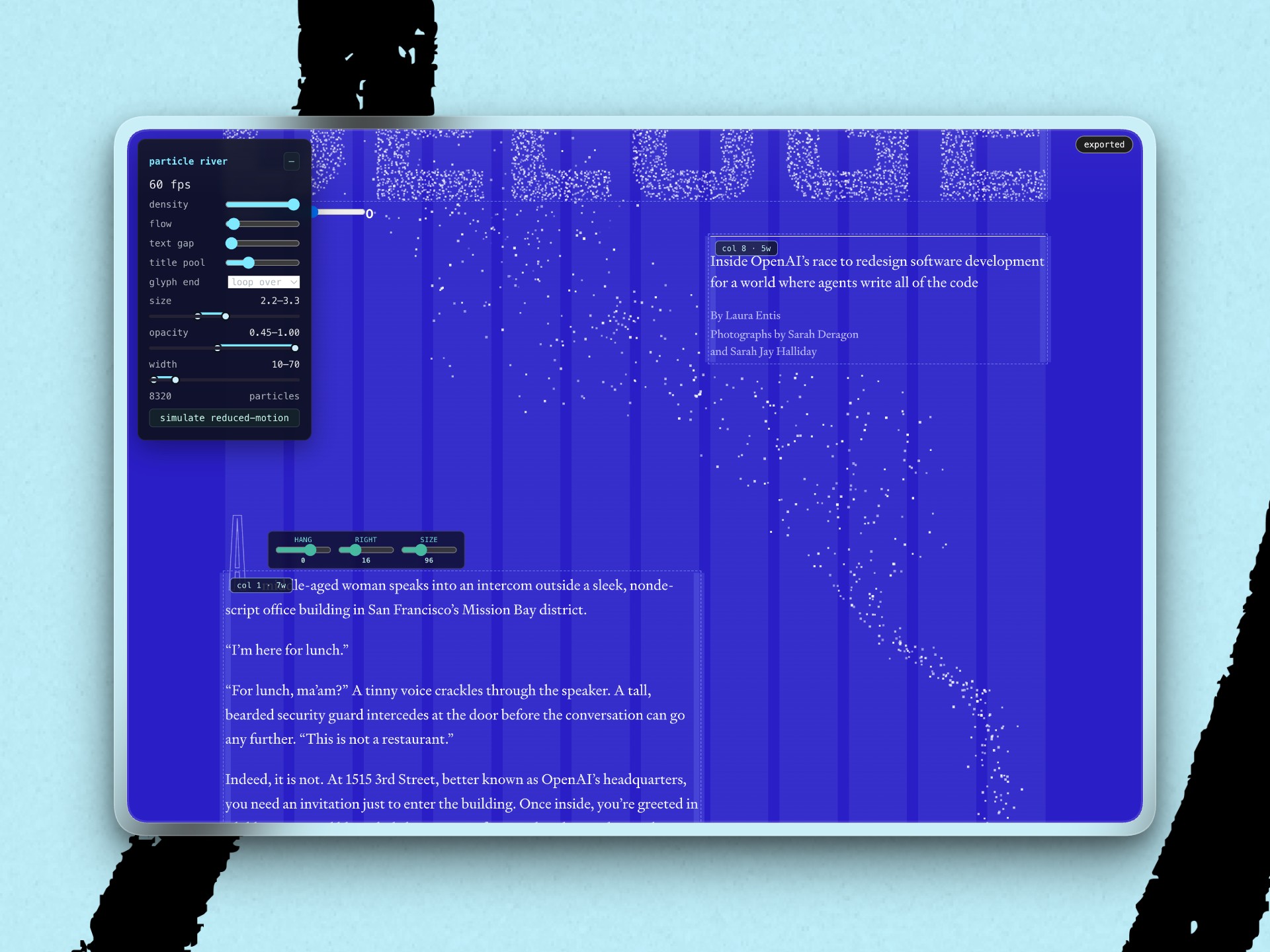
Early on, I’d decided to have each line of the article’s prologue scroll up individually, with a steady river of particles wending around them and through the rest of the piece. But it quickly got tedious to tell my coding agent to speed up or slow down the river, or make it more or less dense during this exploratory phase.
So I asked the agent to make me a control panel, embedded on the page, that would allow me to adjust all the parameters hidden in the code itself—like how close the river got to the blocks of text, or the ranges in which the randomly generated particles varied in size and opacity. Playing with these parameters clarified how I wanted the river to feel in order to best support the prose: alive, mysterious, and with a mind of its own.
I made separate jigs to move and resize blocks of text, and change the spacing of the raised capital letters at the start of each section. The most elaborate of these jigs tuned 27 distinct visual variables in the story section that explains how a deluge of AI-generated code affects a software pipeline—and how OpenAI handles the flood today and is making plans for the future. To show the effects of different actions on the pipeline, each individual step needed its own camera movements, labels, and particle parameters independent of the other steps.
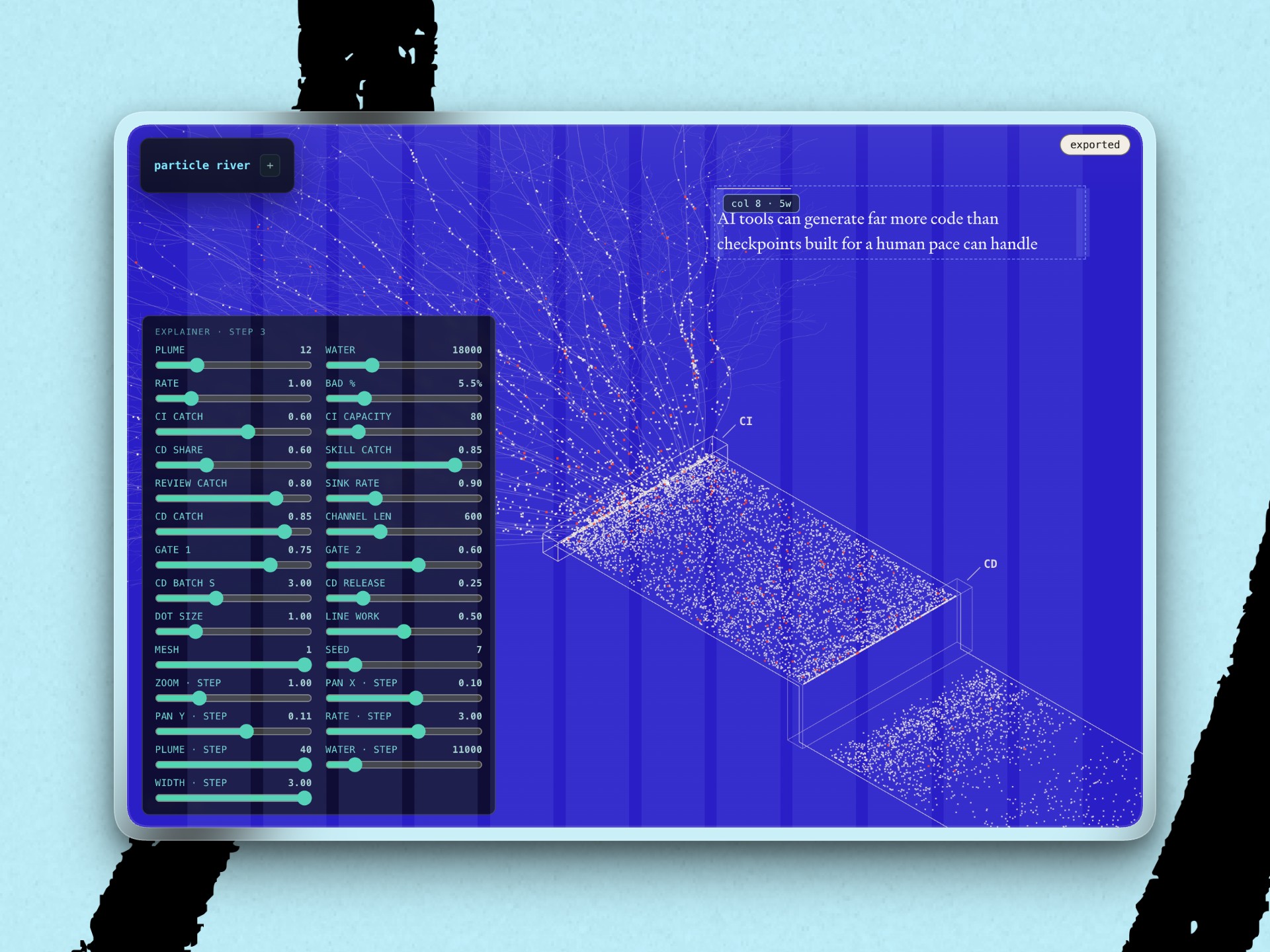
As with the other jigs, these panels let me control the variables that were already in the code—but that would otherwise be hidden from desktop apps like Claude Code or Codex without either reading the code itself or asking the agent.
Jigs, jigs, everywhere
These particular jigs were embedded directly on the page and unique to the article, but I’m seeing the designers around me create more custom-built AI design controls all the time—even if they haven’t been calling them “jigs.” Every’s lead designer Daniel Rodrigues, for instance, has made control panels for button animations on our Builder Pack page, and to create brand elements for our AI writing app Spiral’s redesign.
While some designers are hacking together single-use jigs, others are building more durable, reusable tools. Now, just as you can buy a premade jig to drill diagonal pocket holes instead of making one yourself, you can get premade UI jigs to help with more common challenges. Puckett’s DialKit offers a floating panel of sliders, toggles, color pickers, and other controls wired directly to an interface. Alex Barashkov (one of Daniel’s favorite people to follow on X) has open sourced Toolcraft, with its own set of components.
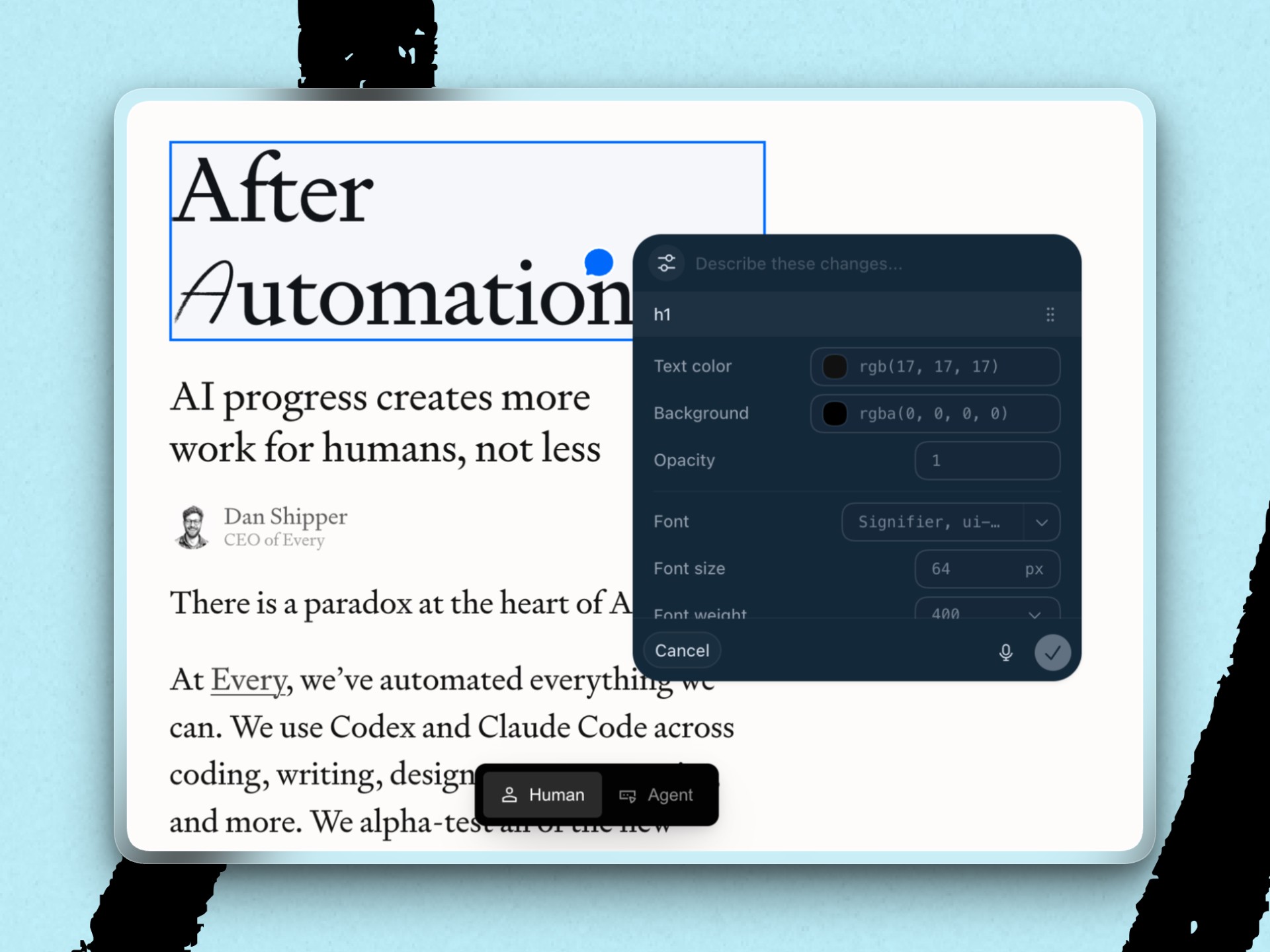
Various apps and platforms are also shipping their own jigs. The annotation mode in Codex’s in-app browser pops open a control panel when you select elements on the page. Figma Motion now lets designers prompt an agent to create an animation, then adjust timing and individual keyframes on a timeline. Google Flow lets you prompt and share your own custom tools for working with video on the platform. Jigs are everywhere.
Why not just prompt?
Graphical interfaces were built to replace cumbersome command-line syntax with direct, visible, reversible manipulation of the thing at hand. Designers are relearning the lesson with chat interfaces, discovering that prompting is too coarse a method of adjustment compared with what they’re used to.
But that doesn’t mean simply replicating, whole cloth, the interfaces of existing design apps like Figma. “These tools have been around for a while and have become of a certain shape because of the technology that we have accessible to us,” says designer Amelia Wattenberger, a partner at Shutter Hill Ventures and former principal research engineer at GitHub Next. “[Now] we’re working with different material, and we don’t yet have tools that make us feel like we’re in control of them because we’re still figuring out our relationship to them.”
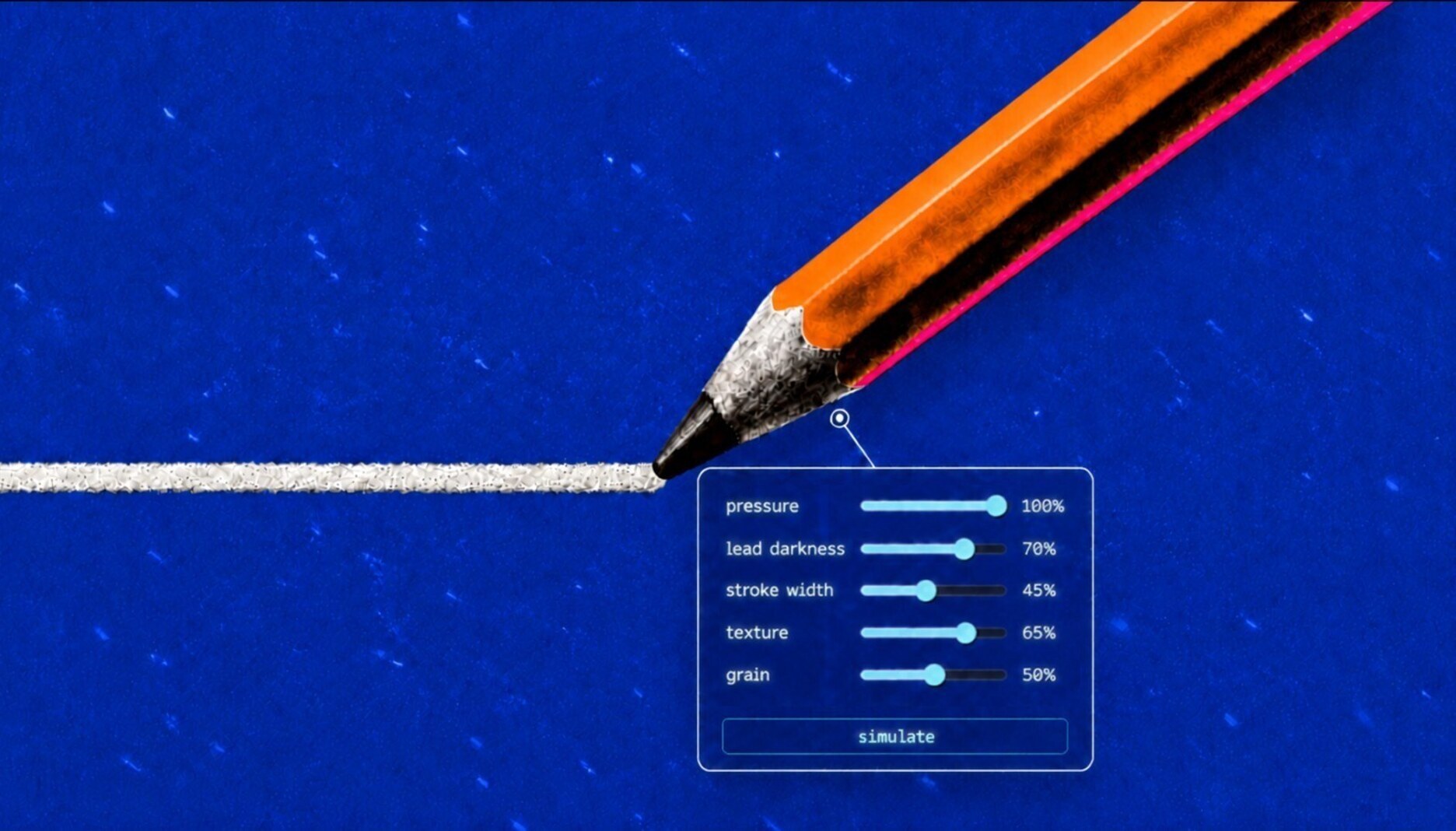
Wattenberger imagines agents creating a custom whiteboard or playground as soon as you start working, complete with panels for any attributes you might want to adjust. Jigs like these could bring back aspects from pre-AI workflows to our current ways of designing, like the kinds of immediate feedback that allow for iteration and exploration. “When you use a pencil to sketch, it’s this symbiotic thing where you sketch and you’re looking at it and you’re reacting to what it looks like after you’ve sketched it,” she told me. “If you sit there and only think about [what you’re making], you’re only going to get so far.”
Until these jigs start appearing automatically, though, designers everywhere will just have to prompt their own.
Steal this workflow
Instead of prompting the specific changes you want on a page or site, ask Codex or Claude Code to make a jig that controls those changes:
Make a collapsible UI jig to help me tune [site, page, or element]
Let me control [the parameters you want to control]
Remember my settings so the jig survives restarts and disconnections. Ask me before making any local adjustments public.
Jack Cheng is a senior editor at Every. He is a creative generalist and the author of two novels for young readers. You can follow him on X or read his occasional Sunday newsletter. To read more essays like this, subscribe to Every, and follow us on X at @every and on LinkedIn.
Everyone’s a builder now. Every All Access gets you the full membership plus the Builder Pack—$9,000+ in credits for the tools we build with.