


Living at the edge of AI is bittersweet. You can spend weeks building a workaround to a problem only for a frontier lab to swoop in and solve it for you in a more elegant, reliable way. Today, senior applied AI engineer Nityesh Agarwal explains how Anthropic’s dynamic workflows feature made his elaborate Claude setup look clumsy in retrospect, the Every team shares which corners of the AI frontier they’ve given themselves permission to ignore, and executive operations manager Jalaiyah Bolden walks through her step-by-step process for turning a Slack bot into a reliable coworker.
Every is off tomorrow for Juneteenth; we’ll be back Sunday. Was this newsletter forwarded to you? Sign up to get it in your inbox.
Mini-Vibe Check: Dynamic Workflows
A closer look at how Claude Code coordinates multiple agents
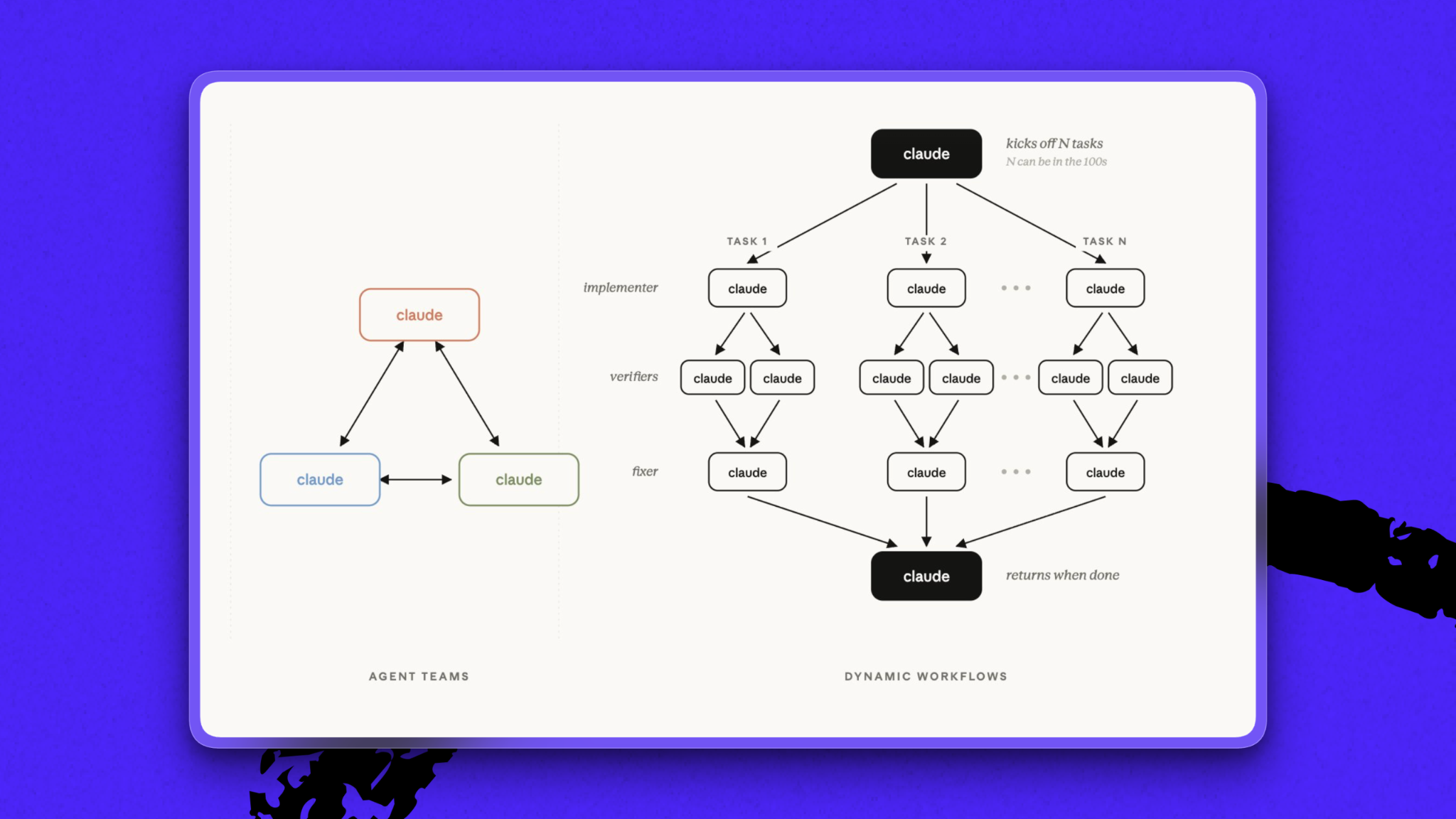
When senior applied AI engineer Nityesh Agarwal built Every’s AI project manager Claudie, he spent days figuring out how to get around the model’s limited context window, or the cap on how much text an LLM can process at once—and the reason Claudie kept dropping key details. His solution: one coordinating agent that delegated tasks to fleets of subagents, which gathered data, made updates, and communicated with one another via local markdown files. The process was “a little bit hacky,” Nityesh says, but it worked.
If he were to build Claudie today, he could just use dynamic workflows, Anthropic’s feature for orchestrating large, multi-agent Claude Code tasks. Instead of deciding each step on the fly, Claude writes a reusable script that coordinates the work. It can assign tasks to many subagents and have them check each other’s work before reporting back the results.
Attio is the CRM for teams that set the pace
It compounds every customer signal into context, then acts across your funnel to let you move at unmatched speed and scale. With agents and automations that build pipeline, chase signals, and move deals forward, Attio orchestrates your revenue work around the clock.
Loved by high-growth startups like Granola, Modal, and Wispr Flow, Attio amplifies what you can achieve.
Before dynamic workflows, trying to get Claude to reliably spawn reviewer agents was a persistent headache. Anxious about token spend, the model “would sometimes try to merge it all into one subagent,” Nityesh says, dragging down the quality of the results. Increasingly dramatic directives not to do this often went unheeded. Now, if you tell Claude you want three verifier subagents with dynamic workflows, Claude will write a script that generates three subagents every time.
Nityesh is grateful for the new feature, but watching weeks of work get negated by a single release was also disheartening. “I spent so many weeks building that other thing. Now it’s useless,” he says.
“But that’s the cost of being at the frontier,” he continues. “You need to be ahead of everybody else, and sometimes that means you need to throw away your past work.”
A dynamic workflows case study. For Spiral’s redesign, senior designer Daniel Rodrigues sent the writing app’s general manager Marcus Moretti a giant Figma file.
Marcus needed to convert the file into code. He did a pass in Claude Code, but the result had numerous errors. Before dynamic workflows, he would have flagged the mistakes in batches for Claude Code to fix—a repetitive, frustrating process.
Instead, Marcus asked Claude Code to set up a dynamic workflow that would review the Figma file section by section, extract all assets and design details, turn them into code, and check the results against the original file.
The Figma file had 11 sections, so Claude spun up 11 tasks, each with dedicated subagents. After running for a couple of hours, “it was not perfect,” Marcus says, but “it saved me a whole bunch of time.” Before dynamic workflows, each of the reviewer subagents would have been Marcus himself.
Try it yourself: For complex projects like a code migration, changing the programming language a product uses, or a major upgrade, dynamic workflows might be a good solution, Marcus says. To initiate the feature, you can simply type “workflow” in a Claude Code session, or include “ultracode” in the prompt.
Or test out Nityesh’s prompt for kicking off a dynamic workflow.
Permission to skip
Rapid-fire roundup edition
The pace of AI is unrelenting. Each week brings new model releases, benchmark results, and “paradigm shifts” that sometimes turn out to be incremental upgrades.
At Every, we do our very best to stay at the frontier—but for better and worse, we are human, which means we cannot run all night. Here, Every staffers share what they’ve given themselves permission to skip in order to, you know, sleep, touch grass, or run other AI experiments...
Become a paid subscriber to Every to unlock this piece and learn about:
- The AI topics the Every team has given itself permission to ignore
- How to turn a Slack bot into a reliable coworker
- The internet’s reaction to Mistral joining the AI leaders at the G7 Summit

What is included in a subscription?
Daily insights from AI pioneers + early access to powerful AI tools
 Front-row access to the future of AI
 In-depth reviews of new models on release day
Playbooks and guides for putting AI to work
Prompts and use cases for builders
In-depth reviews of new models on release day
Playbooks and guides for putting AI to work
Prompts and use cases for builders
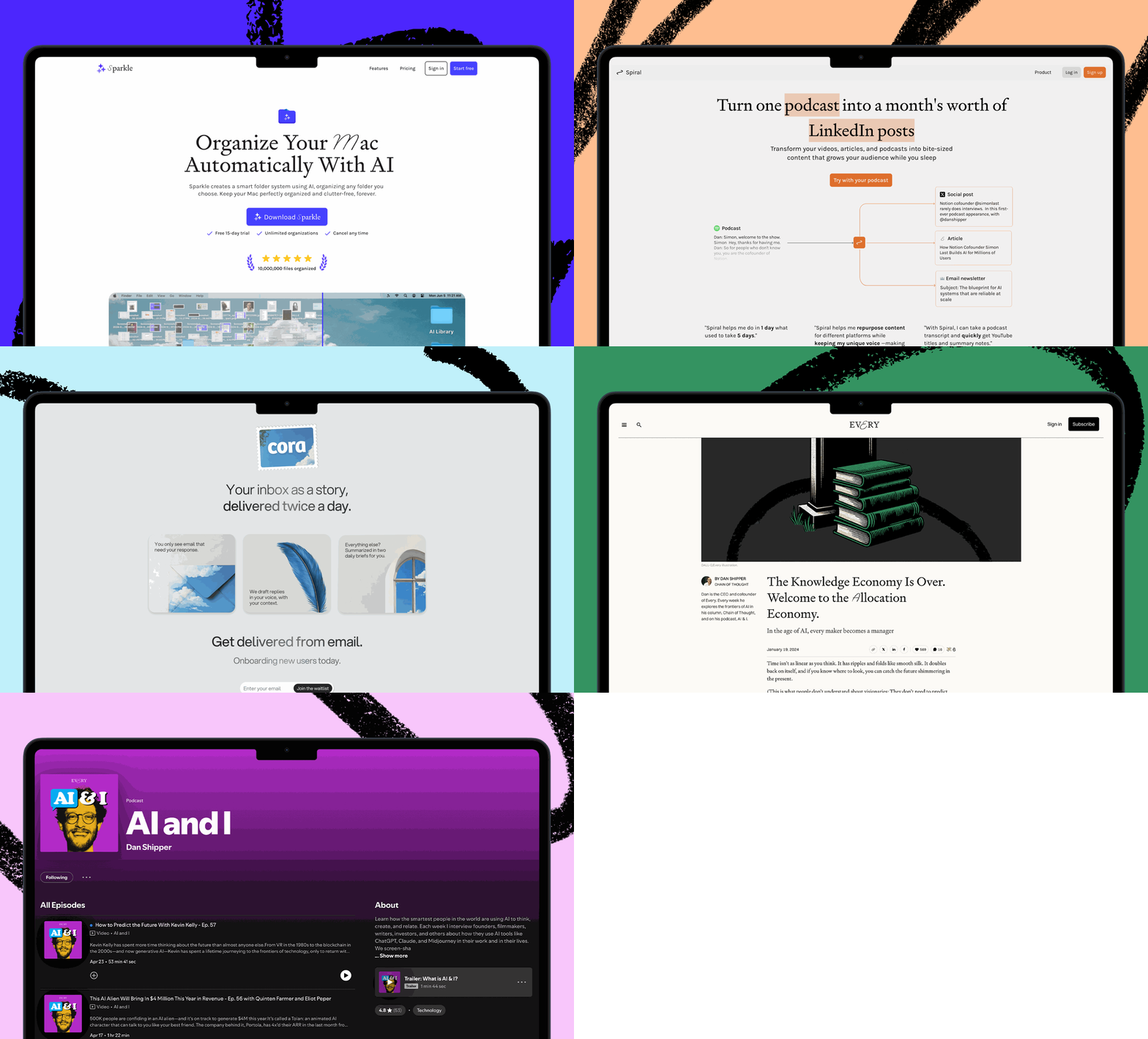
 Bundle of AI software
 Sparkle: Organize your Mac with AI
 Cora: The most human way to do email
 Spiral: Repurpose your content endlessly
 Monologue: Effortless voice dictation for your Mac