


Google I/O dominated the week, and the message from Mountain View was unsubtle: Agents are now the product, with Gemini 3.5 Flash powering a redesigned search and a new fleet of always-on assistants. One layer down, Anthropic paid a reported $300 million for Stainless—so we’re re-upping our AI & I episode with CEO Alex Rattray, who laid out the design principles for making software legible to agents months before the deal happened. Plus: We did a mini-Vibe Check of Figma’s new in-canvas agent to see whether it solves the blank-page problem.—Kate Lee
Was this newsletter forwarded to you? Sign up to get it in your inbox.
Spotlight
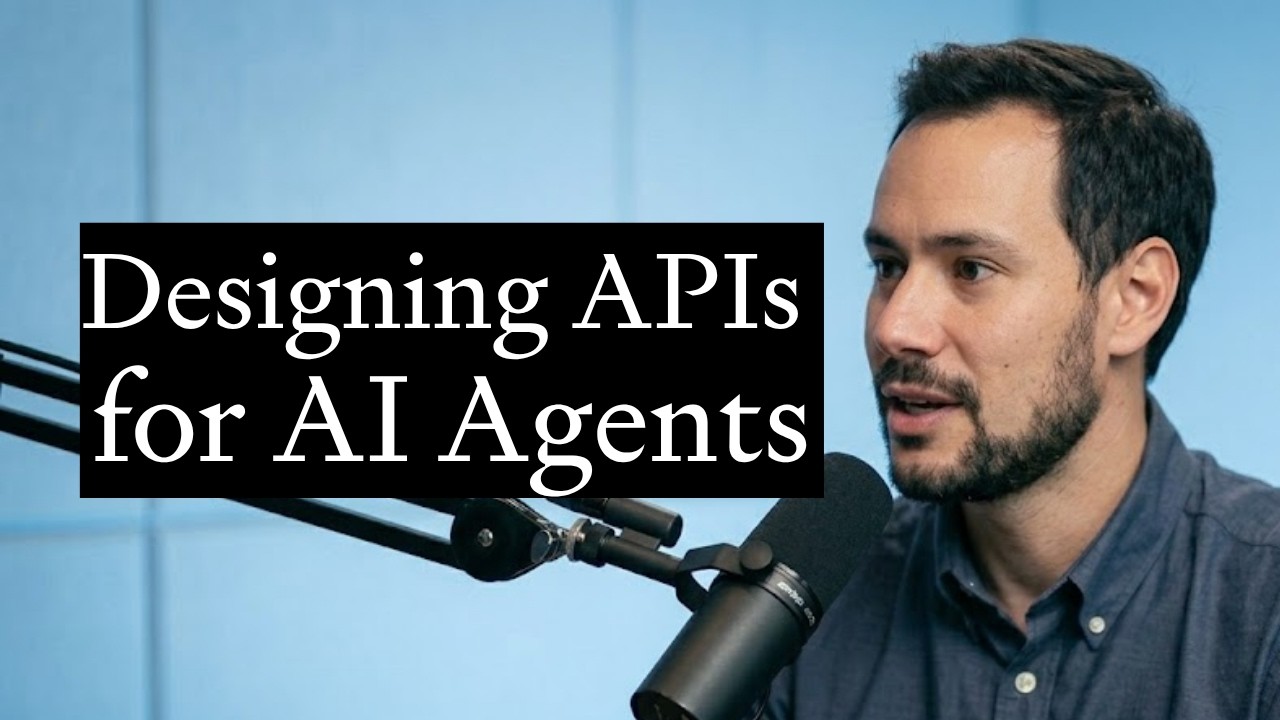
Alex Rattray, Stainless CEO and MCP whisperer
Flashy frontier model releases suck up most of the oxygen in the AI ecosystem. But without reliable ways for AI agents to access these models, their capabilities are limited. This plumbing may be easy to overlook, but it’s an indispensable component of an agent-native internet.
You don’t have to take our word for it. On Monday, Anthropic announced it has acquired Stainless, a software platform for high-quality APIs, to extend Claude’s ability to connect to data and tools. (While terms weren’t disclosed, The Information put the purchase price at north of $300 million.) Former Stainless customers include OpenAI and Google, meaning Anthropic has acquired a developer tooling company used by its top rivals.
In October, Stainless CEO and founder Alex Rattray joined Dan Shipper on AI & I to talk about why teaching models to use software is so tricky, and what design principles make model context protocol (MCP) servers more intuitive for LLMs. (TL;DR: Keep the number of tools an agent can access small, give the tools precise names, and aim to generate tightly defined outputs.) In the episode, Alex goes deep on Stainless’s approach to making it easier for AI agents to use the internet—hard-won insights that, as it turns out, can lead to a big-sticker acquisition from a top model company. [Disclosure: Dan is a small investor in Stainless.]
Read Anthropic’s announcement about its decision to buy Stainless and then watch Rattray’s AI & I episode on X or YouTube, or listen on Spotify or Apple Podcasts (or read the episode transcript).—Laura Entis

Get your databases moving faster
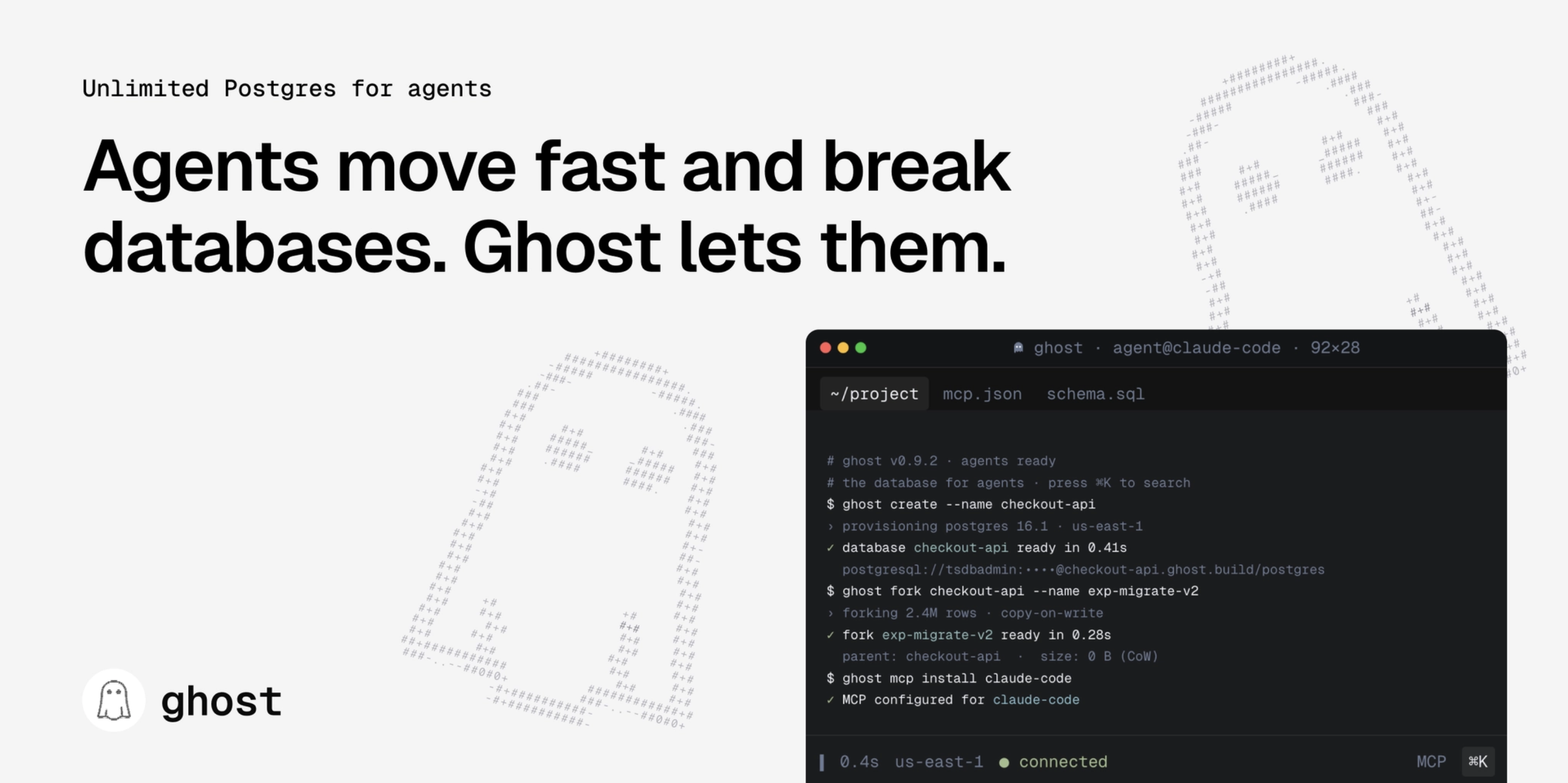
Most databases require manual setup. Don’t limit your experiments to fit your infrastructure budget. Try Ghost. It’s Postgres designed for agents that need to move fast. Spin up as many databases as you need for parallel experiments, fork each test run, and delete what doesn’t work. Your agent handles authentication, schema introspection, queries, the entire lifecycle, via native MCP integration. Also works natively with Claude Code and co. Free tier: unlimited databases, 1TB storage.
Signal
Google goes all-in on agents
We’re hurtling toward an AI landscape divided into two categories of agents: those you collaborate with, and those you delegate to. Google’s new releases from its flagship I/O developer conference, happening this week in San Francisco, break neatly along that line.
The headline announcement is Gemini 3.5 Flash, Google’s just-announced frontier model it says operates four times faster and at half the cost of comparable LLMs. It’s the engine powering most of the agentic features below.
In the ‘collaborate with’ bucket
AI Mode and the new search box: Google is giving search its biggest interface change in 25 years. In addition to expanding the search box to accommodate longer, more conversational questions and terms from users, AI Mode, which Google introduced at last year’s I/O conference, is becoming the default search mode. With the 2026 updates, you can now build custom mini-apps, such as a personalized fitness tracker, or interactive visualizations directly within search itself.
Antigravity 2.0: Google’s agentic development platform is becoming a desktop app for managing teams of agents, with a new command line interface tool and an SDK for custom workflows. You orchestrate, and the agents code, design, or do whatever else you want them to accomplish.
In the ‘delegate to’ bucket
Gemini Spark: Google is pitching Spark as a 24/7 personal agent that lives in the cloud, works when your devices are off, and can operate across Gmail, Docs, Workspace, Chrome, and eventually, third-party tools through MCP. “You can just throw tasks over your shoulder,” Josh Woodward, vice president of Google Labs, Gemini, and AI Studio said in the keynote. “Spark will catch them and then run with them.”
Daily Brief: An out-of-the-box agent in the updated Gemini app that works overnight, scanning your inbox, calendar, and tasks so it can hand you a prioritized digest when you wake up in the morning.
Universal Cart: Google’s new shopping cart works across merchants as part of the Universal Commerce Protocol, which it co-developed with Amazon, Meta, Microsoft, and others. Whenever you add something in your cart, it automatically monitors the internet for information on the product, including price drops, price history, and whether something is back in stock. It also analyzes the full contents of your cart to proactively flag potential issues, like if you’re building a PC and the processor and motherboard you’ve selected are incompatible.
Inside Google I/O
Anyone can cook
Gemini 3.5 Flash, announced in Tuesday’s opening keynote, seems like a meaningful step toward a fast and cheap model that can reliably handle the personal, everyday tasks that most people are looking for help with.
When is a model good enough? That was the question I asked myself heading back to my hotel after the first day of Google I/O. I often send agents on multi-hour coding missions, and need to pull together data from multiple accounts and channels to coordinate my workday. In these cases, each new model release seems to work better than the last. So I eagerly hop from one to another.
On the other hand, for simple, personal tasks like household briefings, tracking my journaling and meditation habits, and light web development, I am loyal to Sonnet 4.6—although sometimes I have to tell it to ask Opus or GPT-5.5 for help.
But once a model like Sonnet grew smart enough to handle anything personal I might throw at it, I wondered, what else might I want from it?
I’d want it to be blazingly fast, so that I wasn’t waiting for responses when I was working with it in real-time. I’d also want it to cost next to nothing.
Gemini 3.5 Flash may offer exactly that.
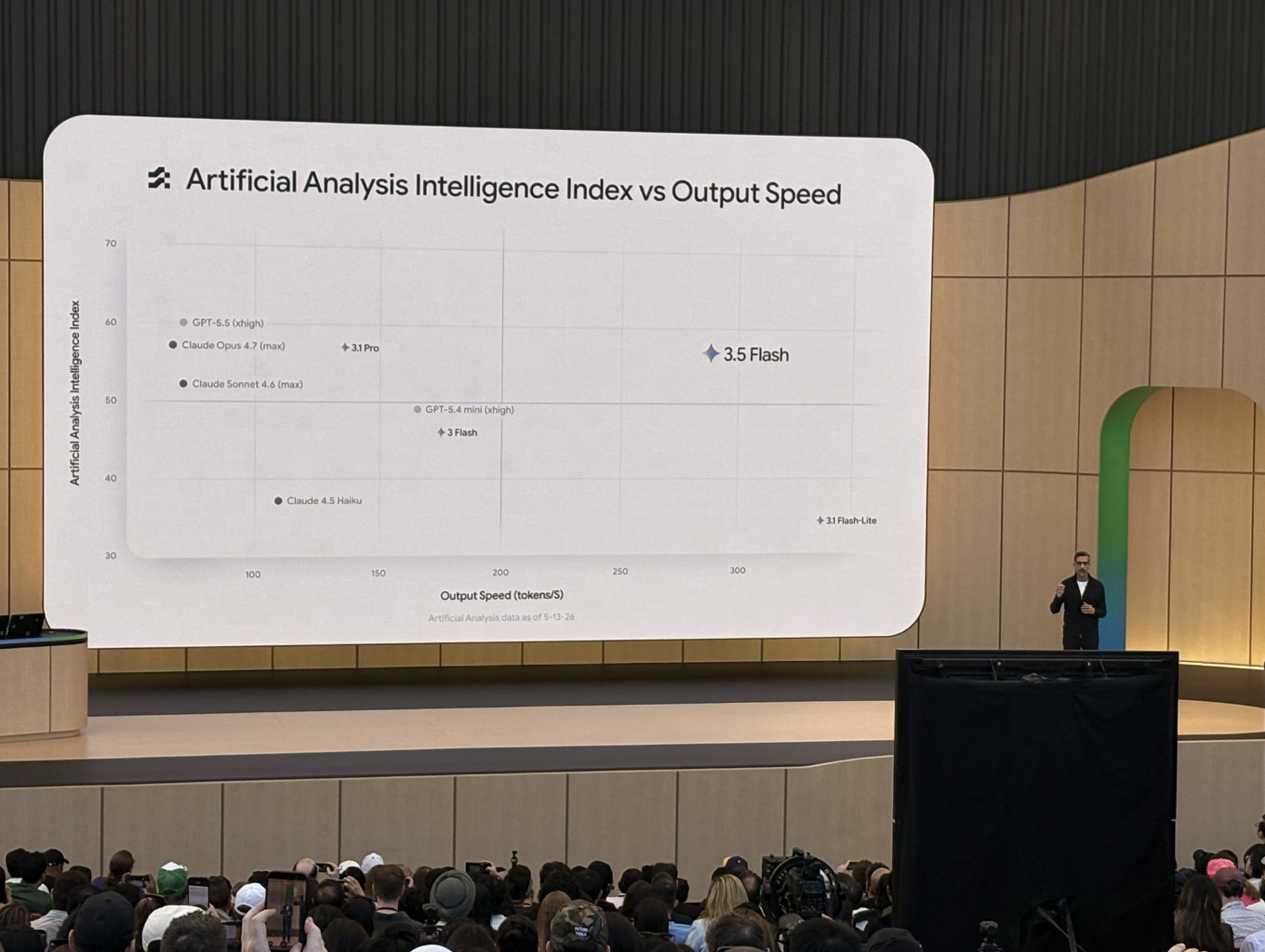
If the benchmarks are to be believed, then Gemini 3.5 Flash delivers Opus 4.7-level intelligence at four times the speed. Accurate, near-instantaneous responses let Google believably send users from search results pages into its “AI Mode” without them realizing that they’ve entered a new state. A chat interface, after all, is not that far off from a search box. But for that chat interface to still feel like Google search, it has to be just as snappy as traditional search.
It remains to be seen how users will take to the deeper AI mode integration once the update rolls out globally, as it’s beginning to do this week. But Google says 2.5 billion people already use the “AI Overviews” at the top of results pages, and these summaries will now let you ask questions in response. Every search becomes the start of a conversation with an AI agent that can generate text and images, spin up research agents, code up interactive widgets and mini-apps, and more.
This could lead many more people to experience their first “aha moment” with AI. Google’s core competencies around speed and scale really come through in the Gemini 3.5 Flash release.
The context it already has on users though their Gmail, Google Calendar, and Google Docs accounts removes one of the main headaches in setting up AI agents. Google is perhaps one of two companies in the world—along with Apple (which will also be using Gemini to power its own coming AI integration)—with moats of this size. Pretty soon, billions of people could be newly using agentic AI to cook up tools and workflows that make their lives easier or more enjoyable in some small way.
Oddly enough, Google’s announcements at I/O so far don’t affect those of us riding the edge of the AI wave. Reception to the day’s announcements in Every’s Slack was tepid. But I don’t think Google’s keynotes were speaking to people tinkering with OpenClaw or using and building Codex-native apps to do their email and learn piano.
To me, the significance of Gemini 3.5 Flash and Google’s AI search announcement, amid a sea of other announcements, was underscored by one of the last slides of one of the last developer sessions of the first day. It read:
“We are the first generation of builders creating tools for a world where anyone can build anything.”—Jack Cheng
Log on
We host camps and workshops on topics like compound engineering and writing with AI to share what we’ve learned from training teams at companies like the New York Times and leading hedge funds, and by using and experimenting with AI every day ourselves.
Upcoming event
- Executive AI Sessions: On June 2, head of consulting Natalia Quintero hosts a live webinar introducing Every Consulting’s new offering for leadership teams navigating AI adoption—built on the playbook we’ve been running with executive clients for months. Learn more and register.
In New York City
- Every 🤝 IRL: Join us at the Every brownstone in Brooklyn on June 3 during New York Tech Week for a subscriber-only meetup celebrating the Every community over drinks and conversation. Learn more and RSVP.
Mini-Vibe Check: Figma agent
Figma makes the blank canvas less blank
In March 2026, Figma opened its canvas to outside AI agents. The update let coding tools like Claude Code, Cursor, and Codex connect to Figma through MCP (model context protocol, the open standard that lets AI agents talk to external software) and write designs directly into a Figma file.
Today, Figma releases its own agent that lives inside Figma. It edits your canvas directly—switching component states (the variants of a design element, like when a button looks one way when hovered and another when clicked), restyling layouts, and generating new screens. It’s built on a mix of Google’s Gemini Flash, Anthropic’s Claude Sonnet, and Figma’s own fine-tuned models. Figma users no longer have to leave their canvas, or hand the work off to an engineer, to get an AI-generated first draft.
Every got access a day before the announcement. Head of marketing Douglas Brundage, senior designer Daniel Rodrigues, and creative designer Benjamin Ose spent a day testing it. Here’s what they found.
What works
When the prompt is specific, the agent produces solid early explorations, preserves copy well, and gives designers something to work with instead of a blank canvas.
As Daniel put it, “There’s really no excuse to start from scratch anymore.”

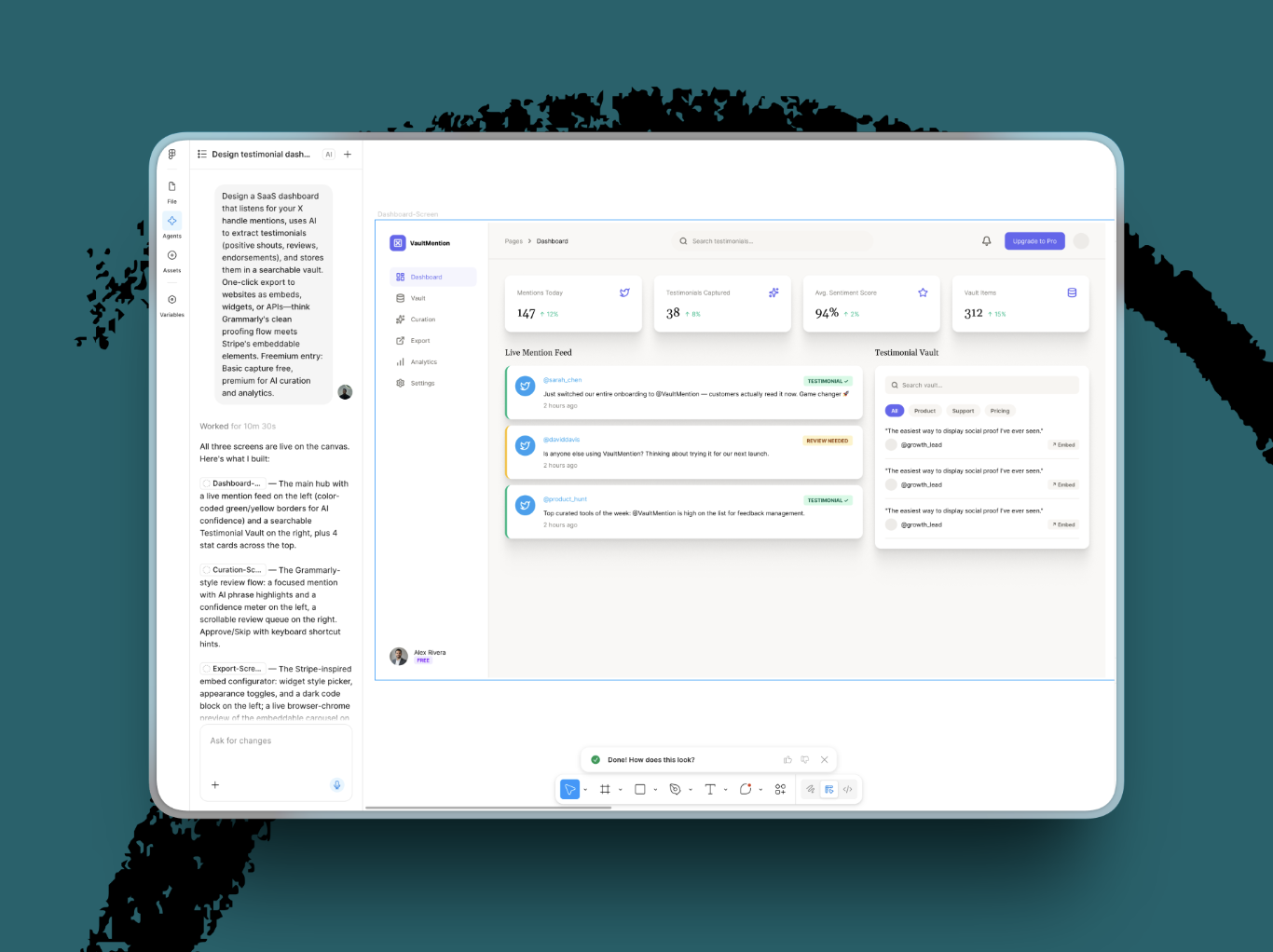
It’s also good for quickly sketching out product ideas. Benjamin used it to mock up a SaaS dashboard for mining X mentions for testimonials and came away with viable early explorations. Here was his initial prompt:
Design a SaaS dashboard that listens for your X handle mentions, uses AI to extract testimonials (positive shouts, reviews, endorsements), and stores them in a searchable vault. One-click export to websites as embeds, widgets, or APIs—think Grammarly’s clean proofing flow meets Stripe’s embeddable elements. Freemium entry: Basic capture free, premium for AI curation and analytics.
What needs work
The agent is less useful for detailed work. Tabs rendered improperly, buttons doubled up, components drifted out of alignment, and some outputs came back weirdly low-res. It can lay down the structure, but the designer still has to go in and fix the details. There’s no ability to attach an image or a link as a visual reference for the agent. Right now the agent relies on a prompt-writing skill or an existing Figma frame.
Benjamin also said the agent would be much more useful if it worked from an existing design system, instead of inventing from scratch—pulling in the components, colors, spacing, and styles a team already uses in Figma. Ideally, it could also draw on the reference tools designers use, like Mobbin.
Our verdict
Figma’s agent isn’t a fully trustworthy design copilot yet, but it solves the blank-page problem for early design work. Its job is to get designers from zero to first pass, so their energy can shift to judgment and polish.
It delivers on that promise for exploration, layout starts, and iteration. It still needs better fidelity, stronger detail handling, and richer reference inputs before it can feel dependable in production.—Katie Parrott
Jack Cheng is a senior editor at Every. He is a creative generalist and the author of two novels for young readers. You can follow him on X or read his occasional Sunday newsletter.
To read more essays like this, subscribe to Every, and follow us on X at @every and on LinkedIn.
We build AI tools for readers like you. Write brilliantly with Spiral. Organize files automatically with Sparkle. Deliver yourself from email with Cora. Dictate effortlessly with Monologue. Collaborate with agents on documents with Proof.
For sponsorship opportunities, reach out to sponsorships@every.to.