


Was this newsletter forwarded to you? Sign up to get it in your inbox.
Inside Every
The agents behind the curtain
Naveen Naidu is the one-man shop behind Monologue, Every’s smart dictation app.
But Naveen no longer sees it that way—these days, his work feels more like managing a team of engineers.
The engineers just happen to be custom agents he built within Codex. On his roster: dedicated engineer agents across different disciplines, a customer support agent, and a growth strategist—all of which help maintain the Monologue website and app. Recently, a customer sent Naveen a glowing review that he wanted to feature on Monologue’s website. His customer support agent handed the review text to his web engineer agent, which added the testimonial.
Each agent is a Codex project, complete with a custom AGENTS.md file, skills, folders, memory, codebases, and additional context that turns it into a specialist.
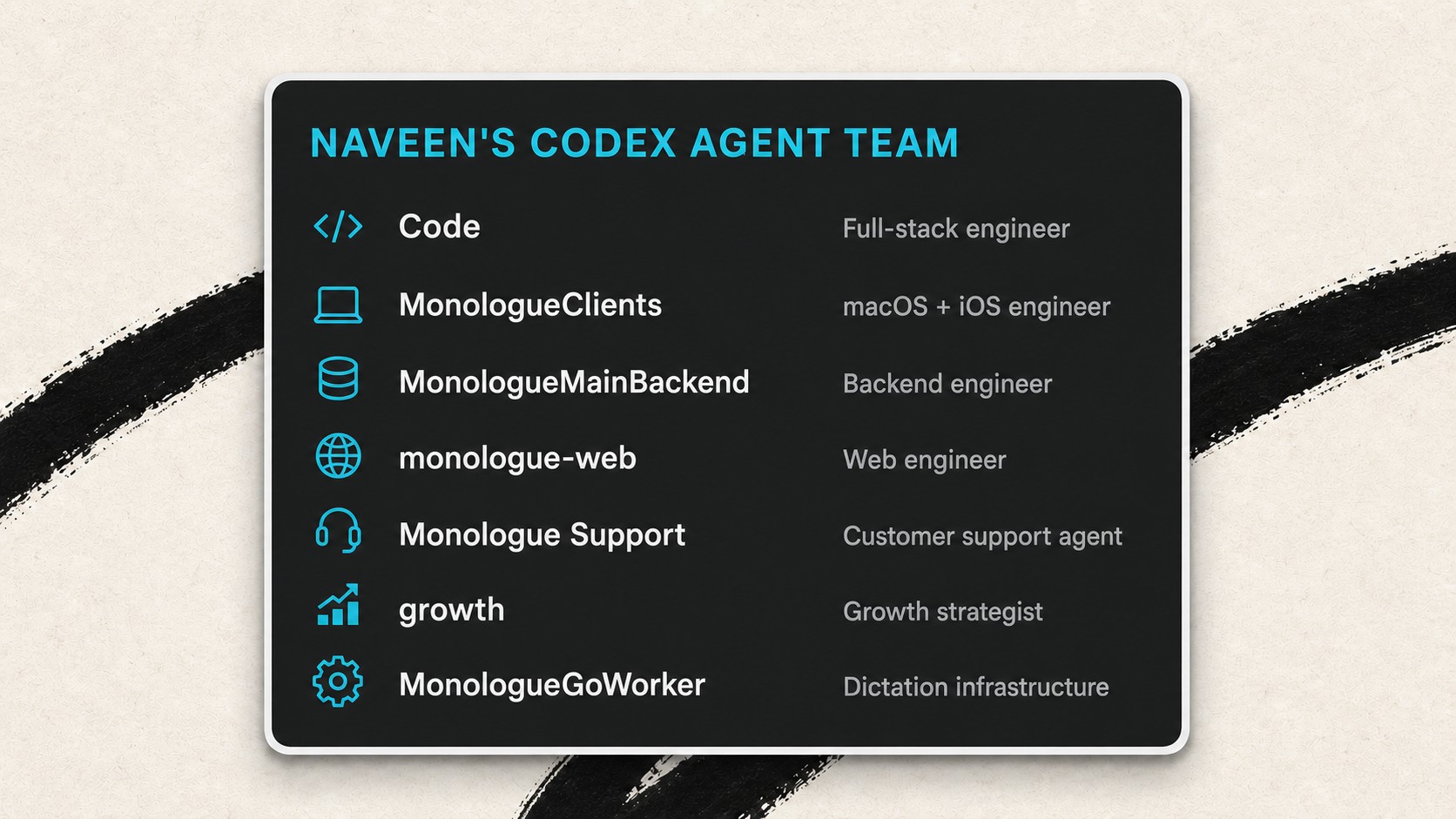
Until recently, those specialists worked in relative isolation. Naveen had to manually transfer Markdown files and instructions between projects whenever a task required contributions from multiple agents, like when the growth agent wrote copy for a new landing page built by the web agent. GPT-5.6 changed that equation; the model intuits context well enough that Naveen can instruct an agent to send over the relevant information to a separate project and kick off a new task there—the agent equivalent of having a direct report pass an assignment to a coworker.
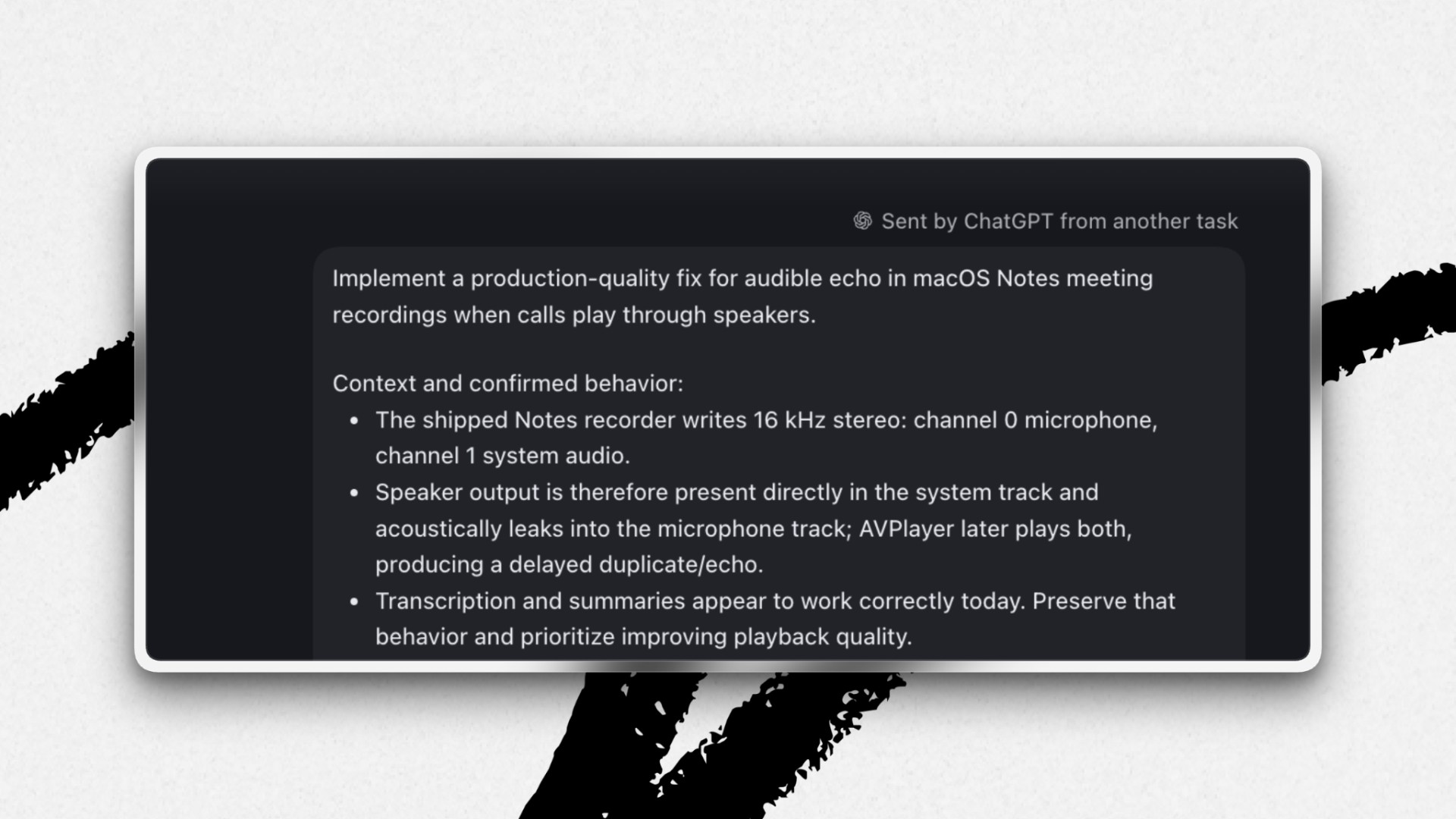
When a Monologue user recently reported an echo in their audio, Naveen reviewed the conversation from his customer support project, which accesses tickets filed in Fin. He asked Codex to open a separate worktree thread (a task that operates in an isolated copy of the codebase), fix the bug, and create a pull request.
GPT-5.6 has made Naveen’s work faster and, although he remains Monologue’s only human engineer, more collaborative.
Steal this workflow
Triage tasks with a dispatch desk
With a whole team of agents, making sure work gets assigned to the right “engineer” can get tricky. Within each project, Naveen keeps one thread to sort incoming items. It handles straightforward requests and sends specialized work to the right agent.
Here’s how to build your own:
Step 1: Use one thread in each project to handle incoming tasks. Naveen keeps Fin open in Codex’s in-app browser and reviews every message from one thread in his customer support project—instead of spinning up a new one for each ticket.
Step 2: Decide what the agent can handle itself. Naveen’s customer support agent, for example, can draft replies and resolve simple requests, such as granting a customer access to a beta feature.
Step 3: Route specialized work to the right project. When a request requires the expertise of another specialist, Naveen tells his support agent which project should take over and what he needs back. The agent then passes along the relevant context. Naveen uses a version of this template to start a handoff:
Review this issue, create a new worktree in [project] to [complete the task], and [produce the deliverable]
Try it this week: Pick one recurring source of work, such as bug reports. Create a new thread in the relevant project, define what the agent can handle on its own, and use the template to send a few low-stakes assignments to another agent.


‘AI & I’: Why AI companions are a new art form
Tolan is a friendly AI alien that lives on its own planet, remembers your conversations, and talks to you with a personality of its own.
Its creators are convinced that language models are not just a tool but a new medium of storytelling, like novels or radio before it. Through ongoing, personal conversation, their AI companions entertain and comfort people—helping them navigate moments like a breakup or a move to a new city.
On this episode’s AI & I, we’re revisiting our conversation with Portola, the company behind Tolan. Dan speaks to its cofounder and CEO Quinten Farmer, who previously founded a fintech business that he sold for $300 million, and Portola’s head of story Eliot Peper, a bestselling science fiction novelist of 11 books.
They discuss how Portola designs an AI personality that feels instantly familiar to users, why they train their AI companions to be the best improv actors, and why future AI products will feel increasingly personalized.
Watch on X or YouTube, or listen on Spotify or Apple Podcasts. You can also read the transcript.
- Every Tolan is a mirror of the user. During onboarding, users are taken through a light-touch personality quiz to gather the information needed to build a Tolan that feels instantly compatible with them: “We wanna know enough about you that your Tolan is gonna respond to you in a way that feels familiar and safe,” says Quinten. Tolans need not share their user’s likes and dislikes. He compares it to sitting next to a stranger at a bar. The stranger may not be reading the exact book you are, but may be reading something “adjacent enough” that makes them feel familiar, rather than intimidating.
- Improvisation works better than a script. Portola initially tried scripting Tolan’s conversations with detailed narrative prompts, but the results sounded rigid and contrived, so they took a more theatrical approach: Eliot says the team stopped trying to give Tolan an outline or a plan and instead taught it “to be the best improv actor possible.” He drew on British playwright Keith Johnstone, who argued great stories come from free association followed by recombination—the same feeling as reaching the end of a thriller, when scattered details suddenly click into place. Portola now builds systems and works at the prompt level to enable the Tolans to “tell the best story at that moment.”
- The next wave of AI products will be tailor-made to users’ identity. Quinten sees consumer AI repeating the early history of the automobile: the Ford Model T—the first widely affordable car in America—just needed to work, but once cars became personal, people wanted a Mustang or a Cadillac that reflected who they were. He sees ChatGPT as AI’s Model T moment and expects people to demand products tailored to their identity next. Eliot goes further, predicting what he calls “character-driven computing”: a future where your first stop for AI isn’t a search bar, but a character you already trust, like a daemon from The Golden Compass.
This is a must-watch or listen for anyone interested in AI as a creative medium and the future of consumer AI.
Miss an episode? Catch up on Dan’s recent conversations with Anthropic head of product Mike Krieger; the team that built Claude Code, Cat Wu and Boris Cherny; the team that built Codex, Thibault Sottiaux and Andrew Ambrosino; Vercel cofounder Guillermo Rauch; podcaster Dwarkesh Patel; and others to learn how they use AI to think, create, and relate.—Miriam Partington
Discuss
Will harness engineering go the way of prompt engineering?
“The harness is very important now, but in the long run, you want to keep it as simple as possible,” Joe Gershenson, who leads OpenAI’s Core Agent team for ChatGPT Work and Codex, told us. “Models are going to get smarter, and the harness is going to get better at getting out of their way.”
Agent harnesses—or the scaffolding software around an AI model—went mainstream in late 2025, Gershenson estimates, when frontier models became capable of handling a wide range of tasks autonomously. The labs faced a new challenge: giving the models enough tools, context, and guardrails to get their jobs done well and safely.
As models improve, however, they are responsibly handling more orchestration and decision-making on their own. Harnesses no longer need to be so prescriptive or so complex. “The high-level trend in harness engineering will be finding ways to give the model more degrees of freedom,” Gershenson says.
Tech stack
Thesis 2027 edition
Our design team created the visual identity, website, and launch assets for Every’s inaugural conference, Thesis, in roughly three weeks. By comparison, lead designer Daniel Rodrigues estimates the same project would have taken four or more months before AI. Here’s the tech stack and workflow he used to move so quickly.
Step 1: Get inspired
Tools: Pinterest and Cosmos
Daniel and head of marketing Douglas Brundage first defined the conference’s visual aesthetic. They collaborated via shared mood boards in Pinterest and Cosmos, which Daniel describes as a “fancier” Pinterest.
The Every website has a classical Greco-Roman look, so they started with the idea of an agora—an open gathering space common in ancient Greece—as the conference’s central visual. At first, Daniel was worried the theme would “feel like a museum” with its monochrome tones—not the vibe for a conference about the future after automation. But his concerns were assuaged when he learned that ancient Greek sculptures were originally painted in vibrant colors.
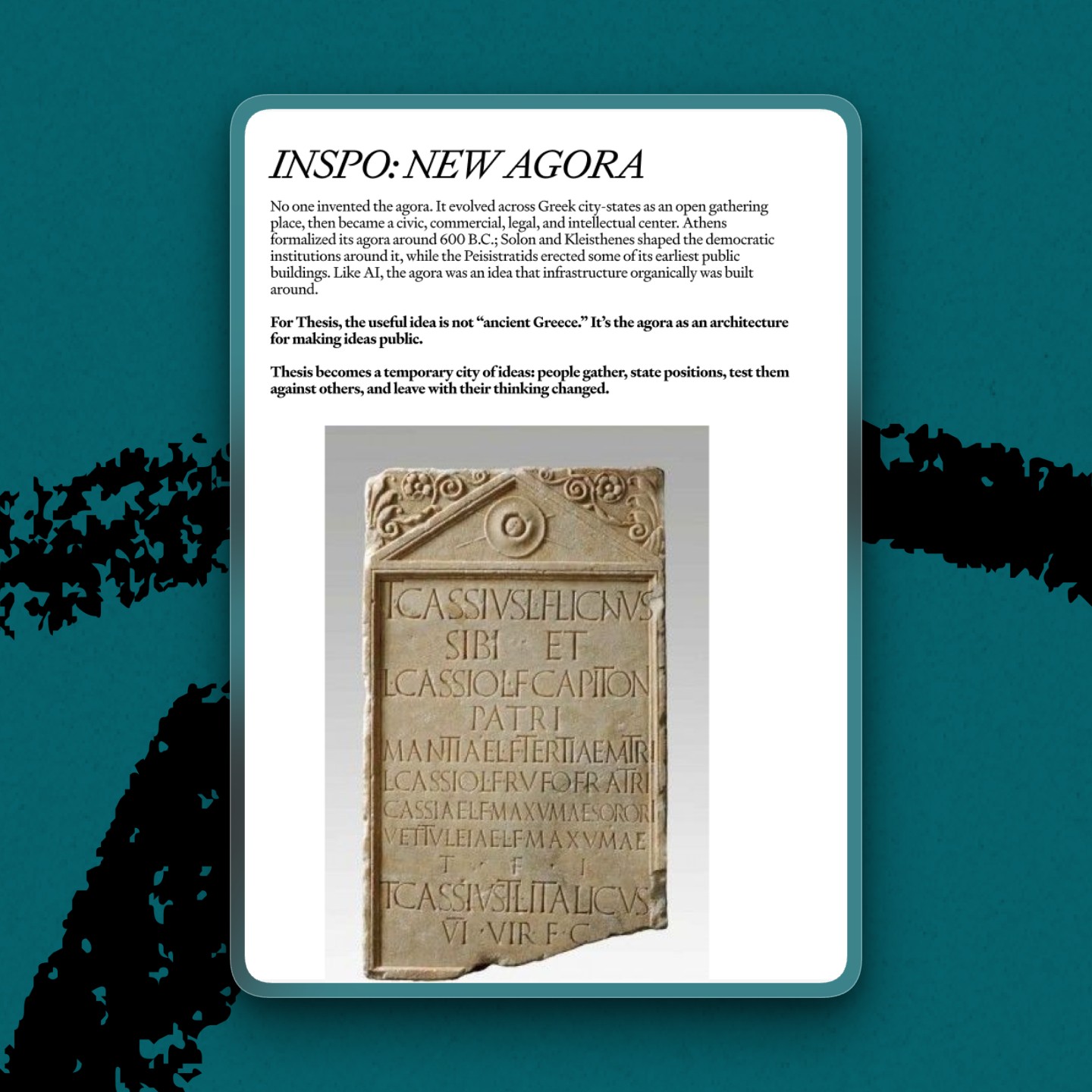
Inspired by examples of Greco-Roman pigments Daniel found online, they settled on a palette: malachite green, cinnabar red, and Egyptian blue.
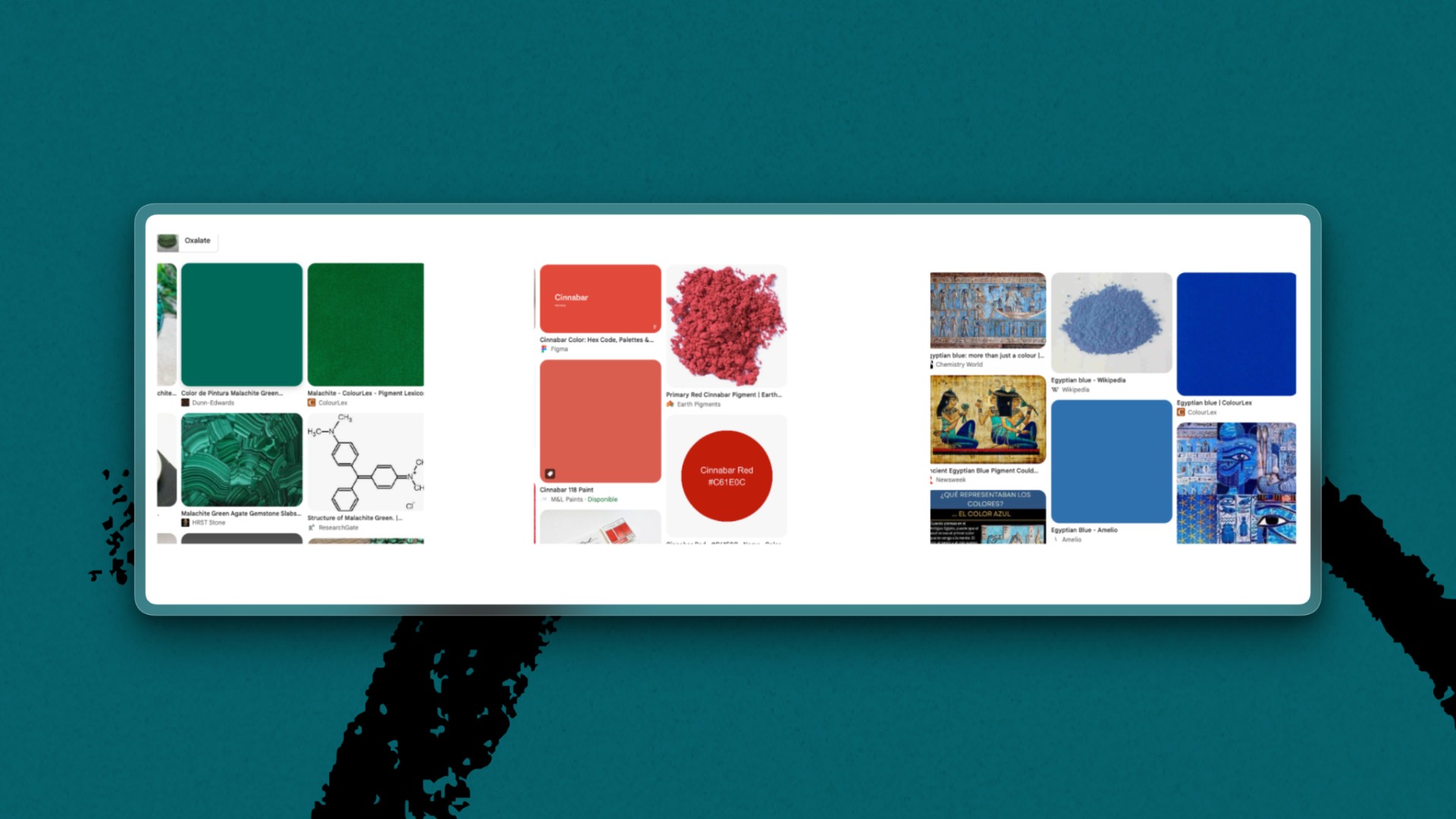
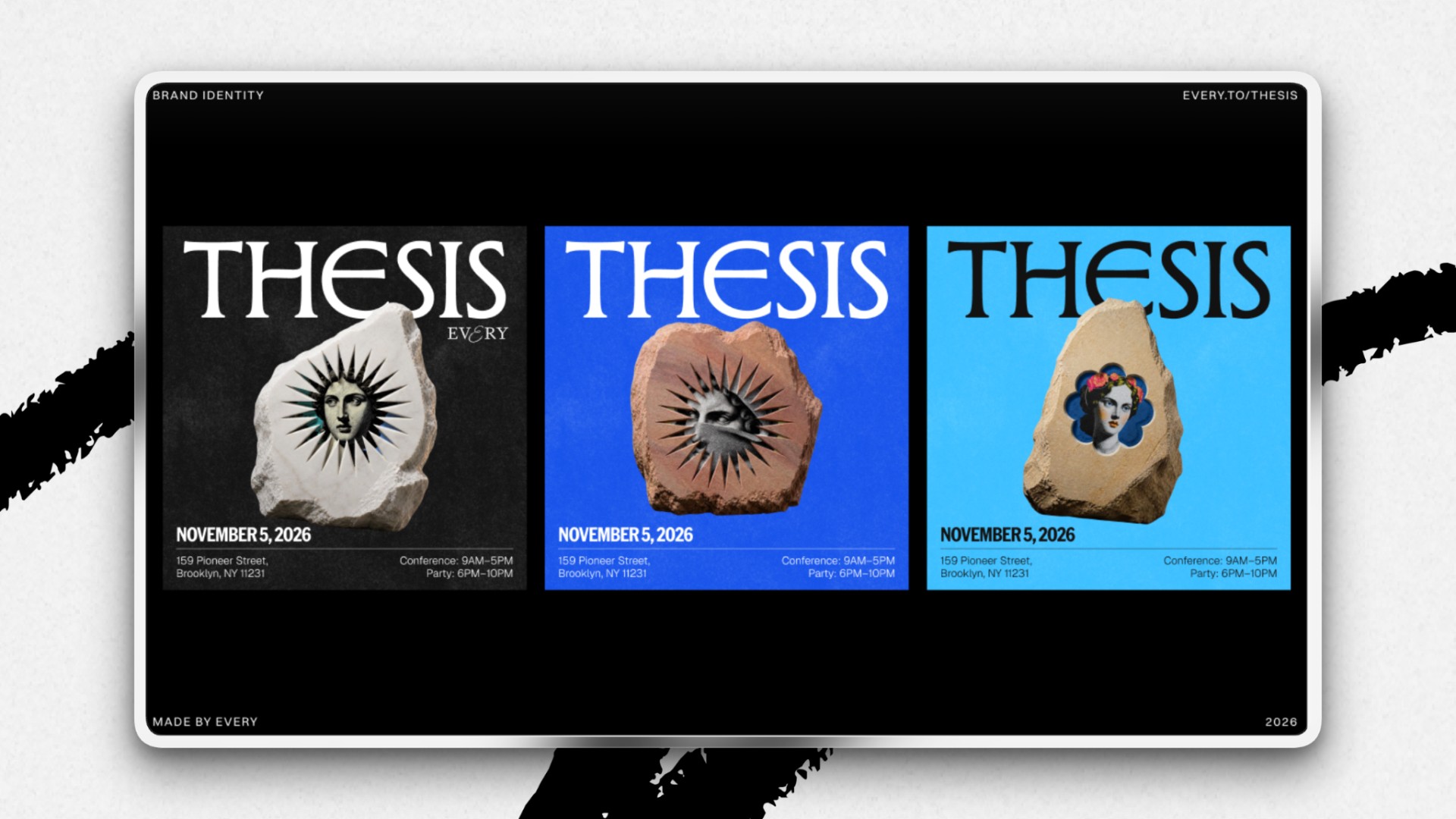
The pigment sources pushed Daniel to explore geological forms, which evolved into using a boulder as the event’s central visual concept. “I wanted the rocks to feel connected to the illustration style, which is how I came up with merging the illustrations with the physical object,” he says.
Step 2: Nail down the design system
Tools: Figma
Once the team had a guiding brand identity, Daniel created a miniature brand book in Figma that contained fonts, colors, a logo, illustrations, and examples of how to use all the elements.
The team left comments and refined the brand system in Figma. Usually mild-mannered, Daniel squashed a suggestion from colleagues that he build the Thesis website before the brand design was locked down. “That’s not how it works,” he says matter-of-factly. “It has to make sense visually first.” A solid brand system makes it easy to configure the right assets for the website.
Step 3: Create visual assets
Tools: Midjourney and ChatGPT Images 2.0
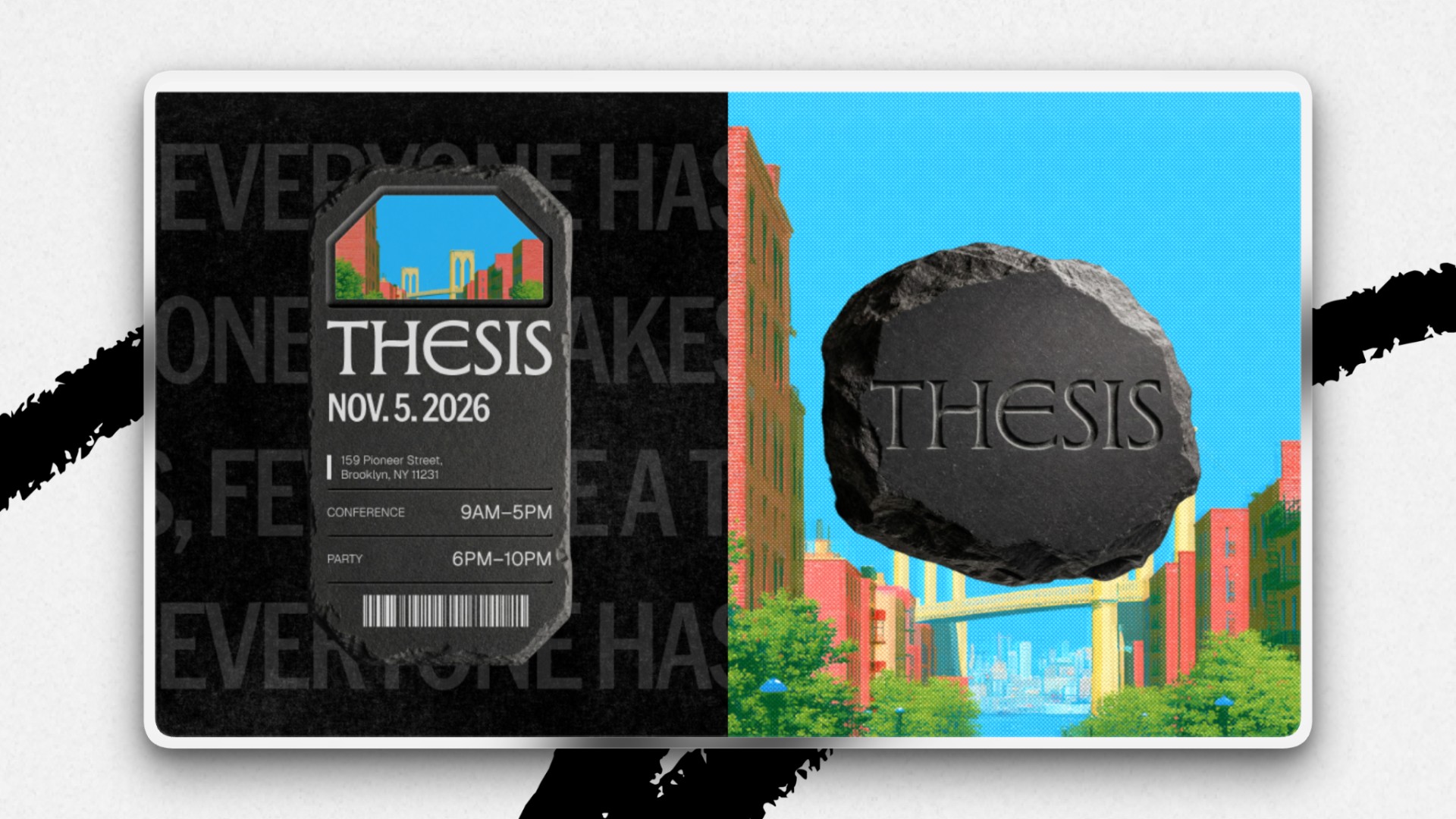
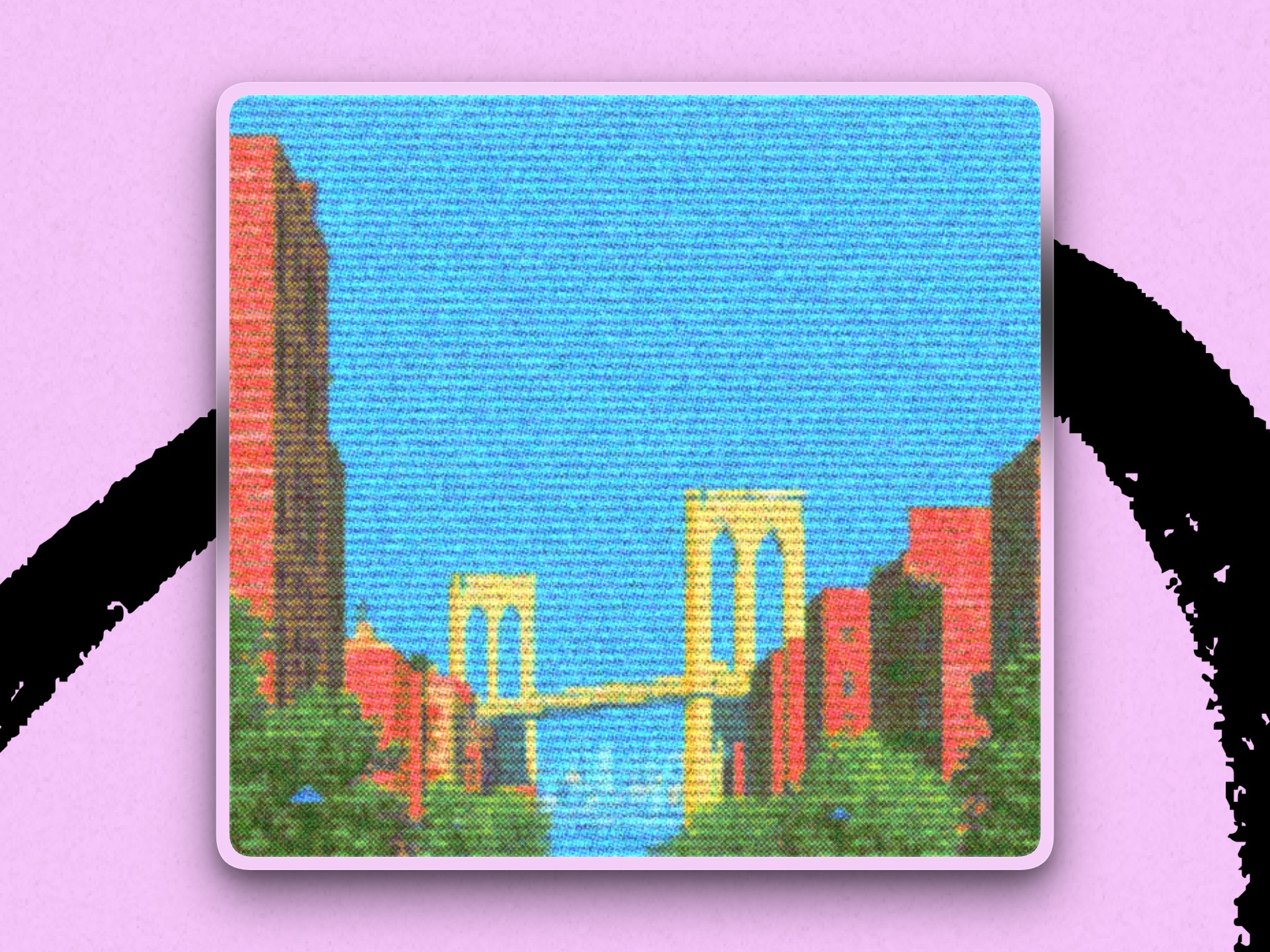
Daniel used ChatGPT Images 2.0 to create a photorealistic 3D boulder that became the conference’s central visual motif, which a motion-design contractor animated. Daniel used Midjourney to create the illustrations that appear throughout the assets, and chose a Brooklyn Bridge scene—with an Egyptian blue sky and cinnabar red buildings—as the Thesis website’s main visual.
Step 4: Add a layer of movement
Tools: Unicorn Studio
Daniel used Unicorn Studio, a web-based tool for creating interactive motion and graphics, to overlay a VHS effect on the Brooklyn Bridge image, mimicking the staticky feel of old VCR players. The subtle movement “made it more dynamic,” he says.
Step 5: Turn approved copy and user-experience flows into wireframes
Tools: Claude (Opus 4.8)
COO Brandon Gell gave Daniel a handful of user-experience flows for the website—including how to apply to the conference or nominate someone else to attend. Daniel uploaded the user flows and approved copy to Claude and had it generate a rough set of wireframes, in order to spot confusing steps and adjust the structure.
Step 6: Produce the final layouts
Tools: Figma
In Figma, Daniel manually built the final designs, complete with the Thesis aesthetic and assets, using Claude’s wireframes as a reference.
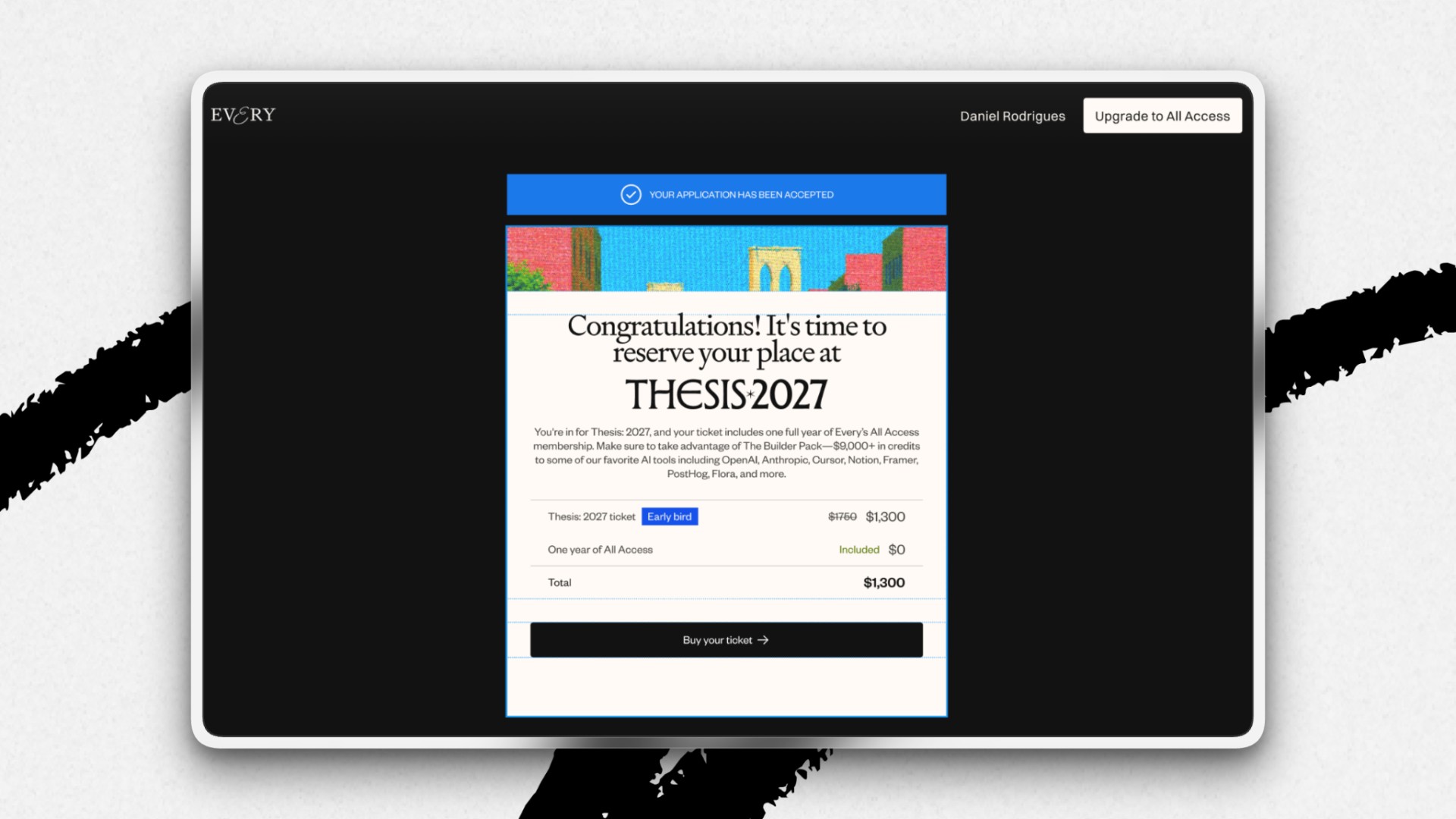
In less than a month, the design team delivered the brand identity, website, user experience flows, 3D assets, and internal tools for the conference. The Thesis launch was a sprint made possible by equal parts tech and Daniel’s design judgment.
Laura Entis is a staff writer at Every. You can follow her on LinkedIn.
Everyone’s a builder now. Every All Access gets you the full membership plus the Builder Pack—$9,000+ in credits for the tools we build with.