
You probably know the person with an AI setup that everybody wants to snoop through. Their folders have names. Their agents have jobs. Their system knows where everything lives. Meanwhile, your system is still hoarding mystery screenshots and documents called final-final-2.
We feel this at Every. So we let the team see how their colleagues organize their AI systems. As we teased last week, head of consulting Natalia Quintero now hosts Show Us Your Folders: a recurring series where one person opens their AI workspace and explains it to the Every team.
Today, we take the pilot tour, share a workflow for reviewing your own workspace, explore Mike Taylor’s beliefs about writing with AI, and look at the latest Compound Engineering release.
Was this newsletter forwarded to you? Sign up to get it in your inbox.
Inside Every
‘Show Us Your Folders’: Give your agents a garden and a yard
It’s fitting that Kieran Klaassen, the general manager of Cora, was the first to walk us through his setup for Show Us Your Folders. He introduced the idea that the folder is the agent: Everything an AI needs to work the way you want should live in the folder.
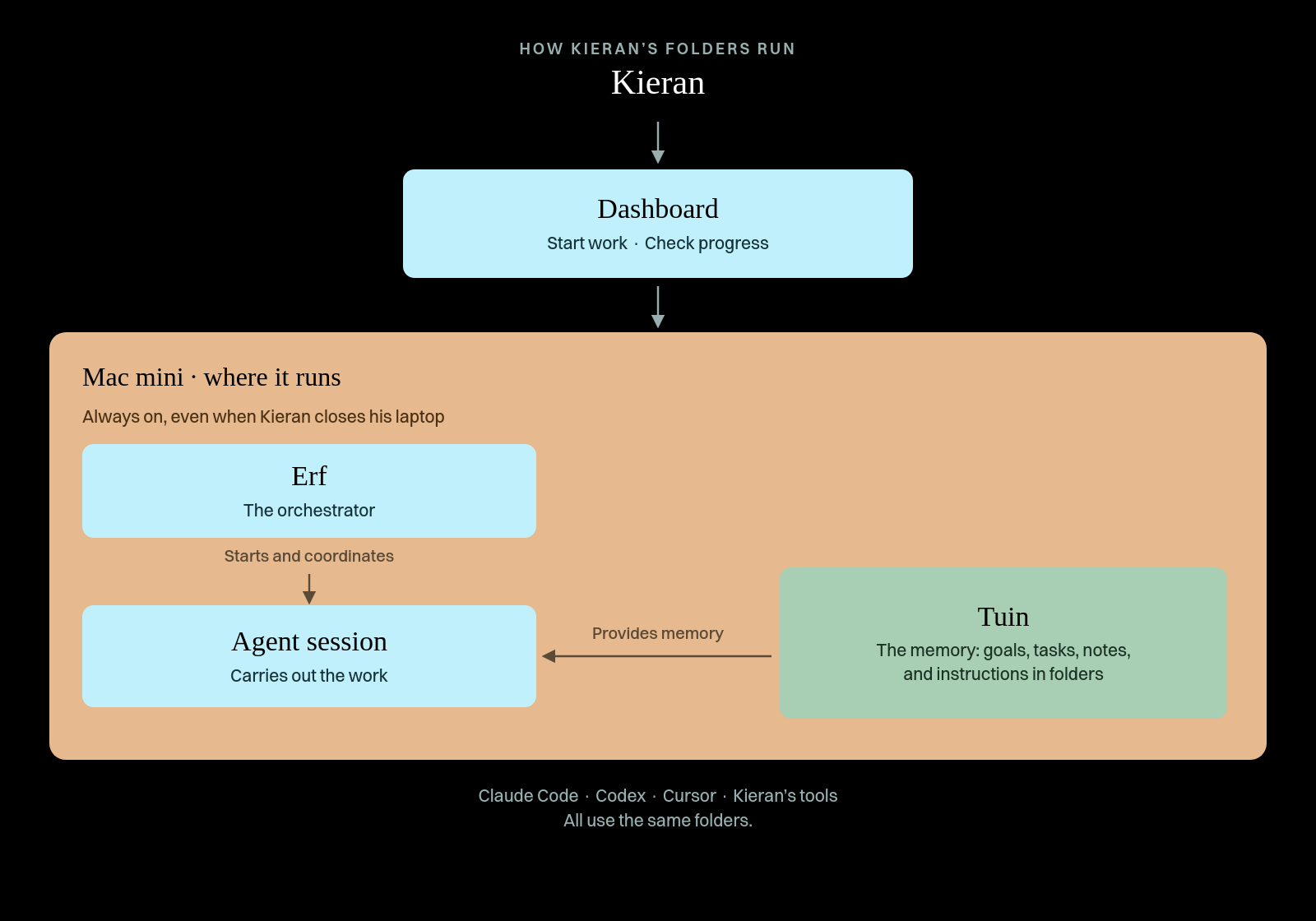
His setup has four main parts:
- Tuin (“garden” in Dutch) is Kieran’s personal AI workspace. It stores his goals, tasks, meeting notes, ideas, projects, and personal records in folders.
- Erf (“yard”) is the coordinator. It starts agent sessions and sends each task to the folder that contains the relevant files and instructions.
- A dashboard is the interface. It shows Kieran’s plans, to-dos, scheduled tasks, active agents, and their sessions.
- A Mac mini is the computer where the agents run. Because it stays on, they can continue working after Kieran closes his laptop.
The parts work together in sequence. Kieran starts or checks work in the dashboard. Erf sends the task to an agent’s folder in Tuin. The agent reads the files there, and the Mac mini keeps the session running. Claude Code, Codex, Cursor, and Kieran’s own tools all use those same folders, so Kieran can switch tools without moving his context.
What you can copy:
- Make a separate folder for each job. In Kieran’s setup, Erf sends each task to the folder with the needed files and instructions. If two jobs need different source material, history, or rules, put them in different folders. Each folder gives an agent one clear job and the context it needs.
- Separate context from dispatch. Tuin stores Kieran’s goals, notes, projects, and memories. Erf starts sessions and sends each task to the right folder. Keeping those jobs separate lets him change how agents are assigned without reorganizing the material they use.
- Organize memory by time scale. Kieran keeps daily, weekly, monthly, and yearly memory files, pairing the first three with matching planning routines. A daily plan and a monthly review need different amounts of history, so they shouldn’t draw from the same catch-all file.
- Custom-fit to your style of work. Kieran’s folder setup builds on a planning practice he’s followed for about 15 years. When designing your folder layout, think about the ways you already work. You’ll have better results with a system that’s custom-fit to your style of work than by trying to adopt someone else’s wholesale.
Steal this workflow
Have Compound Engineering review your desktop setup
Since reading “The Folder Is the Agent,” I’ve become fanatical about folder architecture. I wanted ChatGPT to check the setup and the instructions that govern it. Without my asking, it used Compound Engineering’s ce-doc-review skill to answer five questions:
- Coherence—Do the files agree about which instructions take priority?
- Feasibility—Can agents follow the load order and update rules?
- Product—Does the setup support its intended use?
- Scope—Has one file taken on too many policy roles?
- Adversarial—Where could automatic capture or the Knowledge layer create new failure modes?
What Compound Engineering found: The audit distinguished authoritative files from installed copies and exposed the sprawl created by my “capture everything” habit: 25 top-level folders, more than a thousand raw session files, and three versions of a working project across two machines. The solution: Consolidate duplicate roots, treat runtime copies as disposable, and require a human review before captured context becomes shared guidance.
Here’s what to do:
- Ask your agent to map one workspace before changing anything. It should name what each folder owns, which files are authoritative, and what is only an installed or exported copy.
-
Run
/ce-doc-reviewon that map. Ask it to flag duplicated homes, conflicting instructions, stale indexes, and material that gets captured but never consolidated. - Review the findings yourself. Approve only changes that fix a real failure mode, and do not let the agent move, rename, or delete files until you do.
Try this prompt:
Also today
Write like Mike
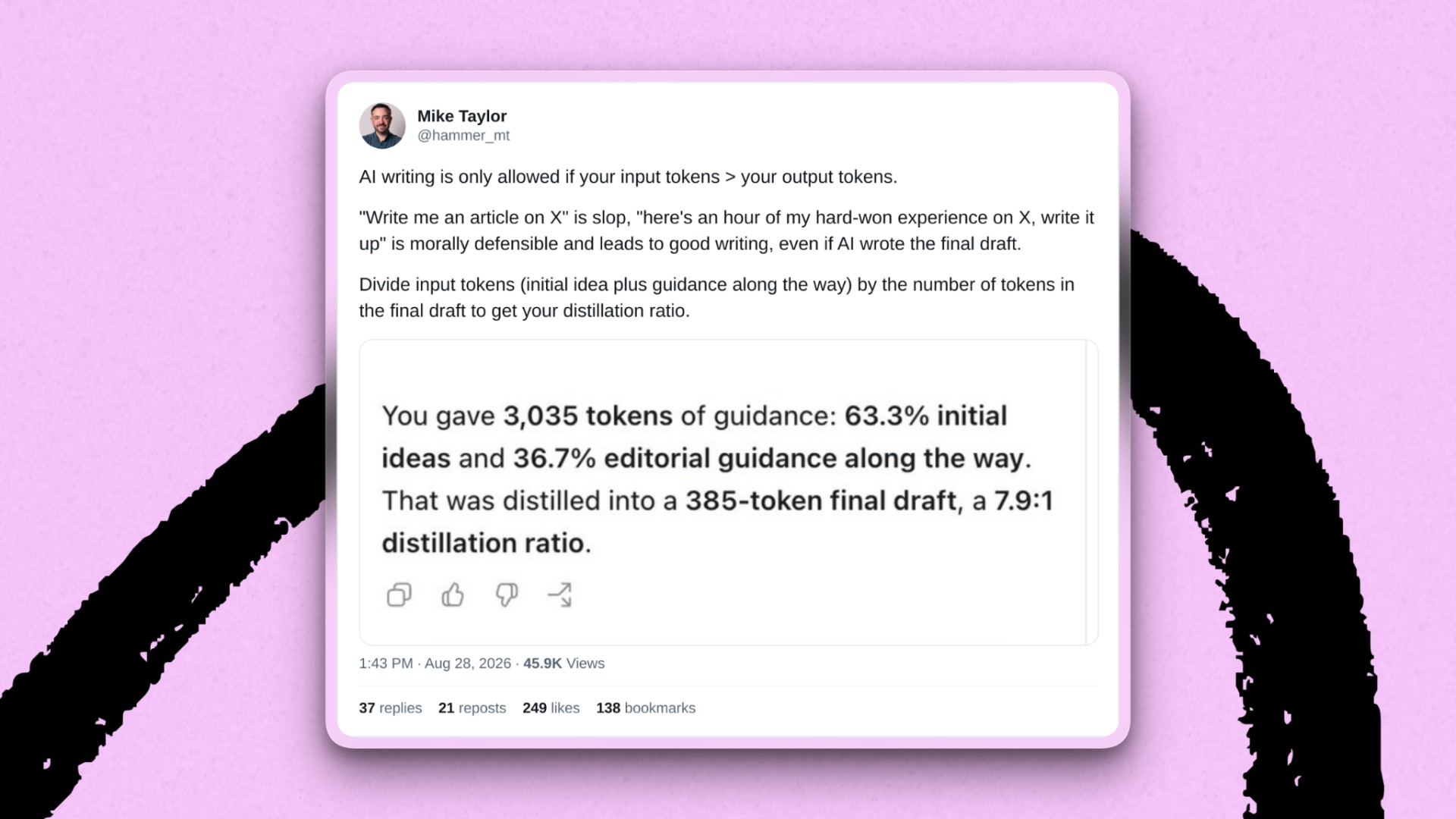
Last month, head of evals Mike Taylor shared his heuristic for what makes AI writing worthwhile, sparking an animated discussion. Today, he expands that rule of thumb into a practical framework: 13 beliefs about writing with AI that keep it from turning into slop or wasting the reader’s time. Most good ideas come from people who aren’t necessarily strong writers, so AI gives those ideas a voice. Using AI doesn’t change the fact that good writing always feels risky: people want to read what you’d tell your friends in private but hesitate to publish.
Launch
Compound Engineering levels up to 3.26
Compound Engineering 3.26 launched this week. The biggest change is that Compound is better at identifying the task and deciding what should happen next.
What’s new:
-
LFG now understands the request before planning. A bug gets sent to
ce-debug. LFG routes explanation requests toce-explain. A prototype stays a prototype. And if you already have a plan from the same session, LFG can send it toce-work.
What’s improved:
- Code review scales with the risk. Small, low-consequence changes can take a cheaper path, while risky or unclear ones still get the full multi-agent review. The release also fixed a severity-label mismatch that had been dropping some maintainability findings and added a check for code that exposes gated or unreleased features.
-
User-facing output is cleaner.
ce-noslopno longer includes internal “here’s what I changed” narration in messages and PR descriptions. Compound Packs link to guides even when individual skills are installed outside the main repository.
Signal
Claude wants to choose for you
What happened: Anthropic would like you to stop deciding which Claude to open. It’s merging Chat and Cowork into one Claude, so a quick question and a longer assignment can start in the same conversation. Claude Docs and Claude Slides are moving in, and Claude Design will work inside conversations. You describe what you need, and Claude is supposed to round up the context, skills, and tools to do it. The merged app rolls out to Pro and Max subscribers over the coming weeks.
What it means: Both OpenAI and Anthropic are building toward the single desktop app for knowledge work we predicted in April: Describe the work, and the app brings together what’s needed to do it. Whether that helps depends on how well the system chooses.
If you’ve ever clicked around an AI app hunting for a feature you know it has, handing off that choice sounds great. But it gives the assistant a job we wrestle with at Every: getting an agent to bring the right tools to a task. An agent can have exactly the right tool and still not reach for it when it should.
We’ve seen this before. When OpenAI launched GPT-5 in August 2025, the company described one system that would pick a fast model or a deeper reasoning model for each request. Then the autoswitcher went down for part of a day, and Sam Altman admitted GPT-5 seemed “way dumber” as a result. The intelligence was there, but people couldn’t reliably get to it.
One Claude takes on a bigger version of that problem. A presentation might need research, calculations, a saved design preference, and a slide editor. The assistant has to determine which of those it needs, use each one at the right moment, and know when to stop and ask you. Putting everything behind one text box doesn’t settle any of those decisions. It moves them out of sight.
What to do: When the merged app shows up in your account, pay attention to how much steering it still needs. The test is whether you can describe the result you want or still have to name the tools the model needs.
Where is the antivirus for the AI age?
What happened: Anthropic CEO Dario Amodei recently proposed “pacing the frontier”: slowing the development of the most capable AI models so safety work has time to catch up. Every CEO Dan Shipper offered a companion idea: “distribute the frontier.”
One of Dan’s proposals is deliberately mundane: an antivirus for the AI age. Instead of concentrating powerful AI capabilities inside frontier labs, defensive agents that spot and respond to AI-enabled attacks could put that power in the hands of ordinary people—and the teams running hospitals, airlines, utilities, and other critical infrastructure.
Why it matters: AI gives attackers new capabilities, but defenders may not have the same models, security expertise, or resources. Dan’s argument is that defense shouldn’t be reserved for frontier labs.
Early versions are emerging. Anthropic’s Project Glasswing gives security teams early access to Claude Mythos Preview to find vulnerabilities in critical software and infrastructure. Anthropic says its first group of roughly 50 partners found more than 10,000 high- or critical-severity vulnerabilities.
OpenAI’s Daybreak subsidizes access, training, and support for defenders in sectors including water and electricity, government, banking, nonprofits, and open source. OpenAI says thousands of defenders across 2,000 approved organizations and workspaces are using the program through more than 35 partner products and services.
Both are useful first steps but remain under their labs’ control. Neither is the ordinary-person antivirus Dan is describing.
What it means: Dan’s framing turns AI safety into a product category. Most AI products promise to help an agent do more. An AI-age antivirus would help people recognize and respond to AI-enabled attacks.
Glasswing and Daybreak show an institutional version taking shape. We need to see whether the same defensive capability reaches the tools people already use, without requiring them to join a lab program or become cybersecurity experts.
As agents gain access to our files, accounts, and software, the security question is no longer only about what we allow our own agents to do. It is also about what stands between us and someone else’s.
Katie Parrott is a staff writer at Every. To read more essays like this, subscribe to Every, and follow us on X at @every and on LinkedIn.
Everyone’s a builder now. Every All Access gets you the full membership plus the Builder Pack—$9,000+ in credits for the tools we build with.