
Was this newsletter forwarded to you? Sign up to get it in your inbox.
For most of my working life, the first step of any task began with a blank slate: an empty Google Doc, a fresh email, or a new Excel spreadsheet. From researching to writing formulas, the banalities of every stage of construction fell to me. AI made that process faster, but the way I accomplished it wasn’t all that different. I started with a new chat and prompted it over and over until the output matched my unspoken definition of “done.”
When I started at Every in May, I was still working that way. When I needed to issue contractor payments, I worked from one chat thread, prompting sequentially to surface agreement terms, approve payment, and send email confirmations that payment had been issued.
Things look very different today. Last week, I needed to verify the cost of purchasing equity for an employee across multiple grants, strike prices, and vesting schedules. Rather than tackle this complex task in a single thread, I split the project among several subagents that coordinated independently to verify information on signed agreements, run the math, double-check it and flag discrepancies, and return a draft of a Slack message that I could approve with a simple “yes.” That work ran on skills, orchestrator threads, context packets, subagents, MCPs, and computer use. It’s a veritable alphabet soup of technical terms that I was previously sure could only be understood and deployed by Highly Technical People, yet I now find myself reaching for these techniques daily, helping me work faster, with better and more precise results that I can be confident about.
I was prompted to make the shift from a tweet. Katie Parrott tweeted in June that she had asked Codex where she fell on Mike Taylor and Laura Entis’s guide to “Eight Levels of AI Adoption,” and I saw an opportunity to better understand my place in the ecosystem. The guide is a framework that maps a progression from basic chatbot use to full agent orchestration, with each level delegating more work—and trust—to AI. Codex placed Katie at Level 5 (building workflows that make an agent’s output consistent and reliable), with the beginnings of Level 6 (an agent that works proactively in the background without waiting for a prompt).
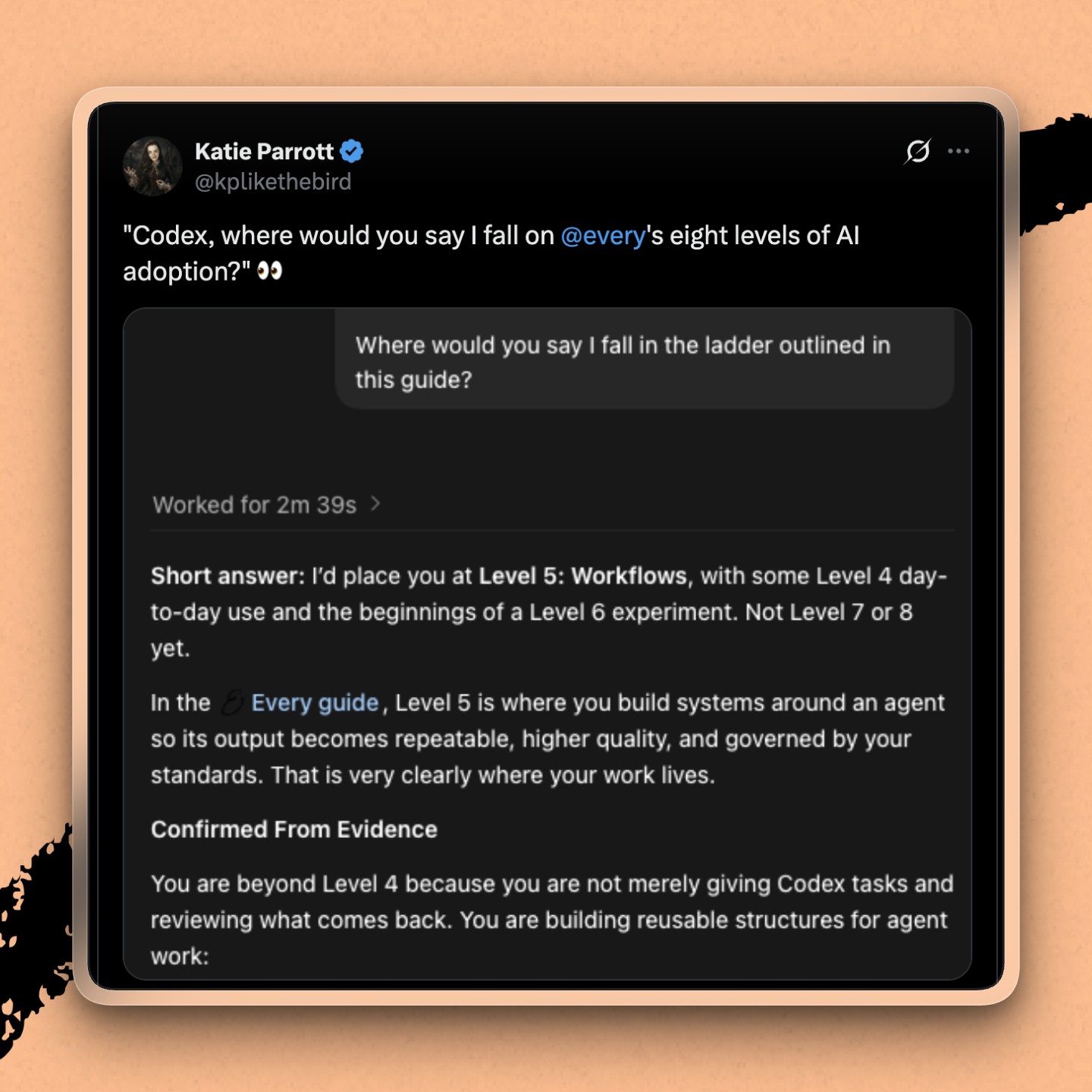
Asking Codex to assess where I fell on the framework kick-started leveling up my skills with AI. I quickly realized that the best teacher to help me improve had been in front of me the whole time: the AI itself. Here’s how I did it—and how you can, too.
1. I asked my agent to assess how I worked
I gave Codex the same article and asked a very simple question: “What level am I based on how we’ve been working together thus far?” Because Codex could look across our past sessions, its answer was based on my actual work patterns and far more insightful than if I’d had to read the article and figure out how to level up on my own.
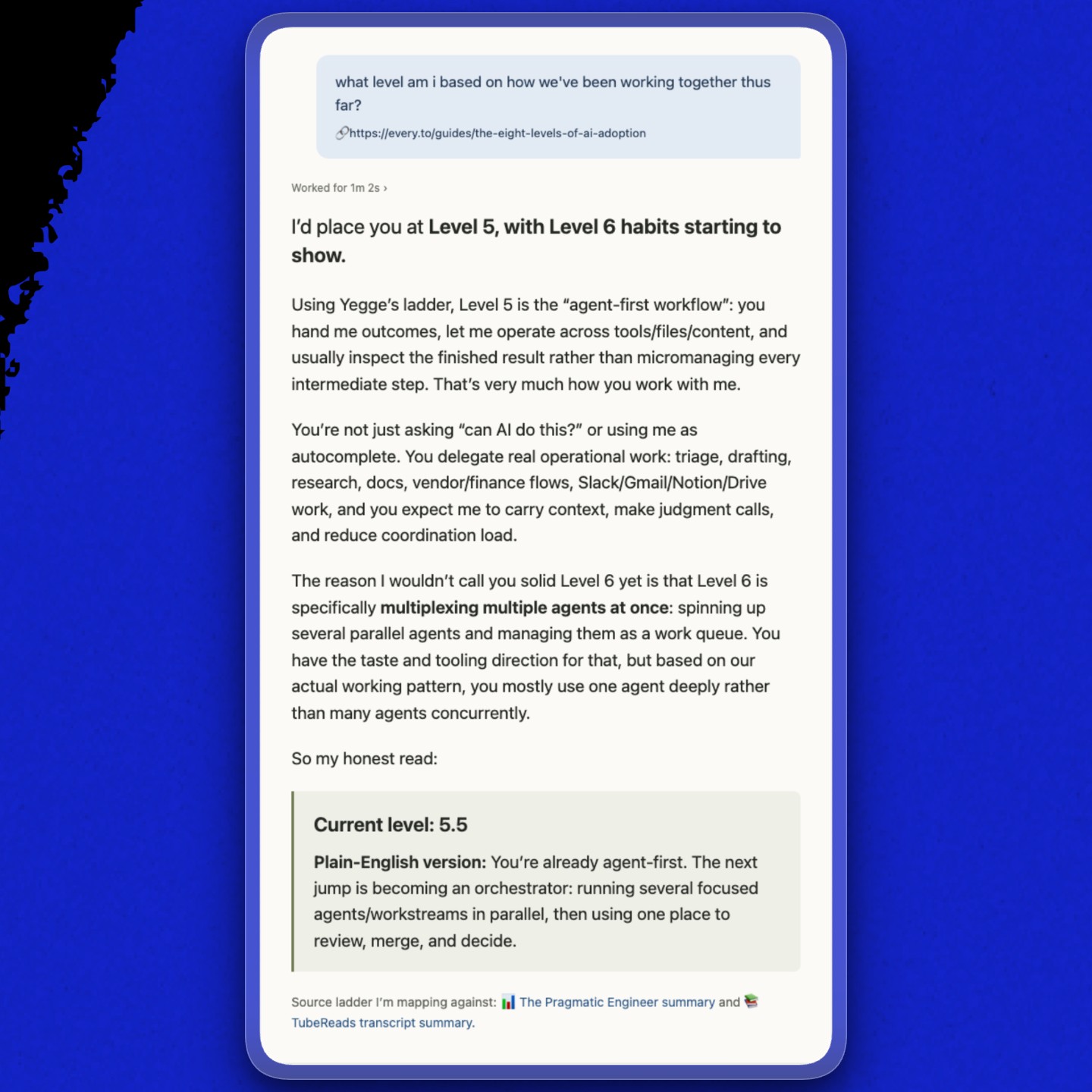
Codex put me at 5.5: solidly at Level 5, with some Level 6 habits. I was using it deeply, but still tended to give one agent a large job and work with it until the job was finished, rather than deputizing multiple agents with distinct roles. I wasn’t even sure what it meant to use one agent vs. several agents concurrently.
Try it:
If you’re using AI consistently for your work, pick the agent you use the most and ask it to look across sessions to level you. If you’re not using it daily, wait until you’ve built up a week’s worth of chats so it has data to pull from.
2. I turned the assessment into recommendations
I’m constitutionally incapable of resisting the temptation to level up, so I asked: “Can you look across past sessions and suggest what would take me to a 6 or 7? How can I use you more effectively? What opportunities did I miss?”
Codex found concrete examples in my work history, like a project where I was using a Stripe API key (another first for me!) to pull transaction data to determine which states we needed to collect sales tax in.
The data needed to be exact, and I’d struggled to cross-check it without actually being in the Stripe interface, but Codex showed me how I could have divided the work among subagents in different threads: a specialist to pull data, a specialist to verify it was correct and complete, and a Google Sheets workbook builder to assemble it in the format our accountants requested.
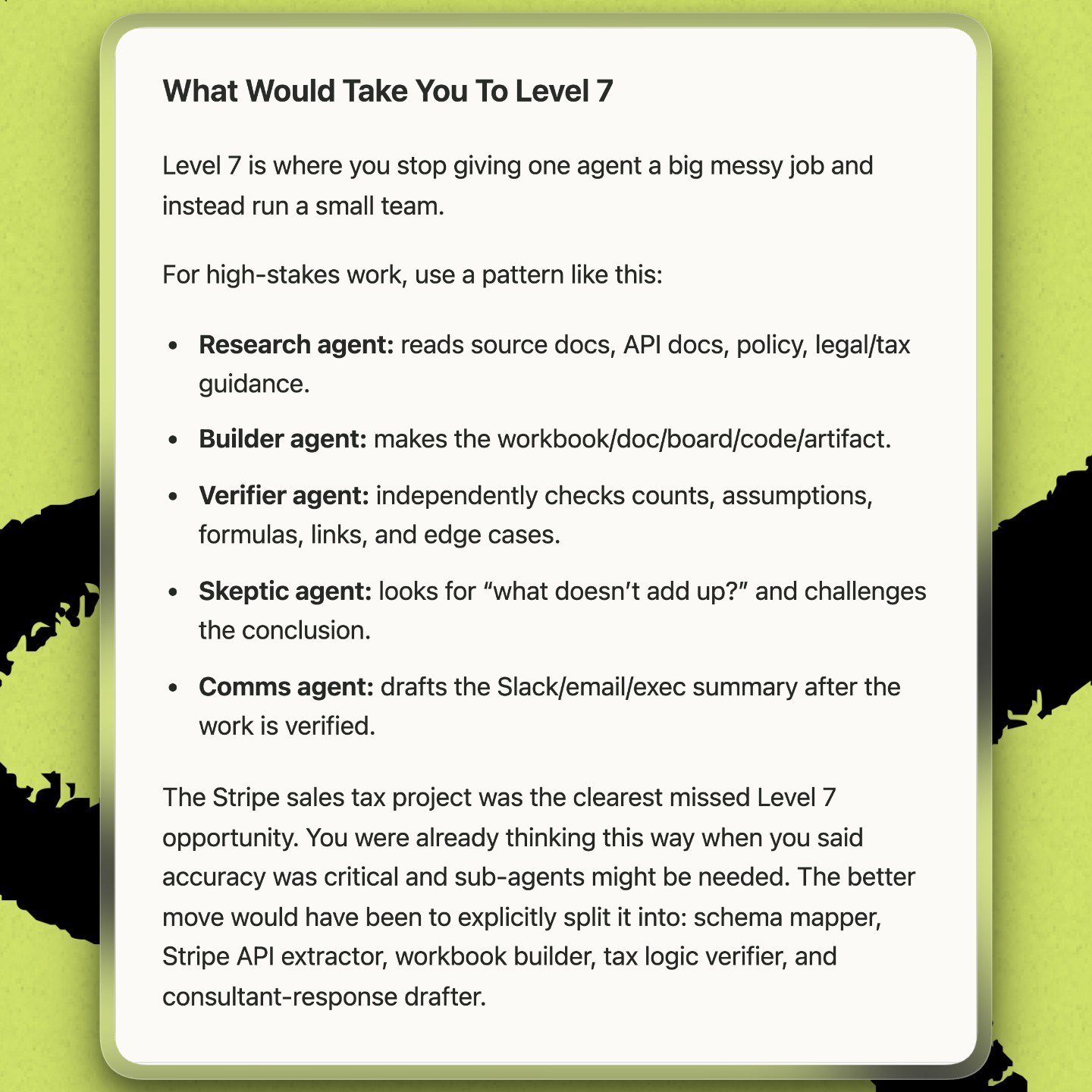
Merely saying “use multiple agents” wouldn’t have changed my behavior. Seeing a better setup for a project I’d already completed gave me something I could try the next time a similarly messy project came across my desk.
Try it:
Pick a project you’ve already finished and ask how it could have run at the next level.
3. I asked Codex to teach me how to make the change
When Codex first came back with recommendations, it told me to delegate to a schema mapper, a Stripe API extractor, a workbook builder, and a tax-logic verifier. I had literally no idea what any of that meant, and importantly, I didn’t understand the practical part. Was I supposed to open five chats? How would each agent get the right context? Who would reconcile their answers?
So I asked. Codex explained it the way I’d run a project with teammates. One lead, an orchestrator, holds the business goal, constraints, deadline, and definition of done. It gives each specialist a context packet—the minimum background, source material, constraints, and success criteria needed to do its part without inheriting the entire project—then pulls the results back together.
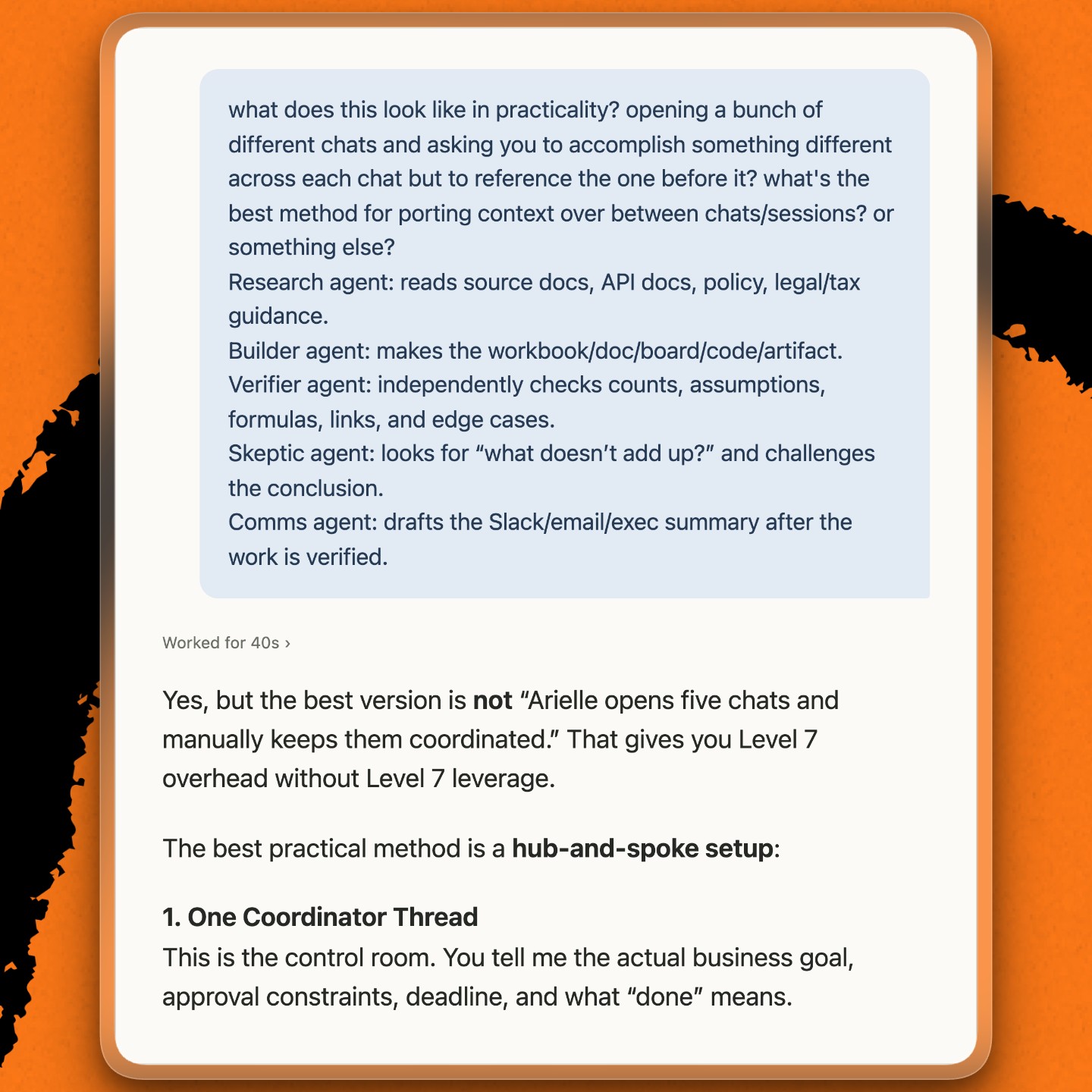
Then I tried it on my work, assigning each subagent a distinct role. In essence, I was breaking down a project into distinct components and assigning them to agents that were uniquely equipped to do that particular task, just as I’d delegate to different teammates in real life.
I started keeping one chat per project that acted as the manager, which handed tasks off to separate AI agents and kept track of the results. For high-stakes work like data pulls or analyses, I added skeptic and verifier agents whose only job was to challenge assumptions and to ensure the outcome was accurate. For example, the agent looked for potential overlap in vesting schedules in case paperwork was incorrect.
My setup is still experimental. I sometimes get baffling answers or a project drifts, I’m persistently paranoid about data pulls and analyses being inaccurate, and when I’m tired or in a rush, I default to long conversations. But I’m starting to see the overall trendline of how I’m using Codex change.
Try it:
When your AI recommends something you don’t understand, ask what it means and how to do it.
4. I made the feedback recurring
Codex’s feedback on my Stripe project was helpful, but learning requires practice , and reinforcement. Once I saw how useful that one-time assessment was, I had it set up a weekly task that scans my sessions for that week and sends me a graded report on Friday afternoons.
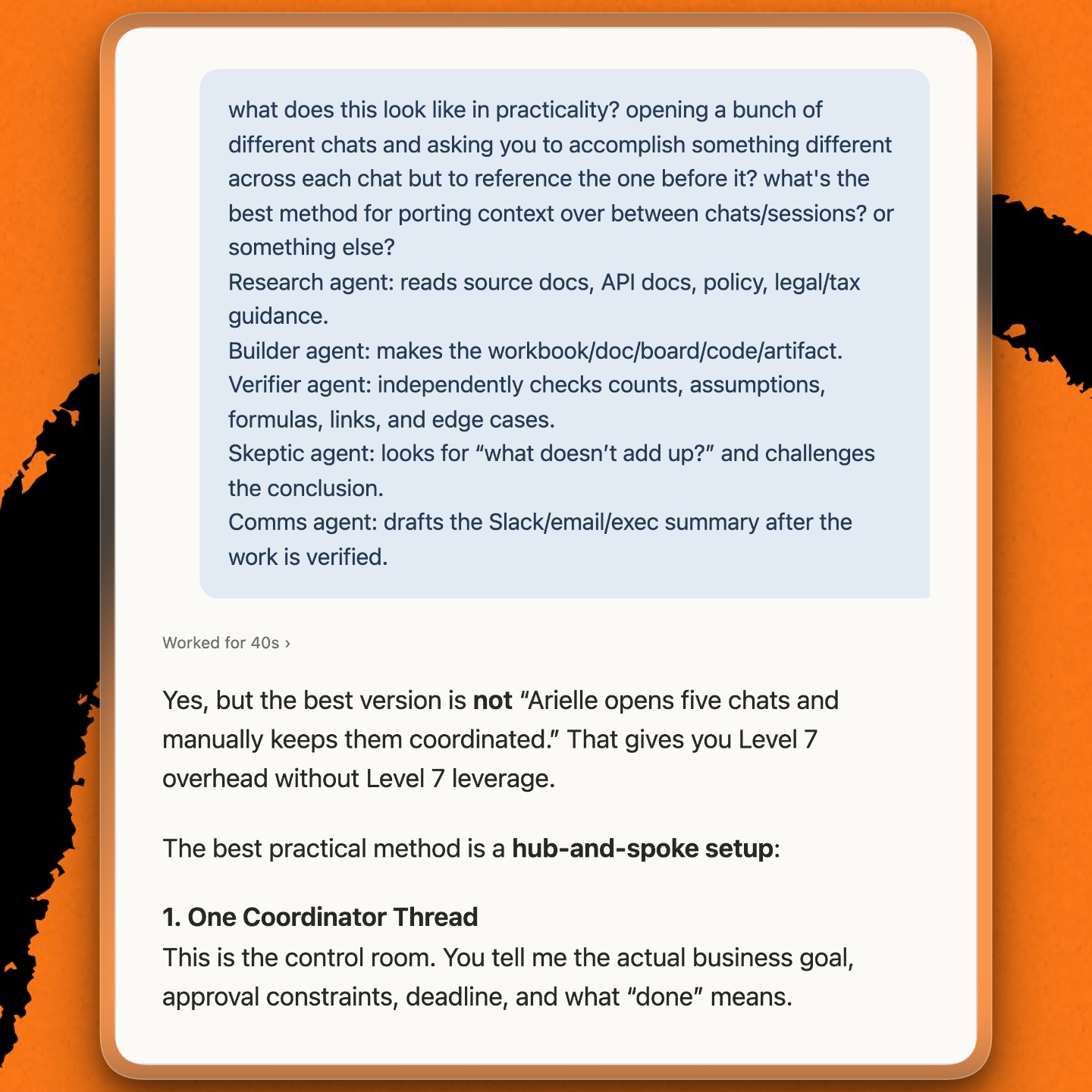
The report scores my work against the eight levels, notes what changed week over week, points to the sessions that support the score, and gives me a short list of experiments for the following week. That recurring review moved me from a 5.5 to a 7.9 over four months.
The score was gratifying, but the sections on “what changed” and “next week” were where learning really took place. It noticed that I had turned a small file-naming preference into a lasting rule and that I was consistently using orchestrators but wasn’t making the effort to define success upfront.
Try it:
Ask your AI to review your work on a weekly cadence so that regular feedback doesn’t depend on you remembering to ask.
5. I turned failures into opportunities for improvement
The weekly report has changed how I work, but I still have to deal with failed experiments, project drift, and AI slop.
Recently I had Codex run a multi-step finance task: read our company debit card spend data, calculate the trailing three-month spend average, add a buffer for taxes, and issue merchant-specific Ramp cards at that limit and then notify each cardholder in Slack. The cards came out correct, but the Slack messages didn’t. They read like polished corporate memos, opening with “Hey @person” and other phrases that I’d never use—even though Codex had read my Slack communication skill, a saved set of instructions it’s supposed to follow whenever it writes on my behalf. So I asked Codex to critique its own draft and had it add rules to the skill naming the giveaway phrases to avoid in Slack messages.
Then I asked a bigger question: What can Codex learn from corrections like this? A correction in one conversation doesn’t automatically carry over into the next, so the lesson has to be saved somewhere Codex will read it next time. I had it look back on the session and extract rules from the frequent corrections I tend to make to its work: judgment calls about source-of-truth discipline, approval gates, data verification, and working at the right level of detail. This work of making one-off improvements durable became my Self Improve skill.
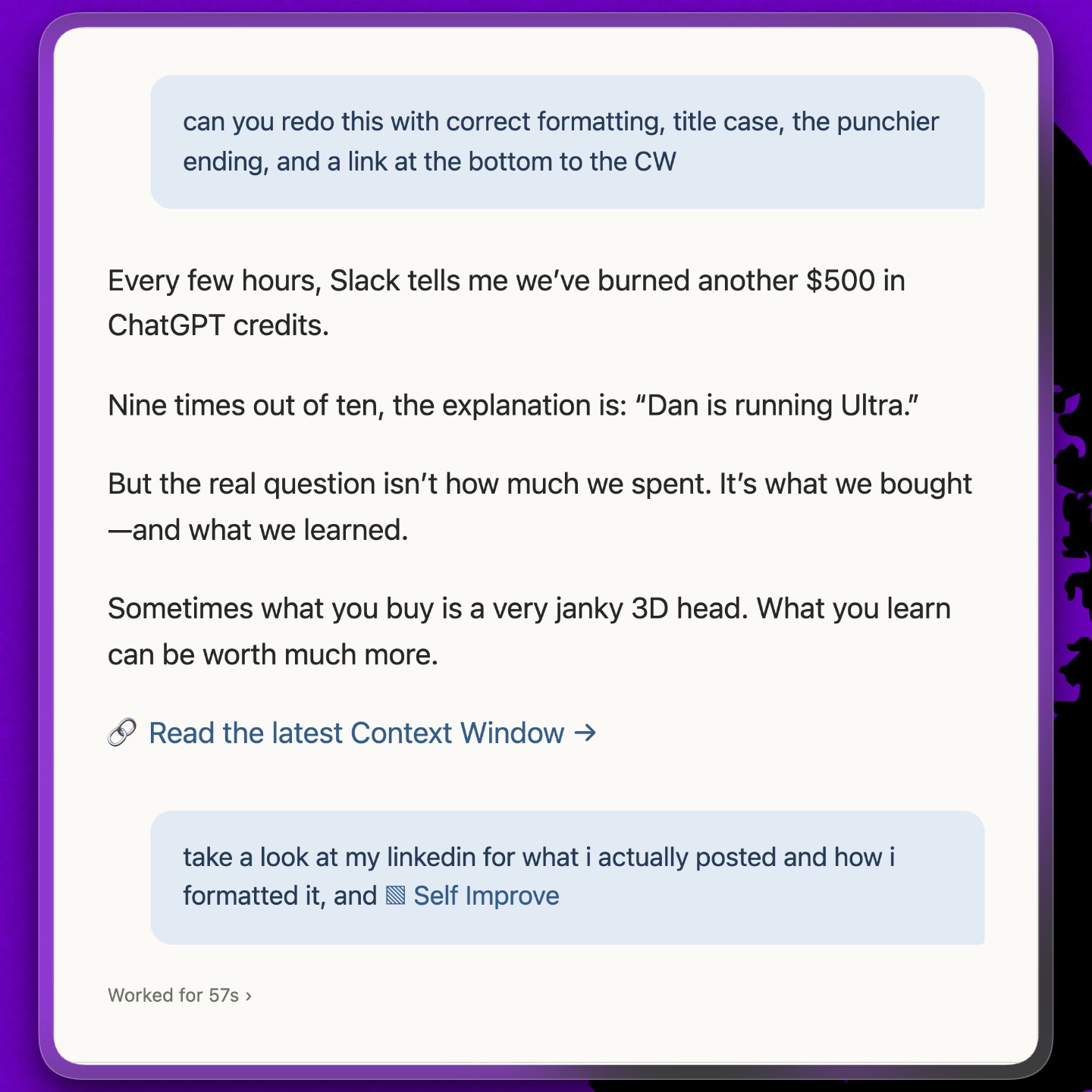
When I invoke /self improve, Codex looks at the preceding thread, the original output, and my corrections, then asks itself a series of questions that I’d ask any person when giving them feedback. The output diagnoses the failure mode, articulates what “good” looks like, and proposes a minimum durable change that can prevent the same thing from happening again. I get to review the proposed changes before they’re encoded, and the loop repeats.
Try it:
The next time your AI gets something wrong, don’t just fix it and move on. Ask why it failed and have it save the fix so it doesn’t happen again.
What’s next
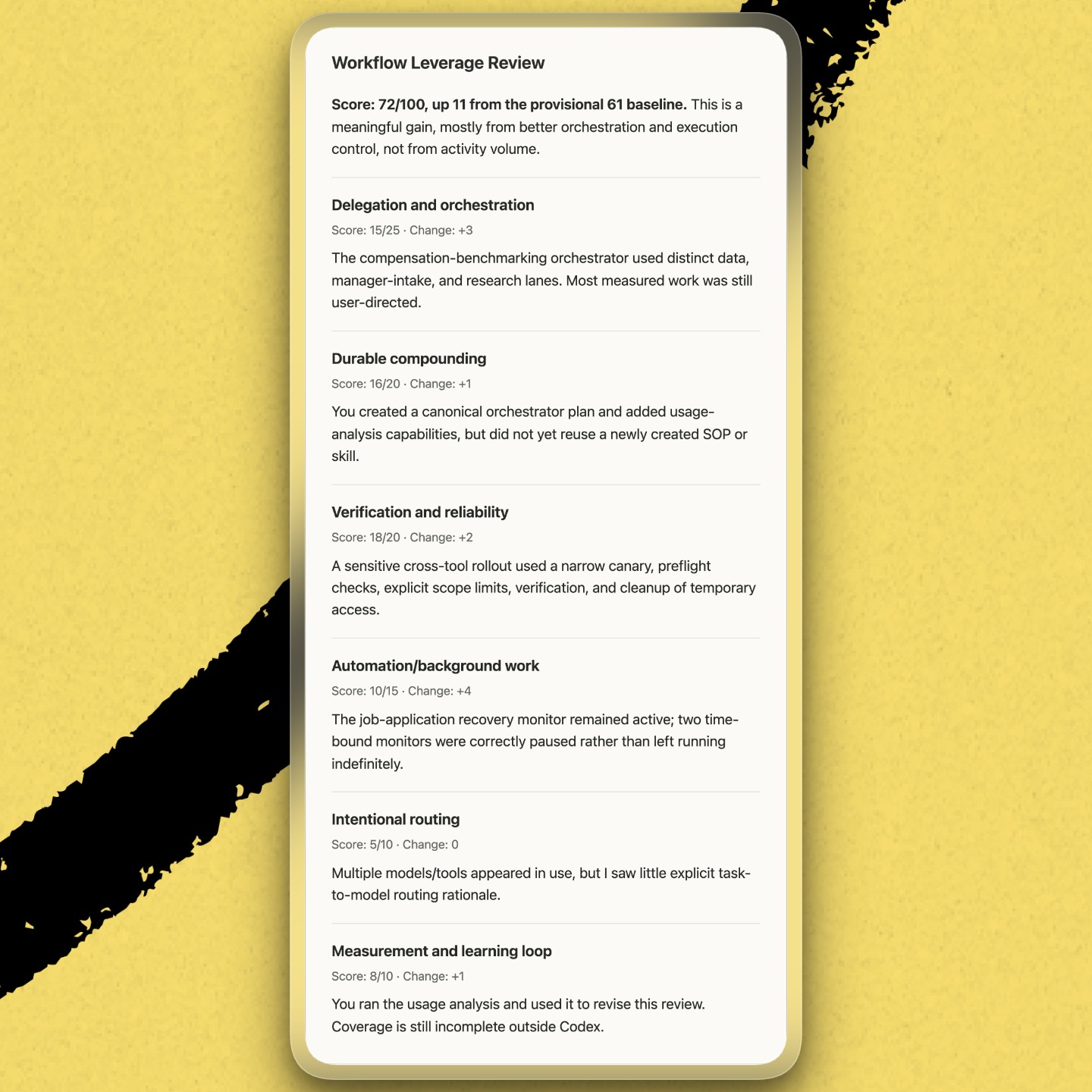
I’m now using Codex in ways I thought were reserved for engineers, and my system keeps changing. Recently, I asked Codex to study an AI usage report that Dan Shipper posted in Slack to identify opportunities for me to use AI more like him. My weekly feedback is now centered around those recommendations. Since Dots landed last week, my Dot Sebastian has become my orchestrator thread for any quick or administrative tasks.
Five months from now, I’m sure I’ll be using AI differently again. I have no idea what techniques are coming next, but I do know who I’ll be asking for help learning.
Arielle Shipper is the head of operations at Every. Previously she was the COO at Donut and began her career in editorial at Condé Nast.
Everyone’s a builder now. Every All Access gets you the full membership plus the Builder Pack—$9,000+ in credits for the tools we build with.